
Capture Every Client Call. Miss Nothing.
Whisperit records, transcribes, and summarises legal meetings automatically, producing a structured note with key points, decisions, and action items within minutes. All recordings stay in Switzerland, never shared, never used for training.
Why meeting notes are a persistent problem for lawyers
Cost of manual note-taking
Taking notes during a client meeting splits your attention. You cannot listen properly and write at the same time. Something always gets missed.
Cost of not taking notes
Missing a client instruction, a concession, or a deadline mentioned in passing is a professional risk. The failure to document is often worse than the gap in attention.
The gap after the call
Reconstructing what was said 20–30 minutes after a meeting ends, the standard alternative, produces incomplete records and consumes billable time.
How Whisperit handles legal meeting notes
Record
Start recording from within Whisperit on your phone or computer. Inform participants at the start of the call.
Transcribe
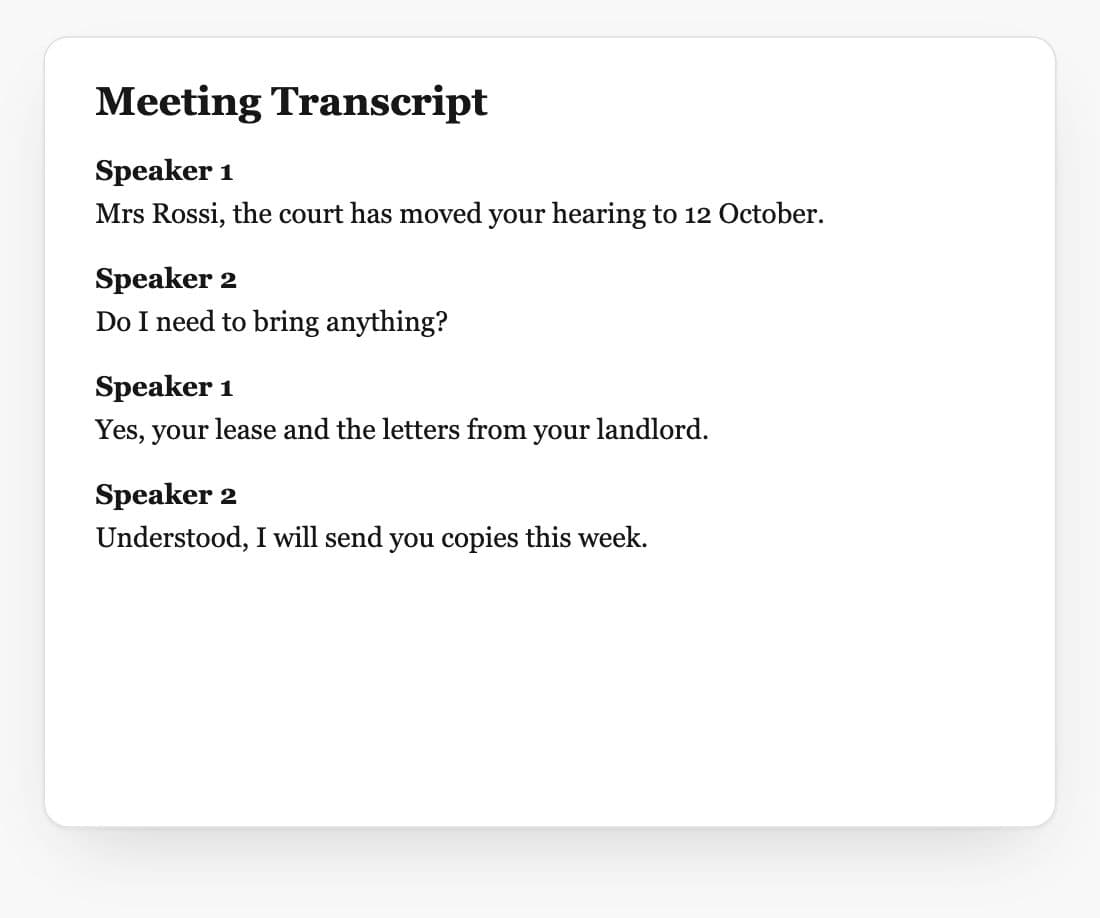
Whisperit transcribes the conversation with speaker identification: each turn is labelled and attributed.
Summarise
AI generates a structured summary: key points, decisions taken, and action items with owners.
Link to matter
The transcript and summary are saved directly to the relevant case file, searchable alongside all other matter documents.
Output by meeting type
| Meeting type | Whisperit output |
|---|---|
| Client consultation | Summary + action items + follow-up letter draft |
| Internal case review | Decision log + next steps |
| Negotiation | Position log + concessions + open points |
| Hearing / court session | Verbatim transcript + key rulings |
| Team briefing | Action list + assignees |
Meeting notes vs dictation
| Dictation | Meeting notes | |
|---|---|---|
| Number of speakers | 1 (you) | 2 or more |
| Timing | After the fact, async | During, live |
| Output | Formatted document | Transcript + summary |
| Best for | Drafting documents | Capturing conversations |
Recording consent and data protection
Swiss law on recording
Art. 179ter of the Swiss Criminal Code prohibits secret recording of non-public conversations. Informing participants at the start of a call satisfies the consent requirement.
Swiss data storage
All recordings and transcripts are stored in Switzerland, encrypted at rest and in transit. Data does not leave Swiss territory.
Access control
Recordings and transcripts are accessible only to members of your workspace. Whisperit staff have no access to your content.
Retention
Retention periods are configurable. Recordings can be deleted after transcription if your firm's policy requires it.
Frequently asked questions
Can I record client calls legally in Switzerland?
Yes, provided you inform all participants at the start of the call. A simple verbal notice is sufficient. Secret recording of telephone conversations is a criminal offence under Art. 179ter of the Swiss Criminal Code.
Does Whisperit identify who is speaking?
Yes, Whisperit includes speaker identification that labels each turn of the conversation, making transcripts readable and attributable.
Can I share meeting notes directly from Whisperit?
Yes, summaries and transcripts can be shared with colleagues or exported to Word or PDF for delivery to clients.
How long does transcription take?
For calls up to 60 minutes, transcription typically completes within 2–5 minutes of the recording ending.
Does this work for video calls (Teams, Zoom)?
Whisperit transcribes audio captured from your device. Native integrations with Teams and Zoom are on the product roadmap.
Never miss a client instruction again.
7 days for free, no credit card. Swiss-hosted from day one.