
Work on the same matter without emailing versions
Two people in the same document, changes attributed to whoever made them, and access you can withdraw in the middle of a session rather than at the end of the month.
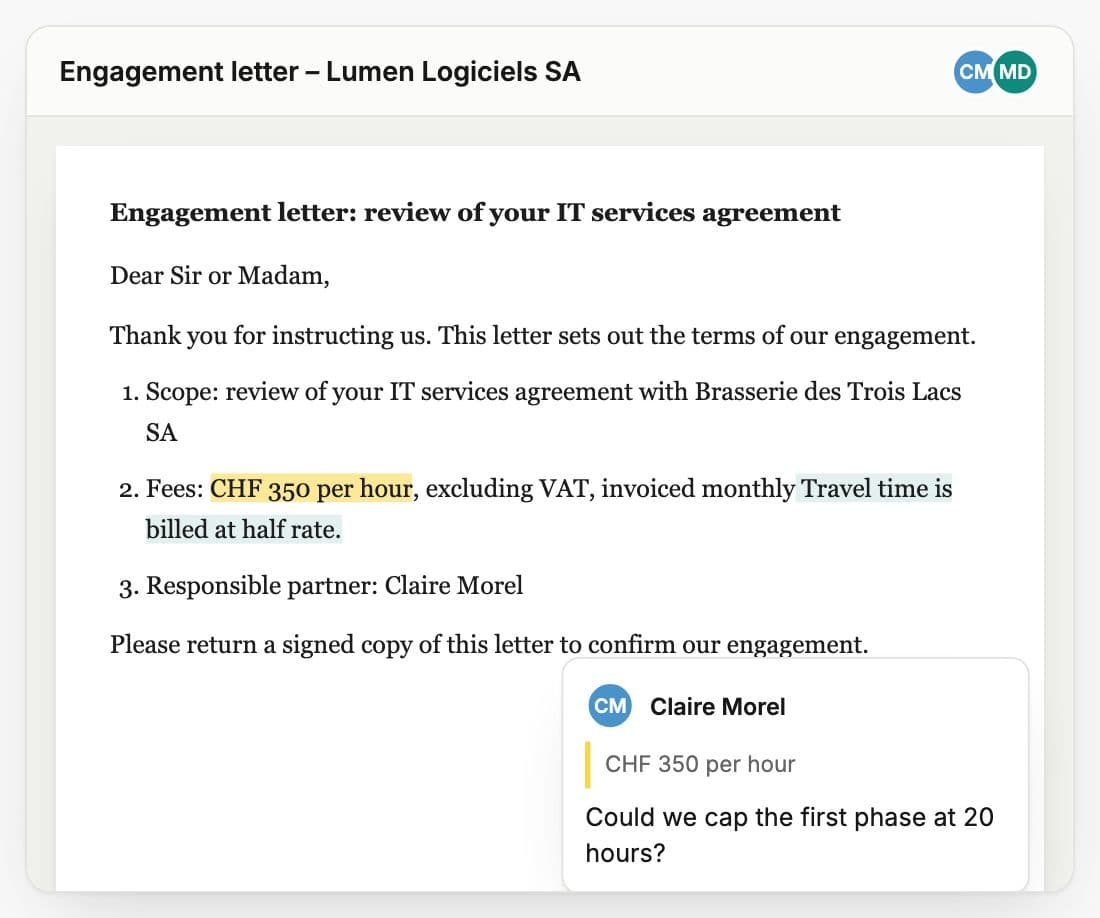
Collaboration in a firm is an access problem before it is a convenience one
Versions travel by email
The draft goes out as an attachment, comes back renamed, and someone reconciles three copies by hand. The authoritative version is whichever one the last person happened to open.
Nobody is sure who can see what
A folder inherits permissions from a parent nobody remembers setting. Asking whether the trainee can read the settlement correspondence takes longer than reading it.
Access ends later than it should
A secondment finishes, a colleague moves firms, a client relationship ends. The account is closed eventually. The document they still had open was never the thing anyone thought to check.
Built around who is allowed to see it
Two people, one document, no merge
Real-time co-editing with live cursors, so you watch the other person's paragraph appear rather than receiving it later. There is no reconciliation step because there are never two copies.
Every change carries a name
Track changes attributes each insertion and deletion to whoever made it, and you accept or reject them one at a time or all at once, the way you already review a draft.
Comments where the sentence is
Anchored comments and replies on documents, PDFs, emails and files. Mention a colleague and, if they cannot yet see the item, you are asked to grant access rather than left with a mention that silently goes nowhere.
Access ends when you say so
Withdraw someone's access and open editors are pushed into read-only in the session, not at the next login. The person editing the document when you revoke it stops editing the document.
Sharing has two answers, not twelve
Viewer or Editor, per item, plus a restricted mode when a matter should not follow the workspace default. Permissions you can state out loud are permissions people get right.
Case teams and roles
Assign who is on a matter and in what capacity, with the roles your firm actually uses and a designated lead, so the file says who is responsible rather than the email thread.
One activity trail
A workspace-wide feed of what happened, to which item, by whom, with comments and reactions on the entries themselves. It is where you look when you need to reconstruct a week.
Personal and shared, kept apart
My Vault for your own working material, Shared Vault for what the firm holds in common. The distinction is structural rather than a naming convention people are asked to respect.
Clients should not need an account to send you a file
Drop Zones give a matter a public upload link you can password-protect, hand to a client or an expert, and regenerate whenever you want the old one dead. Uploads land in the case, and the person on the other end never has to be given a seat in your workspace to get a document to you.
How we handle your dataWhat firms ask before they move
What happens if two of us edit the same sentence?
Nothing you have to resolve. Editing is real time rather than file-based, so there is one document rather than two copies converging. You see the other person's cursor and their text as it appears.
Can I take access away immediately?
Yes, and it takes effect inside the open session. When you revoke access, editors currently in the document are pushed into read-only rather than finding out at their next login. This was built deliberately, because the gap between revoking and it taking effect is where the exposure lives.
How granular are the permissions?
Viewer or Editor per item, plus a restricted mode for a matter that should not follow the workspace default, plus case roles for who is on the file. We kept the vocabulary small on purpose: complex permission models are how people end up sharing more than they meant to.
Can we work with someone outside the firm?
For receiving material, Drop Zones give them a password-protectable upload link tied to the matter, with no account and no seat. For working inside a document together, they need access to the workspace like any other collaborator.
Is there a record of who did what?
There is a workspace-wide activity feed showing actions, actors and the items they touched, and documents carry their own version history with named snapshots you can preview and restore. It is a working audit trail rather than a compliance-grade exportable log.
Put two people in one document
Open the same draft from two machines and revoke one of them mid-sentence. That takes about a minute and answers most of the questions above.