
Correspondence belongs in the matter
Connect the mailbox you already use and read it beside the file it concerns. Emails attach to cases, become searchable with the documents, and can be drafted with the same assistant that has read the file.
Half the file is in a mailbox nobody else can search
The correspondence is the case
The undertaking, the concession, the date someone agreed to. It is rarely in the pleadings and almost always in an email thread that lives in one person's mailbox.
Filing is a manual habit
Saving an attachment into the matter takes a decision and four clicks, so it happens for the important ones and not for the rest. The rest are the ones you look for later.
Two applications, one matter
You read the file in one place and the correspondence in another, and the mental reconciliation is done every time by whoever is on the case that day.
A real mail client, in the same workspace
The mailbox you already have
Gmail and Outlook connect by OAuth, and anything else connects over IMAP with a connection test before you commit. You are not asked to change address or migrate history.
Mail arrives, it is not polled
Gmail and Outlook push new mail to us as it lands, so the inbox is current rather than refreshed on a schedule.
Threading, replies, the usual work
Inbox, sent, drafts, archive, threading, reply and reply-all with proper quoting, recipient autocomplete and a floating reply window so you keep reading while you answer.
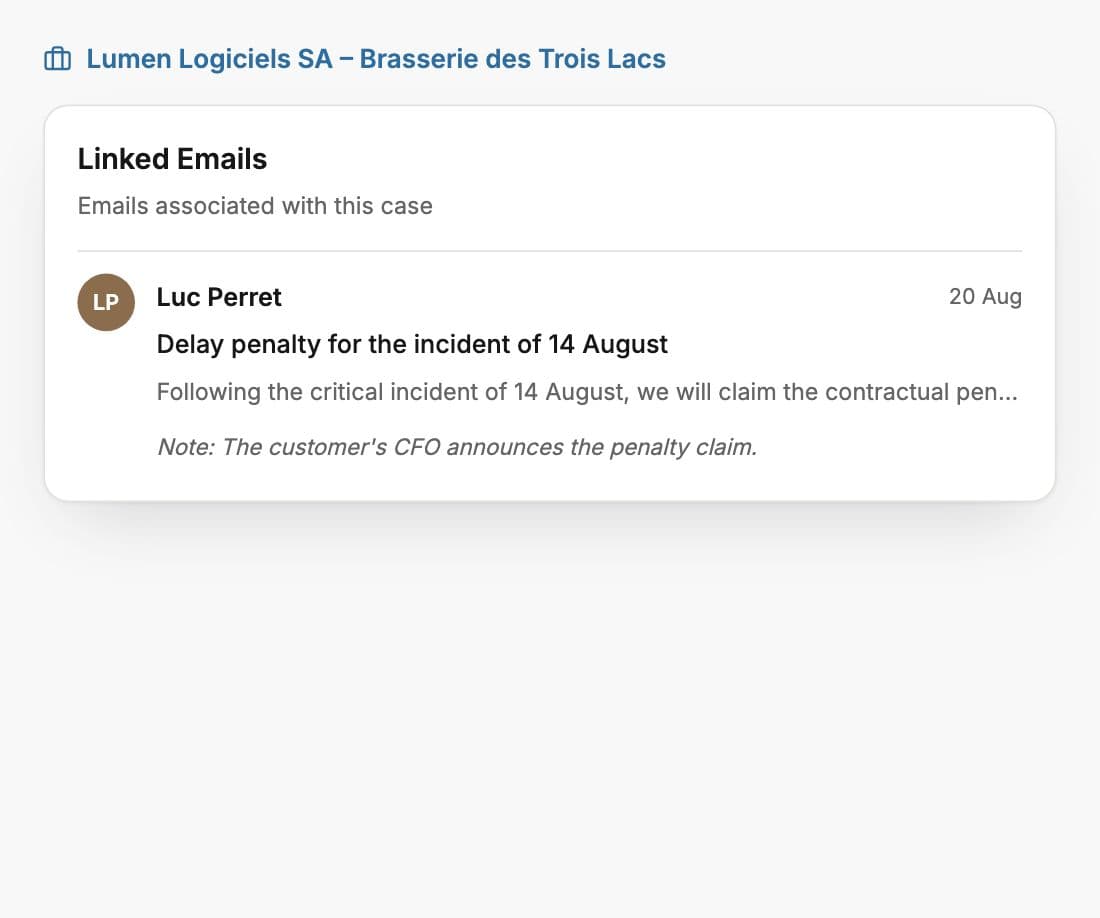
Attach an email to the matter
Link a message to a case and it becomes part of that file: searchable with the documents, visible to whoever has access, and read by case analysis alongside everything else.
Attachments land in the client file
Preview an attachment and save it into the matter without the round trip through your downloads folder and back up again.
Drafted by an assistant that read the file
Ask for the reply and it is written against the matter, not from the thread alone. You edit and send it yourself.
Comments on an email
Discuss a message with a colleague on the message itself, rather than forwarding it with a line of context on top.
Signatures the firm controls
Personal and workspace signatures, importable from your existing provider, so correspondence leaves looking like it came from the firm.
The calendar is internal, for now
Whisperit has its own calendar for hearings, deadlines and meetings, tied to the matters they belong to. It does not yet synchronise with an external calendar, and Outlook calendar sync is the connector we are working on next. Mail is connected today, and we would rather set that expectation here than let you find the gap after signing up.
See the integrations we do haveWhat firms ask about it
Do I have to change my email address?
No. You connect the mailbox you already use, by OAuth for Gmail and Outlook or over IMAP for anything else. Your address, your history and your provider stay exactly as they are.
Does it replace Outlook?
For work on a matter, it is meant to. Whisperit is a working mail client, and its advantage is that the correspondence sits beside the file rather than in a separate application. Whether you also keep Outlook open for everything else is your call, and plenty of people do at first.
Does linking an email to a case share it with the whole firm?
It shares it with whoever has access to that matter, which is the point of filing it. Access follows the case, so the same roles and sharing rules apply as to any other item in the file.
Does it sync my calendar too?
Not yet. The calendar in Whisperit is internal today, with events tied to the matters they belong to. Outlook calendar synchronisation is in progress and is the next connector we are shipping. Mail is connected now, so until the calendar lands you would keep your existing one alongside.
Where is our mail processed?
In your workspace, on a Swiss region by default, with EU and global tiers configurable. No AI provider we use trains on your data, and the provider-by-provider detail is on our security page.
Connect one mailbox
Link a live thread to a matter and ask the assistant what was agreed. That is the whole argument, and it takes about two minutes.