
What Is Legal Case Management Explained
At its heart, legal case management is the systematic process law firms use to navigate a legal matter from its first phone call to its final resolution. Think of it less as just a piece of software and more as the central command center for your entire practice. It’s what brings a sense of calm and order to the natural chaos of legal work.
The Conductor of Your Legal Orchestra
Imagine trying to lead a symphony orchestra without a conductor. The violins might be off-tempo, the percussion could come in at the wrong time, and the whole performance would quickly unravel into noise. That’s a law firm without effective case management—a group of skilled professionals working in isolation, without the coordination needed to produce a winning result.
A good case management system is that conductor. It’s the framework that directs every moving part of a case, making sure every task, deadline, document, and client communication is perfectly timed and executed. Its main job is to take scattered files, looming deadlines, and disjointed conversations and turn them into a smooth, efficient, and unified workflow.
From Chaos to Cohesion
So, what is legal case management really about on a practical level? It's about establishing a single source of truth for every case.
Instead of crucial information being trapped in one person's email inbox, buried in a physical folder, or stuck on an individual's calendar, everything is brought together in one central place. The system acts like an air traffic controller for your firm, guiding each case safely from intake to resolution and making sure no critical detail ever gets lost in the shuffle.
This unified view is built on several key components working together.
The Foundational Pillars of Case Management
Here's a quick overview of the essential components that form the backbone of any legal case management system.
| Pillar | Core Function |
|---|---|
| Cases Hub | A digital file where all information related to a specific case lives. |
| Files & Documents | Organizing, versioning, and securing all case-related files, from contracts to court filings. |
| Parties & Contacts | Managing all stakeholders—clients, opposing counsel, witnesses, and judges. |
| Events & Deadlines | Automating court dates, filing deadlines, and internal milestones to prevent missteps. |
| Activity & Tasks | Assigning duties and tracking progress to ensure accountability across the team. |
These pillars are what give the system its structure and power, ensuring everyone is on the same page.
This organized approach is what makes all the difference. While older systems focused on just digitizing workflows, modern platforms are now bringing in new layers of intelligent support to really move the needle on productivity. For a solid primer on these tools, this guide on What Is a Case Management System? is a great place to start.
While "case management" is a common term, it’s also closely related to another key concept in the legal world. If you're curious, we have a guide that digs into https://www.whisperit.ai/blog/what-is-matter-management and how it's different. Knowing both helps you see the bigger picture of how these systems support legal work.
The Building Blocks of a Modern System
To really get what legal case management is all about, you have to look under the hood. A modern system isn't just a digital filing cabinet; it’s the active, beating heart of a law firm, built from several key parts that all talk to each other. Each piece has a job to do, and when they work together, they create the operational hub that keeps the practice running.
Think of it like a well-oiled machine. Each gear and cog has its purpose, but it’s how they connect and turn together that generates real power. When these building blocks are properly integrated, they create an engine for efficiency and, ultimately, better client service.
The whole point is to bring order to the chaos, streamline how work gets done, and pull all the moving parts of a legal case into one cohesive digital space.
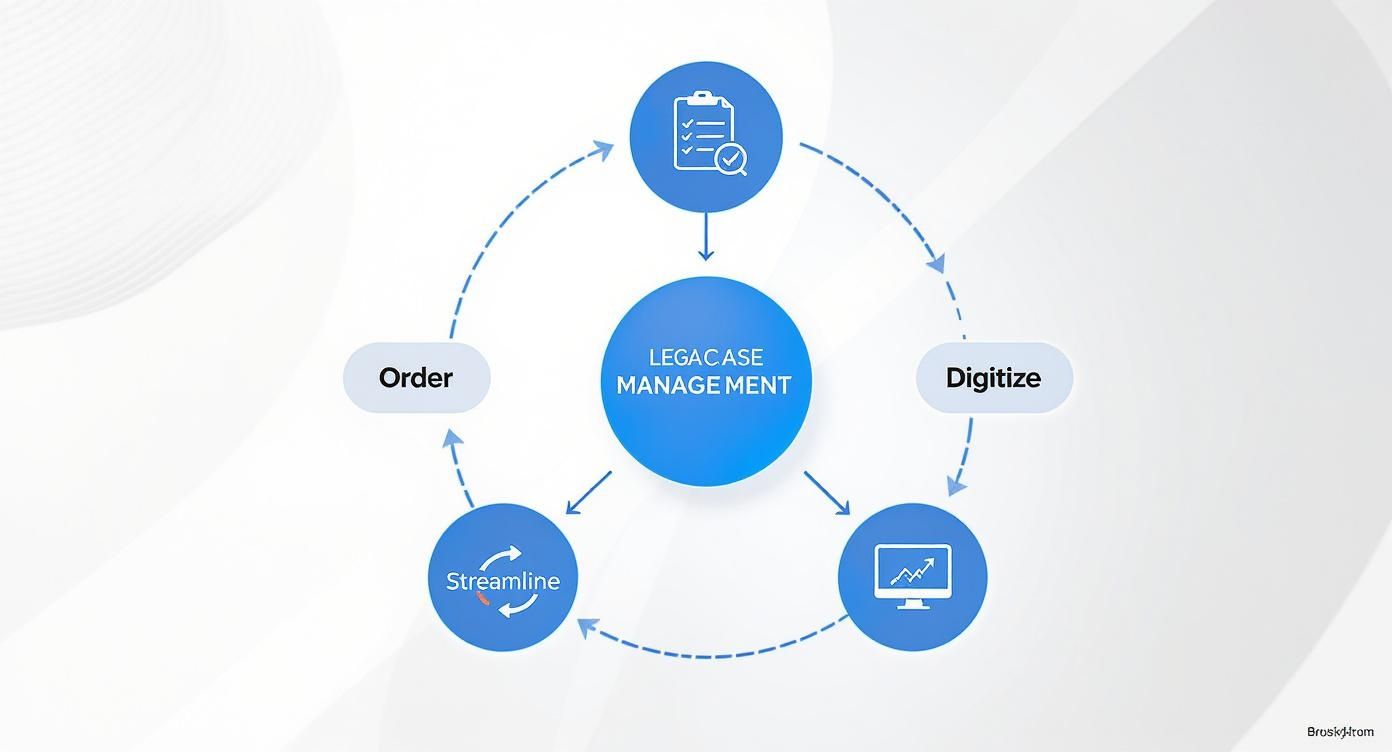
As you can see, it's a cycle. Organizing the case data feeds into more efficient digital workflows, which in turn makes managing the next case even smoother. Let's pull apart the individual components that make this happen.
The Centralized Case File
The bedrock of any system is the centralized case file. This is the 21st-century version of that classic manila folder, but it’s a whole lot smarter. It acts as the single source of truth for every single piece of information tied to a legal matter.
Take a personal injury case, for example. The initial client intake form, the police report, stacks of medical records, witness statements, discovery requests—it all lives here. No more digging through a colleague’s inbox for a crucial email or hunting for a document saved on someone’s local C: drive. Everyone on the team sees the exact same, up-to-the-minute information.
Powerful Document Management
Right alongside the case file is document management. This isn't just about storage; it's about wrangling the sheer volume of documents that legal work creates. We're talking about control, versioning, and secure access.
Think about the life of a single motion. It's drafted, sent to a senior partner for review, and then revised. A good system tracks every version, showing who changed what and when. That audit trail is a lifesaver for both collaboration and compliance. More importantly, solid document management for law firms means you can lock down sensitive files with access controls, so only the right people can see or edit them.
A well-structured document management system does more than organize files; it mitigates risk. By providing a clear version history and controlled access, it reduces the chances of filing an outdated draft or exposing confidential client data.
Contact and Party Management
Every case has its cast of characters: clients, opposing counsel, judges, expert witnesses, and so on. The contact and party management component is your firm's digital Rolodex, but with critical legal intelligence built right in.
It doesn’t just store a name and a phone number. It links every person to their specific role in a case. And here’s the crucial part: it runs automatic conflict checks. The moment you add a new party, the system scans your entire database to flag any potential conflicts of interest. This simple, automated step can save a firm from massive ethical headaches and financial penalties down the road.
Events and Deadline Tracking
The legal world revolves around deadlines. Missing one can be malpractice, plain and simple. This is where the events and deadline tracking component comes in, acting as your firm’s automated, always-on guard against missed dates.
This isn't just a shared calendar. It integrates with case data to automatically calculate and docket critical deadlines based on court rules. For instance, log the date a complaint was served, and the system can instantly add the deadline to file a response to the calendar. It then pushes out automated reminders to the entire case team, ensuring nothing ever slips through the cracks. It turns a manual, high-risk task into a reliable safety net.
Features That Separate Good from Great Software
The basic building blocks of case management are one thing, but not all platforms are built the same. The real difference between a system that just digitizes your old habits and one that genuinely pushes your practice forward comes down to a handful of powerful, modern features. These are what turn a useful tool into your firm's most valuable asset.
We're talking about moving beyond simple calendars and file storage. The best software adds a layer of intelligence and efficiency that gives you a genuine competitive edge. It’s not just about where your data lives—it’s about finding a system that actively helps you put that data to work.

Smart Document Automation
If there's one feature that delivers an immediate impact, it’s document automation. This is so much more than your standard Microsoft Word template. It's about generating complex, multi-page legal documents in minutes instead of hours.
Think of it as a smart drafting assistant. You create your master templates for things like engagement letters, discovery requests, or standard motions, complete with placeholders for case-specific details. Then, with just a couple of clicks, the software pulls in the client's name, case number, court, and any other relevant data directly from the case file. The soul-crushing, error-prone task of copying and pasting is just… gone.
- How it works: You design a master document with fields like
[ClientName]or[FilingDate]. - The result: The system fills in those blanks automatically, producing a polished, accurate document ready for review.
- The benefit: This frees up an enormous amount of time for attorneys and paralegals, letting them focus on legal strategy instead of administrative drudgery.
Integrated Time Tracking and Billing
How much revenue is lost because of the gap between doing the work and actually billing for it? For most firms, the answer is "too much." A top-tier case management platform closes that gap with integrated time tracking and billing.
This means timekeeping isn't some separate, clunky process. It’s woven directly into your daily workflow. As you draft a document, read an email, or make a call within the system, a timer can run in the background. That entry is automatically logged and assigned to the correct matter, ready to be pulled into an invoice.
By capturing billable moments as they happen, integrated billing systems prevent revenue leakage and significantly accelerate the firm's cash flow. It turns billing from a dreaded monthly chore into a continuous, accurate process.
This seamless connection ensures every billable minute is captured, maximizing profitability without the extra effort.
Secure Client Portals
Today’s clients expect transparency and on-demand access to information. Secure client portals deliver exactly that, offering a private, confidential online space for you and your clients to collaborate.
Instead of juggling insecure email threads to share sensitive files, a portal lets you share documents, post status updates, and exchange messages in a fully encrypted environment. Clients can log in whenever they want to see the latest progress, check upcoming deadlines, and download important documents.
This isn't just a security upgrade; it's a client service game-changer. Giving clients this kind of window into their case builds incredible trust and cuts down on all those "just checking in" calls and emails that constantly interrupt your team's focus.
Voice-First AI Assistance
The next wave in legal tech is the combination of voice and AI. The most advanced platforms are now embedding AI assistants that understand spoken commands, completely changing how you interact with your software.
Imagine just saying, “Open the Miller personal injury case,” “Find the police report,” or “Draft a demand letter using our standard template.” This hands-free interaction lets you navigate through files and start tasks without ever touching a mouse. These AI tools understand legal context, making the entire process feel more natural and fluid. For a closer look, our guide to legal workflow automation software explores how these intelligent tools are reshaping firm operations.
This is especially powerful for dictation, where the AI can transcribe your thoughts into notes or drafts in real time. In fact, a recent survey found that 77% of legal professionals are already using AI for document review, showing just how quickly these tools are being adopted. The best software doesn't just offer AI as a gimmick; it embeds it into your daily tasks, making powerful technology accessible and genuinely useful.
The True ROI of Smart Case Management
Thinking about legal case management software as just a tool for organizing files is missing the bigger picture. It's really a strategic business decision, one that directly feeds your bottom line. Sure, operational efficiency is a great perk, but the real return on investment (ROI) shows up in your firm's increased capacity, lower risk, and stronger reputation. The right system isn't just another line item on your expense report—it's a profit center that actively fuels your firm's growth.
This financial impact is exactly why these tools are no longer a novelty but a necessity. Industry reports show that over 70% of law firms and legal departments now rely on technology to run their operations. When you're dealing with a high volume of cases, having a central hub for every document, email, and task isn't just helpful; it's essential for survival.
From Streamlined Workflows to Increased Capacity
The most immediate financial win you'll see is giving your legal team back their most precious resource: time. When you automate the tedious administrative tasks, your lawyers and paralegals can get back to doing what you hired them to do—practicing law. Smoother workflows mean less time digging for a specific document, chasing a colleague for an update, or manually entering deadlines into a calendar.
This newfound efficiency directly translates into the ability to take on more work. A team that can manage more cases in the same amount of time, without letting quality slip, is a more profitable team. Simple as that.
- Faster Case Resolution: When every stage of a case, from intake to closing, moves more smoothly, you get to a resolution faster. That means happier clients.
- Increased Billable Hours: By cutting down on the non-billable admin work, your team can capture more of their time as billable, which is a direct boost to revenue.
By automating repetitive tasks, firms can reclaim hundreds of hours per year for each attorney. You can learn more about the specific benefits of workflow automation in our guide.
Mitigating the High Cost of Malpractice Risk
One of the most powerful, yet often overlooked, financial benefits of smart case management is how it slashes your risk. The number one cause of malpractice claims isn't a brilliant legal argument gone wrong—it's a missed deadline or a simple administrative error. An automated system is your best defense against these incredibly costly mistakes.
A missed statute of limitations or a forgotten filing deadline can trigger a devastating malpractice suit. The financial hit is one thing, but the damage to your firm's reputation can be permanent. Automated reminders and a centralized calendar are your first line of defense.
Modern software doesn't just sit there holding dates. It actively monitors them. It sends out escalating alerts to the whole team as deadlines get closer, making sure critical milestones are impossible to ignore. This kind of proactive monitoring is one of the best forms of insurance a firm can buy, protecting both your clients and your practice from completely preventable errors.
Enhancing Reputation to Drive Referrals
Finally, the ROI of case management software circles back to your clients and future growth. A system with a secure client portal brings a new level of transparency and communication, which builds trust and strengthens relationships. When clients feel like they're in the loop and have a direct line to their case information, they're almost always more satisfied with the service.
That positive experience has a real financial impact.
- Better Online Reviews: Happy clients are the ones who leave those glowing reviews that are so crucial for attracting new business.
- Increased Client Referrals: Word-of-mouth is still the most powerful marketing tool a law firm has. A satisfied client becomes your most effective salesperson.
- Stronger Firm Brand: Consistent, professional communication and transparent processes build a rock-solid reputation for reliability and excellence.
In the end, smart case management creates a positive feedback loop. It improves your internal efficiency, which leads to better client service. Better service boosts your reputation, which in turn brings in new business. This cycle is what transforms a software purchase into a sustainable engine for your firm's growth.
Protecting Your Firm and Your Clients
In the legal world, security isn't just an IT problem—it's an ethical mandate. The duty to protect sensitive client information is absolute. A solid legal case management system acts as a digital fortress, built with multiple layers of defense to guard your firm's most critical asset: its data. Skimping on these protections isn't just risky; it's a direct path to data breaches, crippling reputational damage, and serious ethical violations.
This digital fortress relies on several key security protocols that should be non-negotiable in any platform you're considering. These features work in concert to strictly control who sees what and to create an undeniable record of every action taken within the system. It’s all about accountability and compliance.

Core Security and Compliance Layers
To genuinely safeguard client data, a system needs far more than a simple password. It demands a sophisticated, multi-layered security strategy that protects information whether it's sitting on a server or being accessed from a laptop at a coffee shop.
Here are the essential security layers you need to look for:
- Data Encryption: Think of this as a digital lockbox. Encryption scrambles your data into unreadable code, both when it's stored (at rest) and when it's being sent over the internet (in transit). Only users with the right "key" can decode it.
- User Access Controls: Not everyone at your firm needs access to every file. Granular controls allow you to precisely define who can view, edit, or delete specific pieces of information. A summer intern, for instance, should never have the same access level as a senior partner.
- Detailed Audit Trails: This feature is your system's security camera. It meticulously logs every single action—who opened a file, what changes they made, and exactly when they did it. This unchangeable record is invaluable for internal audits and proving compliance.
These features are the bedrock of any secure platform. For a deeper dive, a comprehensive guide on law firm data security can offer more detailed strategies for building a robust defense.
Cloud vs. On-Premise Hosting
Where your data lives is just as crucial as how it’s protected. The decision between a cloud-based system and a traditional on-premise server has massive implications for your security, costs, and day-to-day accessibility.
An on-premise setup means you own and operate the physical servers right there in your office. While this gives you direct, hands-on control, it also puts the entire burden of security, maintenance, and system updates squarely on your shoulders. Frankly, it requires significant IT resources and a hefty upfront investment.
Cloud-based solutions, hosted by specialized providers, have become the industry standard for a reason. These vendors deliver enterprise-grade security, handle all the updates automatically, and offer disaster recovery plans that are typically far more advanced than what a single firm could manage on its own.
The shift to the cloud has fundamentally changed how law firms operate. Cloud platforms offer easy scalability, superior security through advanced encryption and permission settings, and significant cost savings by eliminating the need for expensive on-site hardware. This remote access has also become essential for firms that have embraced flexible or hybrid work models.
Ultimately, choosing a platform that puts security and compliance first is non-negotiable. It’s how you uphold your ethical obligations while protecting both your clients and your firm from the constant threat of digital attacks.
A Practical Guide to Implementation
Choosing the right legal case management software is a huge step, but the real work starts the moment you decide to bring it into your firm. Getting this right is less about the tech itself and much more about your people and your processes. A clear, well-communicated plan is the difference between a smooth transition and a chaotic one that grinds productivity to a halt.
Making the new system stick is where success is truly won or lost. It all begins with a thoughtful plan, starting with the most fundamental piece of the puzzle: your firm’s data.
Planning for a Smooth Transition
Before you move a single byte of data, you need a solid game plan. The very first step is to clean up your existing records. Think of it this way: migrating messy, outdated, or duplicate data into a shiny new system is like moving into a beautiful new house but deciding to bring all your old junk with you. You're just creating new problems in a new place.
Next, you need to map out the migration itself. Figure out what information is absolutely essential to move, what can be archived for later, and what can be left behind for good. This is a golden opportunity to streamline your data and start fresh.
- Audit Your Data: Go through your client contacts, case files, and calendars to find and fix any inaccuracies before you start the move.
- Prioritize Information: Decide which data sets are the most critical. Active cases and core client contacts usually need to come over first.
- Run a Test Migration: Never, ever skip this. Always do a small-scale test run to catch potential glitches before you commit to moving everything.
Driving User Adoption
The single biggest obstacle you'll face isn't technical—it's getting your team to actually use the new software. If your staff quietly slips back into their old habits with spreadsheets and endless email chains, your investment is essentially worthless. Driving real adoption takes a smart approach centered on good training and even better support.
A phased rollout almost always beats a "big bang" launch. Start with a single practice group or a small team of users who are genuinely excited about the change. Their success stories will build momentum, and they'll become internal champions who can help get their colleagues on board.
Pinpoint these champions early on. They're the tech-savvy paralegals or attorneys who see the potential and are eager to dive in. Give them the tools and support to become the go-to experts for their peers.
Finally, remember that training isn't a one-and-done event. Plan for the initial onboarding sessions, but follow them up with regular check-ins and more advanced training as your team gets comfortable. Continuous support is what ensures the software doesn't just get installed; it gets woven into the daily DNA of your firm, unlocking its true value.
Frequently Asked Questions
Even after getting a handle on the basics of legal case management, some specific questions almost always pop up. Let's tackle the most common ones we hear from legal pros who are thinking about making the switch.
What Is the Difference Between Case and Matter Management?
This is a big one, and it's easy to see why people use these terms interchangeably. Think of it this way: legal case management is really built for the lifecycle of a lawsuit. It's tailored for litigation-focused work—think personal injury, criminal defense, or any dispute with formal court proceedings.
Matter management is a much broader umbrella. Corporate legal departments and large, diverse firms use this term to cover any legal project they're working on. That could be a lawsuit, but it could also be a contract negotiation, a real estate closing, or an internal compliance audit.
The easiest way to remember it? All cases are matters, but not all matters are cases.
How Does This Software Improve Client Communication?
This is where modern systems really shine. Instead of a chaotic mess of emails, phone tag, and missed calls, you get a secure client portal. Clients can log in anytime, see real-time updates on their case, access key documents, and send secure messages directly to your team.
It creates a single source of truth and offers clients 24/7 transparency. This dramatically cuts down on the constant "just checking in" calls and emails, freeing up your staff while making clients feel more in control and informed.
Plus, you can set up automated notifications for major milestones. When a filing is accepted or a key date is set, the system lets the client know automatically. It's a simple feature that goes a long way in building trust and improving the client experience.
Is Cloud-Based or On-Premise Software Better?
For the vast majority of firms today, the debate is largely settled: the legal world has moved to the cloud. And for good reason. Cloud-based platforms don't require you to buy and maintain expensive servers, which means much lower upfront costs. All the updates and security patches are handled for you by the provider.
The biggest win, though, is accessibility. With a cloud system, you can securely access your case files from anywhere—your office, the courthouse, or your home. In today's world of remote and flexible work, that's not just a convenience; it's a necessity.
Sure, on-premise solutions give you direct physical control over your data, which might appeal to some for very specific compliance needs. But that control comes with a hefty price tag and requires a dedicated IT team to manage and secure everything properly. For most small and mid-sized firms, the scalability, accessibility, and robust security of a quality cloud provider is the clear winner.
Ready to see how a voice-first AI workspace can unify your entire legal workflow? Whisperit brings together dictation, drafting, and case management in one calm, efficient hub. See how you can move from intake to export in fewer steps at https://whisperit.ai.