
Mastering professional email response templates: 12 Must-Have Replies for 2025
In high-stakes environments like law firms, financial services, or healthcare, a generic "Thanks for your inquiry" simply won't suffice. Communication in these fields demands precision, confidentiality, and strict adherence to compliance standards. The risk of miscommunication, unintentional waiver of privilege, or data mishandling is too significant to rely on improvised replies or standard, off-the-shelf templates that lack situational awareness.
This is where a curated library of professional email response templates becomes an indispensable asset. Generic templates often fail because they lack the specific language required for client intake, conflict checks, fee agreements, or responding to discovery requests. For a deeper understanding of the challenges with generic email approaches, insights into common pitfalls in B2B lead nurture campaigns illustrate why standard templates often fall short when specialized communication is necessary.
This comprehensive guide moves beyond basic templates to provide a detailed resource library tailored for regulated work. We will explore platforms and resources offering templates for crucial scenarios, from initial client contact and settlement negotiations to security-sensitive compliance replies. You'll find a curated list of the best options, including screenshots and direct links to help you find the right fit for your practice or organization. We will also analyze how dedicated tools like Whisperit can integrate these specialized templates directly into your workflow, saving valuable time while enhancing the quality, consistency, and compliance of every message your team sends. This article provides the resources you need to ensure every email is professional, clear, and strategically sound.
1. Whisperit
Whisperit positions itself as a premier, voice-first AI workspace engineered specifically for the legal sector, offering a sophisticated and integrated approach to creating professional email response templates. It moves beyond a simple template library by embedding template functionality directly into a secure, comprehensive drafting and case management environment. This unified system allows legal professionals to dictate, draft, research, and collaborate, ensuring consistency and dramatic efficiency gains.
The platform's strength lies in its structured authoring tools. Users can leverage Drafting Templates to establish the core outline of a communication, apply firm-wide standards with Style Profiles for tone and citations, and finalize documents with Export Layouts for polished, professional letterheads. This multi-layered approach ensures every email response, from client intake to settlement negotiation, is not only well-written but also perfectly aligned with your firm's brand and procedural requirements. The integration of its contextual Navigator AI allows for hands-free operation, enabling you to instantly call up the correct case file and apply a specific template with a simple voice command.
Key Features and Use Cases
- Integrated Template Management: Instead of copying and pasting, templates for client status updates, fee agreements, or discovery requests are part of the core workflow within the Whisperit editor and inbox.
- Voice-First Drafting: Ideal for professionals who think faster than they type. Dictate a response, and the AI transcribes it in real-time while applying the structural rules of your chosen template.
- Enterprise-Grade Security: With private GPU infrastructure hosted in Switzerland and GDPR-aligned controls, Whisperit is built for handling sensitive client data, making it a reliable choice for compliance-focused practices.
- Streamlined Collaboration: The platform includes built-in comments, version control, and a dedicated AI rail, allowing teams to collaborate on sensitive email drafts without leaving the secure environment.
Pricing and Access
Whisperit does not publish its pricing online. Access to the platform and detailed cost information requires scheduling a personalized demo. This approach is common for enterprise-grade software, allowing them to tailor a package and quote based on a firm's specific size, needs, and integration requirements. While this lack of transparency can be a hurdle for smaller practices, it ensures the solution is properly configured for optimal ROI.
Website: https://whisperit.ai
2. HubSpot
HubSpot provides an extensive, free resource library featuring large downloadable packs of customer service and professional email response templates. These collections, such as their popular 50+ template pack, are expertly written and grounded in proven communication strategies, making them an excellent starting point for any professional, especially those in client-facing roles.
The templates are delivered as editable Google Docs and Sheets, which simplifies internal distribution and team collaboration. This format allows you to quickly copy, paste, and adapt the content to fit your firm's specific needs and tone. For further refinement, you can apply principles from our guide on business email writing tips to ensure every message is polished and professional.
Key Features and Usage
HubSpot's templates cover a wide array of common business scenarios, making them highly versatile. While not specifically designed for legal or regulated fields, the foundational language is easily adaptable.
- Broad Scenario Coverage: Templates include apologies, client onboarding, follow-ups, and even difficult conversations like churn win-backs.
- Team-Friendly Format: The Google Drive formats are ideal for creating a centralized, editable template library for your entire organization.
- Practical Guidance: Each pack is often accompanied by scripting guides and best-practice advice, adding educational value.
- Cost: The template packs are free, though you may need to provide a business email address to access the download.
While HubSpot's offerings require some customization to align with specific legal or compliance requirements, their high quality and accessibility make them an invaluable resource for building a comprehensive template foundation.
Website: HubSpot Customer Service Templates
3. Help Scout
Help Scout offers practical, copy-and-paste professional email response templates through its extensively curated Support Toolkit and resource articles. The content is crafted by seasoned support practitioners, providing proven and empathetic phrasing for challenging client communications, making it a reliable source for teams looking to enhance their service quality.

Unlike downloadable packs, Help Scout’s templates are integrated directly into their blog posts and guides, which allows you to see the strategic reasoning behind each phrase. This contextual learning is invaluable when adapting the templates for specific industries like legal or healthcare. Before finalizing any communication, ensure it is flawless by applying essential proofreading tips for business writing.
Key Features and Usage
Help Scout excels at providing nuanced language for common but often difficult customer service interactions. While the templates are geared toward general support, the principles of clarity and empathy are universally applicable.
- Practitioner-Authored Content: Templates are written by support professionals, ensuring the language is practical, tested, and effective in real-world scenarios.
- Contextual Examples: Each template is typically presented within an article that explains when and how to use it, enhancing its utility.
- Organized Resource Hub: The Support Toolkit centralizes guides, courses, and templates, making it easy to find resources for specific challenges.
- Cost: The articles and the templates within them are completely free to access without requiring any sign-up or email submission.
The main limitation is that templates are spread across multiple articles rather than being collected in a single downloadable file. However, this format encourages a deeper understanding of the communication strategy behind the words, making Help Scout a valuable educational resource for any professional team.
Website: Help Scout Resources
4. Zendesk
Zendesk offers a highly practical blog post that doubles as a resource hub, featuring over 25 copy-and-paste customer service email templates. Designed for support teams looking to standardize their communication, this collection is built on Zendesk's extensive experience in customer engagement, making it a credible source for any professional team focused on clear and empathetic client interactions.
The templates are presented directly within the article, allowing for immediate use without any downloads or sign-ups. This straightforward access makes it easy to quickly find and adapt a message for a specific situation. To further elevate these templates, professionals can integrate principles from our guide on client communication best practices to ensure every response aligns with firm standards.
Key Features and Usage
Zendesk's templates are particularly strong for handling common client support queries and issues, providing a solid base for firms to build upon. While created for general customer service, their clear and professional language is easily transferable to regulated environments with minor adjustments.
- Broad Scenario Coverage: Templates address common situations like responding to angry customers, handling feature requests, and providing status updates.
- Best-Practice Guidance: Each template is accompanied by a brief explanation of when and why to use it, adding valuable context.
- Native Integration: For teams already using Zendesk, these templates can be seamlessly integrated as macros for one-click responses.
- Cost: The templates provided in the article are completely free and accessible without providing any personal information.
Although a Zendesk subscription is required to leverage the platform's automation features, the templates themselves are a universally valuable and free resource for improving the quality of professional email responses.
Website: Zendesk Customer Service Email Templates
5. Yesware
Yesware is a sales productivity platform that integrates directly into Gmail and Outlook, offering a powerful system for creating, sharing, and tracking professional email response templates. While its primary focus is sales enablement, its features are highly adaptable for any client-facing professional who needs to streamline communication and measure engagement. Teams can build a shared library of reusable templates and deploy them without leaving their inbox.
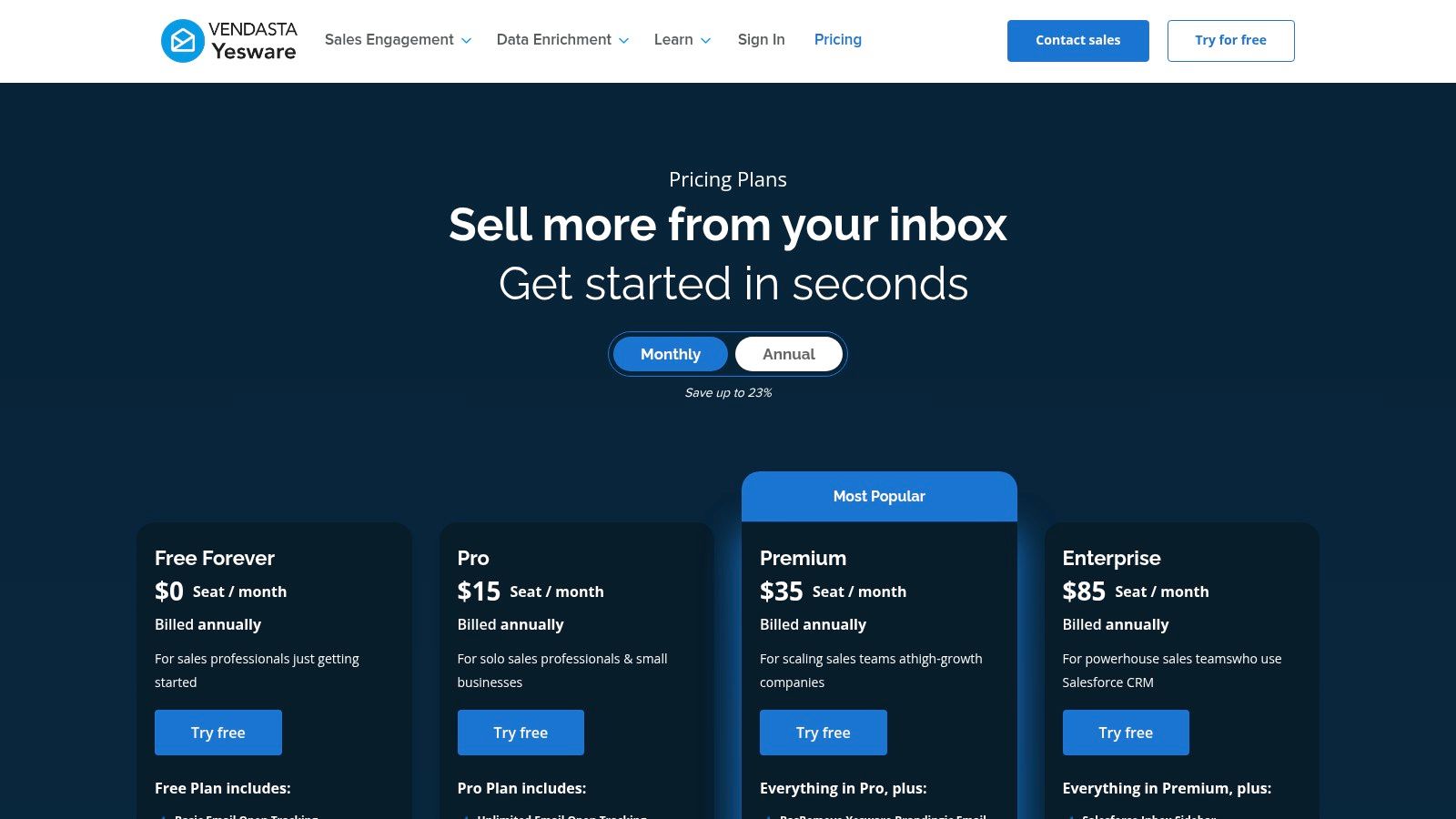
The platform's key differentiator is its built-in performance analytics. You can track open rates, link clicks, and attachment views for each template, providing data-driven insights into which messages are most effective. This allows teams to continuously refine their templates for better client engagement, a feature particularly useful for communications like fee agreements or discovery requests where acknowledgment is critical.
Key Features and Usage
Yesware excels at embedding template management and analytics directly into a user's existing email workflow, minimizing disruption and maximizing adoption.
- Inbox Integration: Create, save, and access templates directly within your Gmail or Outlook interface, eliminating the need to switch between applications.
- Performance Tracking: Gain valuable insights with email open, link, and attachment tracking to understand how recipients interact with your communications.
- Team Collaboration: Share successful templates across your entire team to ensure consistency in messaging and tone, managed from a centralized dashboard.
- Cost: Yesware offers a free trial and various paid tiers, with core template features available in its entry-level plans. Advanced analytics and team management require higher-tier subscriptions.
Although its feature set is geared toward sales, the underlying functionality provides an excellent framework for any professional services team looking to standardize and optimize their email communications.
Website: Yesware Plans and Pricing
6. Reply.io
Reply.io offers a free, extensive gallery of ready-made email templates primarily focused on sales and business development. While its core strength is in outreach, the collection includes numerous professional email response templates applicable to client communication, such as handling pricing inquiries and executing persistent yet professional follow-ups. This makes it a useful resource for scenarios involving vendors, partners, or initial client prospecting.
The platform presents its templates directly on its web pages, allowing users to copy the text they need without requiring a sign-up or download. This immediate accessibility is a key advantage for professionals needing a quick, well-structured starting point for a specific reply. The templates are designed to be concise and action-oriented, which aligns well with modern business communication standards.
Key Features and Usage
Reply.io’s template library is a great source for professionals managing business growth, vendor relationships, and client acquisition, even within a regulated context. The language is direct and can be easily modified to include necessary legal disclaimers or compliance-specific terminology.
- Scenario-Specific Collections: Templates are grouped by use case, such as pricing, follow-ups, and various outreach situations.
- Instant Access: Most templates can be copied directly from the website, eliminating the need to provide contact information for access.
- Automation-Ready: The templates are designed to integrate seamlessly with sales automation platforms like Reply.io's own, but they work perfectly for manual responses too.
- Cost: Access to the template gallery on the website is completely free.
While the focus is more on sales than general customer service, the principles behind these effective templates can be adapted for a wide range of professional interactions, making Reply.io a valuable resource for drafting clear and purposeful responses.
Website: Reply.io Email Templates
7. Hiver
Hiver is a customer service help desk built directly into Gmail, offering a robust system for shared email templates. Its primary strength lies in enabling teams using Google Workspace to standardize communications, reduce response times, and maintain a consistent brand voice without ever leaving their inbox. This native integration makes it exceptionally efficient for firms already embedded in the Google ecosystem.
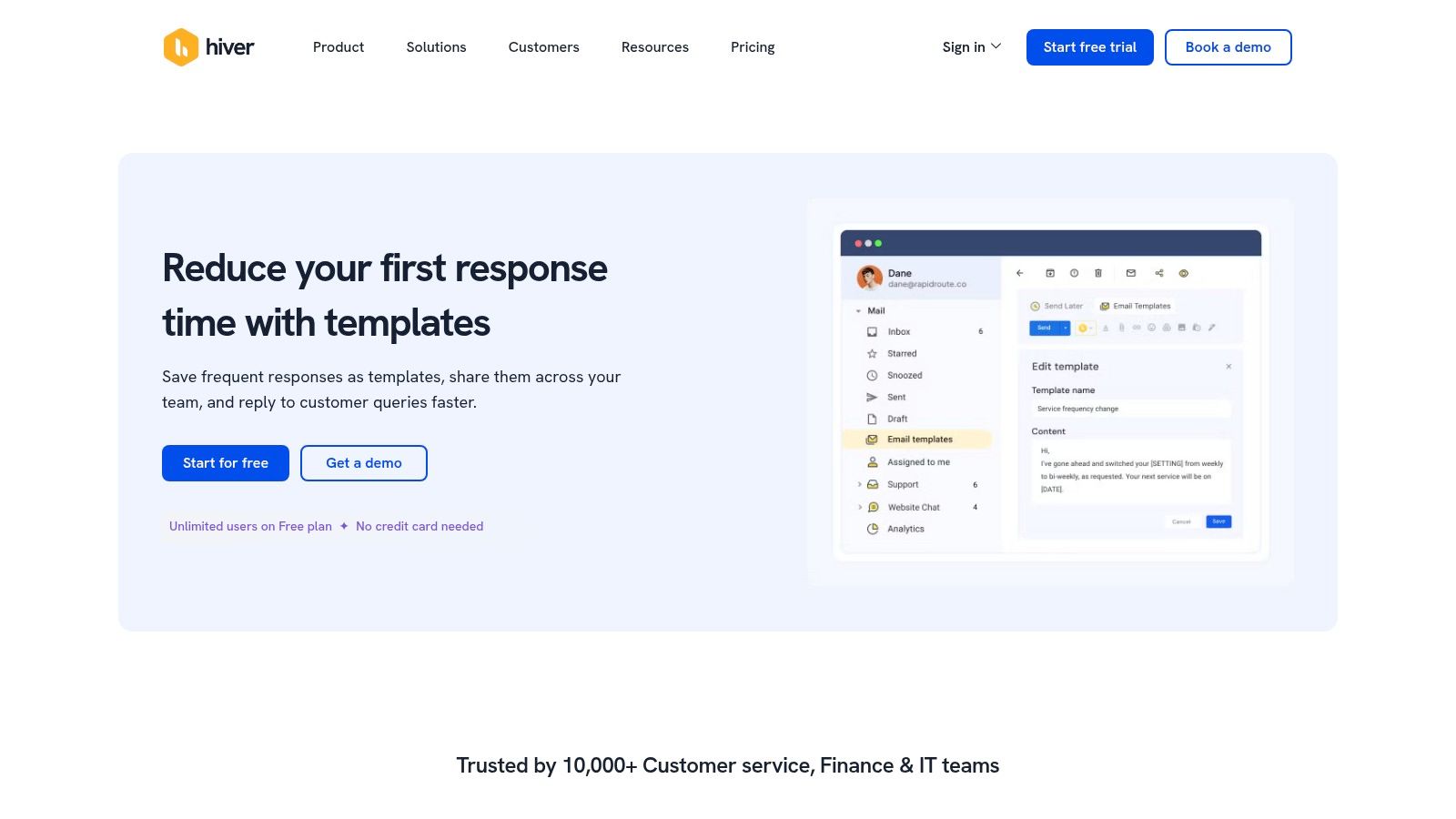
The platform allows for the easy creation, organization, and sharing of professional email response templates across entire teams. For professionals in regulated fields, this means you can build a library of pre-approved responses for common inquiries, ensuring every communication aligns with compliance and quality standards. Its personalization features, like placeholders, allow for quick, customized messaging.
Key Features and Usage
Hiver’s template functionality is designed for speed and consistency, making it a powerful tool for teams managing high volumes of client communication. While it is a feature within a larger help desk suite, its template management is a standout capability for Gmail-based organizations.
- Native Gmail Integration: Templates are created and used entirely within the Google Workspace environment, eliminating the need for context switching.
- Team Collaboration: Easily create and share templates with specific teams or the entire organization to standardize responses.
- Smart Personalization: Use placeholders and fallback values to automatically insert client-specific details, saving time and reducing errors.
- Cost: Hiver offers a free trial to test its features, with paid plans required for full, ongoing access to its help desk suite.
While Hiver provides the most value when adopting its full suite and is specifically tuned for Google Workspace, its seamless integration and powerful template features make it an excellent choice for any Gmail-native firm aiming to professionalize its email correspondence.
Website: Hiver Email Templates
8. Gorgias
Gorgias offers a powerful approach to email response templates, which it calls 'macros', specifically tailored for high-volume ecommerce support teams. While its primary audience is retail, the underlying technology of using dynamic variables and centralized libraries provides a compelling model for any sector managing repetitive client inquiries. They publish a range of example macros and resources that demonstrate how to build efficient, data-driven responses.
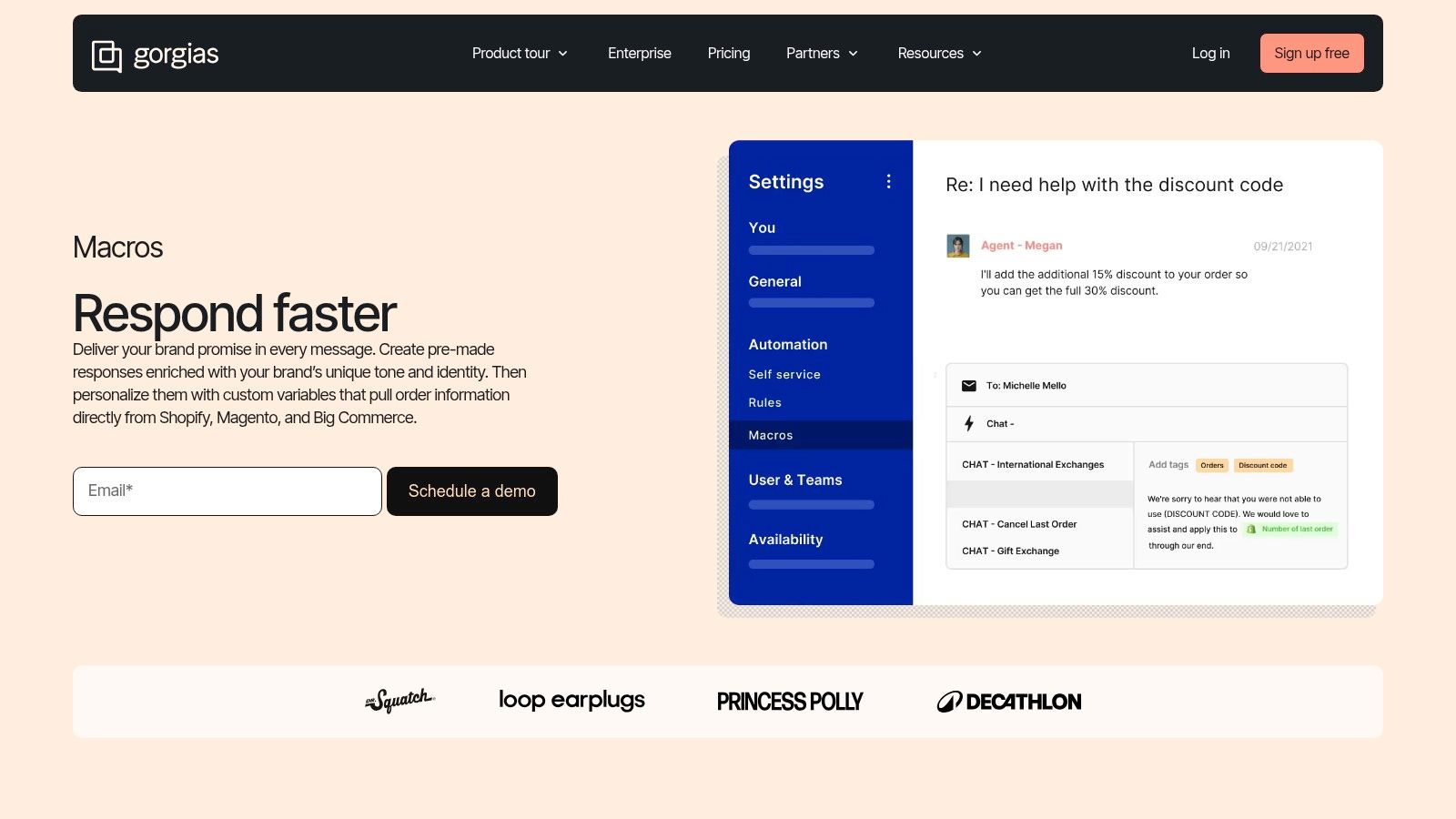
The platform's strength lies in its deep integration with systems like Shopify, allowing macros to pull specific customer data (like order numbers or shipping status) directly into a reply. This reduces manual data entry and minimizes human error. While a professional in a regulated field wouldn't use order data, the concept can be adapted to pull case numbers, client IDs, or appointment dates from an integrated system, showcasing an advanced application of professional email response templates.
Key Features and Usage
Gorgias is designed for efficiency at scale, making it a source of inspiration for firms looking to systematize their communication workflows. The public resources offer valuable insights, even if you don't use the platform itself.
- Dynamic Variables: Automatically populates templates with specific client or case information, ensuring accuracy and personalization.
- Centralized Library: A shared macro library ensures team-wide consistency in tone, language, and information.
- Actionable Templates: Macros can be configured to trigger actions, like tagging a conversation or updating a client status.
- Cost: Access to the macro feature requires a Gorgias subscription. Their public resources and example templates are free to view.
While its ecommerce focus makes it a niche tool for legal or healthcare professionals, Gorgias provides a best-in-class example of how to automate and personalize client communications effectively.
Website: Gorgias Macros
9. Mailmeteor
Mailmeteor is a powerful yet streamlined add-on for Gmail and Google Workspace that combines AI-assisted writing with robust templating and outreach capabilities. It allows you to create, save, and reuse professional email response templates directly within the familiar Gmail interface, making it an excellent tool for professionals who rely on the Google ecosystem for their daily communications.
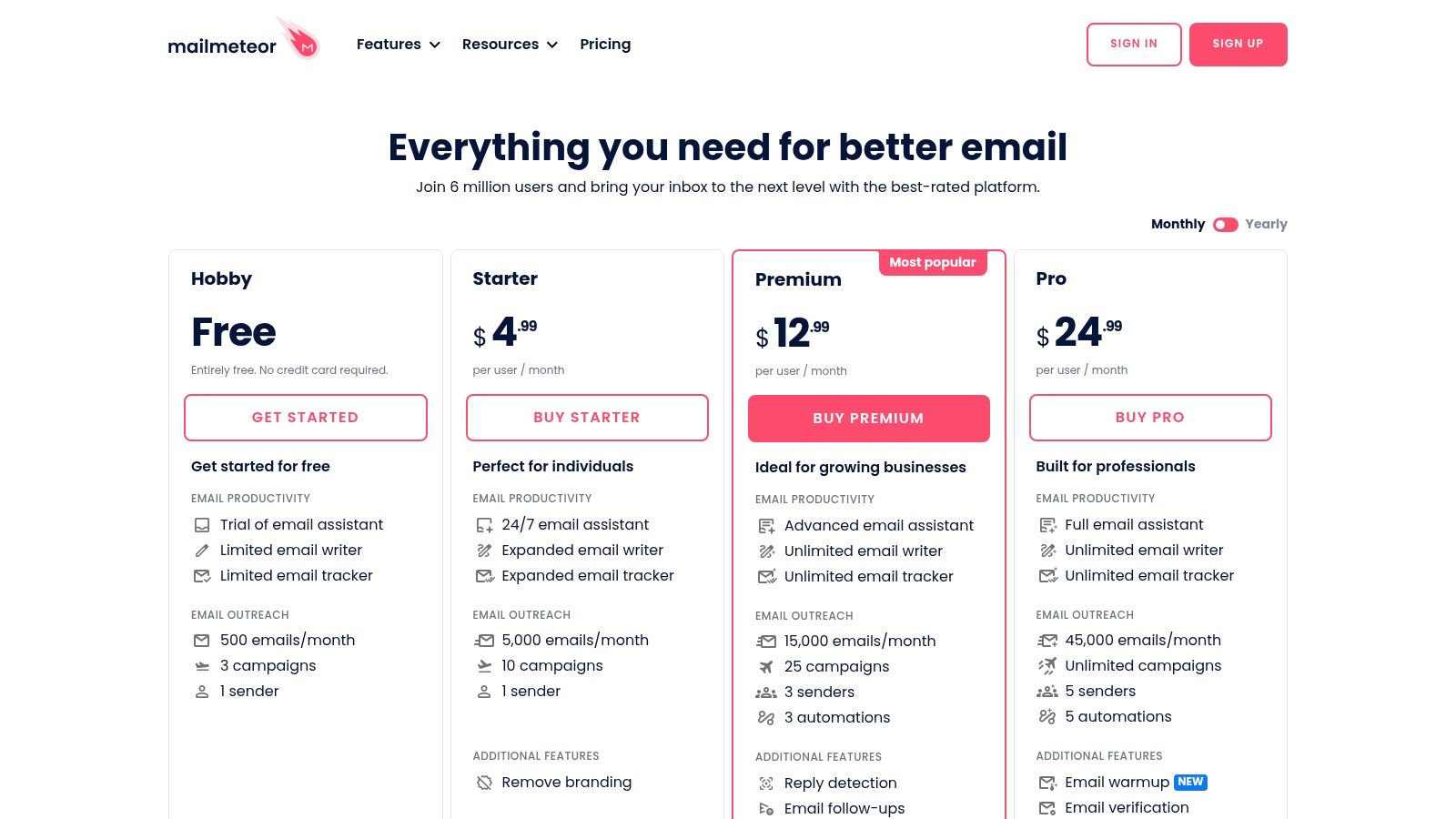
Unlike standalone platforms, Mailmeteor’s strength lies in its native integration, which respects Google’s sending limits while enhancing your productivity. This makes it a practical choice for sending standardized client updates, follow-ups, and other routine correspondence without leaving your inbox. The platform is particularly useful for small firms or solo practitioners looking for an affordable way to manage email communications efficiently.
Key Features and Usage
Mailmeteor is designed more for outreach and standardized replies than for complex, ticket-based support, but its template functionality is highly effective for managing recurring professional correspondence.
- Native Gmail Integration: Create and access your template library without switching applications, ensuring a seamless workflow.
- AI-Assisted Writing: Use the built-in AI to help draft or refine responses, ensuring a professional tone and clear messaging.
- Scalable Plans: With affordable entry-level pricing and generous limits, it scales effectively from individual users to small teams.
- Cost: A free plan is available with basic features, while paid plans offering higher sending limits and advanced features start at a competitive price point.
While its primary focus is on the Gmail/Workspace ecosystem and it’s geared more toward outreach, Mailmeteor offers a practical and cost-effective solution for professionals seeking to build a library of professional email response templates within their existing email client.
Website: Mailmeteor Pricing
10. Template.net
Template.net functions as a massive marketplace for business documents, offering an extensive selection of professionally written email templates for various situations. Its primary strength lies in providing ready-to-use wording that can be downloaded instantly in multiple formats, including Word and Google Docs, making it a quick resource for busy professionals.
This platform is particularly useful for sourcing foundational language for common business communications like apology letters, official notices, and standard responses. While not specialized for legal or regulated fields, the templates serve as a solid starting point that can be customized to meet compliance standards. Their approach is similar to sourcing other business assets, as detailed in our guide on professional document templates.
Key Features and Usage
Template.net's value is in its sheer volume and format flexibility, allowing users to find a template for nearly any scenario and edit it in their preferred application. However, a subscription is often required for the best content.
- Massive Library: The searchable marketplace covers a vast range of business, marketing, and formal communications.
- Multi-Format Downloads: Users can download templates as DOCX, Google Docs, PDF, and other formats, ensuring compatibility with existing workflows.
- Commercial-Use Rights: Pro plans typically include commercial-use rights, which is essential for business applications.
- Subscription Model: Access to premium templates is paywalled, with subscription pricing varying based on access level. Note that digital goods are generally non-refundable.
While the templates require adaptation for specific professional contexts, Template.net provides a fast and inexpensive way to acquire done-for-you wording without needing design or advanced writing skills.
Website: Template.net Pricing
11. Etsy
Etsy serves as a massive marketplace for independent creators, many of whom sell downloadable packs of professional email response templates. These offerings are often created by solopreneurs and small business owners, resulting in niche-specific scripts for industries like coaching, wedding planning, and creative services that are affordable and instantly accessible.
Unlike centrally managed resources, Etsy's value lies in its variety and specificity. You can find template bundles for everything from client onboarding and refund processing to handling difficult customer complaints. The platform's review and star-rating system is crucial for vetting the quality of a seller's offerings before purchasing.
Key Features and Usage
Etsy is an excellent source for finding highly tailored templates that larger platforms might not offer. The direct-from-creator model means the language is often grounded in real-world small business experience.
- Niche-Specific Packs: Discover templates crafted for unique business types, such as photographers, virtual assistants, or boutique owners.
- Instant Digital Downloads: Files are typically delivered immediately after purchase, usually as editable Word, PDF, or Google Docs.
- Affordable Pricing: Most template packs are very budget-friendly, often priced between $10 and $30.
- User-Generated Reviews: The rating system helps identify high-quality, reliable sellers and avoid subpar products.
The primary drawback is the variability in quality, as templates are not centrally vetted. It is essential to carefully read reviews and examine product images to ensure the templates meet your professional standards before purchasing.
Website: Etsy Customer Service Email Templates
12. Creative Market
Creative Market is a digital marketplace where independent creators sell a vast range of assets, including professional email response templates. It offers downloadable products like pre-written copy vaults and fully designed HTML newsletter layouts, making it a valuable resource if you need both effective wording and polished visual formatting.
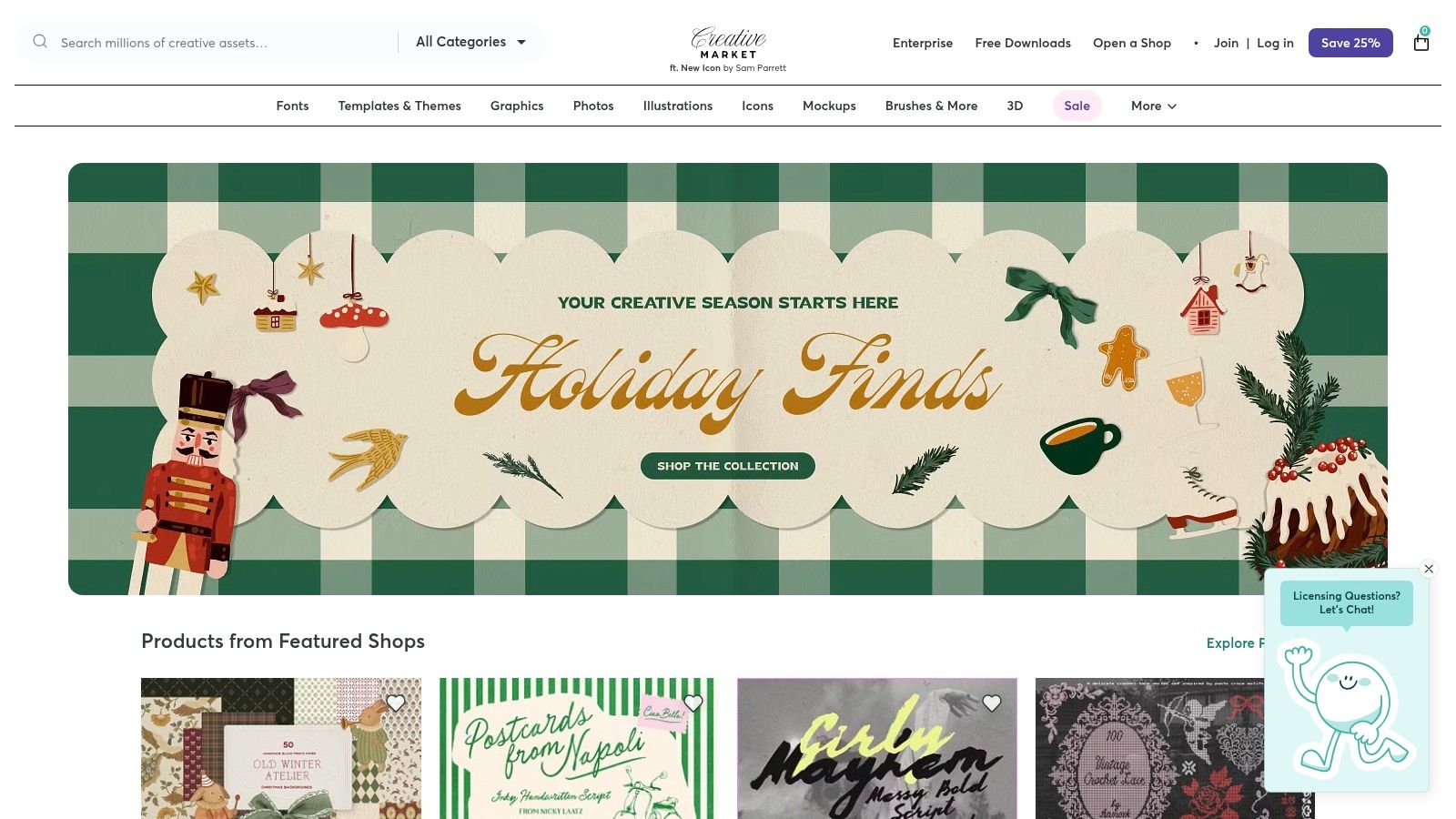
The platform stands out by providing both the copy and the design files compatible with popular tools. Products are typically delivered as instantly downloadable files that work with Canva, Adobe apps, or major ESPs like Mailchimp. This is ideal for firms looking to integrate pre-approved messaging into their established marketing or client communication workflows, similar to how one might use assets from top document template software providers.
Key Features and Usage
Creative Market's strength lies in its variety, but it requires careful evaluation of each product. Product pages clearly outline what's included, file formats, and licensing, helping you find the right fit before purchasing.
- Diverse Product Types: Find everything from simple text-based email sequences to complex, editable HTML templates for newsletters and announcements.
- Broad Software Compatibility: Many templates are designed for easy editing in common business tools, ensuring you can adapt them to your brand standards.
- Transparent Listings: Sellers provide clear "what's included" sections, user reviews, and often a direct messaging system for support.
- Cost: Products are sold individually with one-time licensing fees, with prices varying significantly based on the creator and product complexity.
While the quality and depth vary by seller, a careful search can yield high-quality, specialized templates. Always review a product's details and seller ratings to ensure it meets your professional standards before purchasing.
Website: Creative Market
Top 12 Professional Email Response Template Tools Comparison
| Product | Core features | Quality (★) | Price & Value (💰) | Target audience (👥) | Unique selling points (✨) |
|---|---|---|---|---|---|
| 🏆 Whisperit | Voice-first dictation, Cases hub, Navigator AI, real-time transcription, Drafting Templates, Export Layouts, collaboration | ★★★★★ | 💰 Demo / custom pricing; high ROI for firms | 👥 Law firms, litigation teams, enterprise legal | ✨ Contextual AI Navigator, Swiss/EU private GPU hosting, structured legal authoring |
| HubSpot | Large downloadable template packs (50+), editable Google Docs/Sheets, scripting guides | ★★★★ | 💰 Free template packs; email capture sometimes required | 👥 Support & account teams, SMBs | ✨ Ready-to-use, best-practice scripting library |
| Help Scout | Copy-and-paste response templates, support toolkit, practitioner guidance | ★★★★ | 💰 Free resources; product subscription for workflow features | 👥 Support teams wanting proven phrasing | ✨ Experience-based templates + curated toolkit |
| Zendesk | 25+ templates, guidance, downloadable packs, macro/automation compatibility | ★★★★ | 💰 Free examples; product features require Zendesk subscription | 👥 Support teams standardizing tone & macros | ✨ Templates built for macro/automation workflows |
| Yesware | Inbox templates, team sharing, open/link/attachment tracking | ★★★ | 💰 Freemium → paid tiers for advanced analytics | 👥 Sales teams, client-facing reps | ✨ Template performance metrics inside Gmail/Outlook |
| Reply.io | Wide outreach templates, copy-ready pages, pairs with sequencing/automation | ★★★ | 💰 Free access to many templates; paid for automation | 👥 Sales/outreach teams | ✨ Templates integrated with multichannel sequences |
| Hiver | Gmail-native shared templates, placeholders, agent org tools | ★★★★ | 💰 Start-for-free; best value with Hiver suite | 👥 Google Workspace support teams | ✨ In-Gmail templates + personalization placeholders |
| Gorgias | Macros with dynamic variables, centralized library, Shopify integration | ★★★ | 💰 Paid subscription; ecommerce ROI focus | 👥 Ecommerce & Shopify support teams | ✨ Order/customer data-driven macros for fast replies |
| Mailmeteor | AI-assisted writer + templates inside Gmail, sequence support, Google limits aware | ★★★★ | 💰 Affordable entry plans for small teams | 👥 Gmail/Workspace users doing outreach | ✨ AI drafting inside Gmail with send-limit safeguards |
| Template.net | Massive library, DOCX/Google/PDF downloads, searchable marketplace | ★★★ | 💰 Subscription & paywalled items; commercial licenses on Pro | 👥 Business users needing varied, editable templates | ✨ Multi-format downloads and broad scenario coverage |
| Etsy | Niche template packs, instant downloads, seller reviews/ratings | ★★★ | 💰 Low-cost one-off packs ($10–$30 typical) | 👥 Solopreneurs, niche small businesses | ✨ Affordable, industry-specific packs from many sellers |
| Creative Market | Pre-written email products + design-ready layouts, designer-compatible files | ★★★ | 💰 Paid per product; clear product details & licenses | 👥 Marketers, designers, SMBs needing copy + layout | ✨ Copy + polished templates compatible with design tools |
Integrating Templates Into Your Practice for Maximum Impact
Throughout this guide, we've explored a comprehensive library of professional email response templates tailored for the unique demands of legal, healthcare, and other regulated industries. From initial client intake and conflict checks to sensitive discovery requests and settlement negotiations, these templates provide a solid foundation for clear, consistent, and compliant communication. We’ve also surveyed a range of tools, from dedicated help desks like Zendesk and Help Scout to sales-focused platforms like Yesware and creative marketplaces like Etsy, each offering different ways to store and manage these valuable assets.
The core takeaway is that the power of a template isn't just in its text, it's in its implementation. Having a folder of Word documents is a start, but true efficiency is born from integrating these templates directly into your daily workflow. The goal is to move beyond simple copy-and-paste and create a system that actively supports your communication strategy, reinforces your firm's professional tone, and mitigates compliance risks.
From Static Resource to Dynamic Workflow
The most significant leap in productivity comes when templates are no longer a separate, static resource but a dynamic part of your communication toolkit. A well-chosen platform transforms a script into a strategic advantage by making it instantly accessible, easily customizable, and consistently applied across your entire team.
Consider the difference: instead of searching for the correct document, opening it, copying the text, pasting it into an email, and then manually personalizing it, a truly integrated system presents the right template at the right moment. This seamless integration is what separates a good process from a great one.
Key Considerations for Implementation
As you move forward, the critical step is to evaluate your practice's specific needs and select a system that aligns with them. Generic solutions may store your text, but professionals in regulated fields require more sophisticated capabilities. When making your decision, focus on these essential factors:
- Contextual Accessibility: How easily can your team find and use the right template without leaving their primary workspace? Look for tools that integrate directly into your email client, reducing friction and saving valuable time.
- Compliance and Security: Does the platform meet your industry's data security and privacy standards? For legal and healthcare professionals, features that support compliance, like controlled access and secure data handling, are non-negotiable.
- Customization and Control: A great template system allows for both personalization and control. It should empower individuals to tailor messages for specific clients while enabling firm-wide style and brand consistency through features like centralized style profiles or approved phrasing libraries.
- Scalability: Will the solution grow with your practice? Consider whether the platform can support an expanding library of templates, a growing team, and evolving communication needs without becoming cumbersome.
Ultimately, the right tools and templates do more than just save time; they elevate the quality and consistency of your professional communications. By standardizing routine responses, you free up mental and temporal resources to focus on the high-value strategic work that truly drives results for your clients and your practice. Maximizing the impact of your templates also requires ensuring they get opened in the first place. For this, it's essential to learn how to craft high-converting email subject lines that capture attention and encourage immediate engagement.
Building a powerful, efficient, and compliant communication workflow is an achievable goal. By thoughtfully selecting your templates and integrating them into a system designed for the rigors of your profession, you can transform your daily email management from a necessary chore into a significant operational advantage.
Ready to move beyond static documents and build a truly integrated template workflow? Whisperit is designed specifically for legal and regulated professionals, transforming your templates from a simple resource into a dynamic, compliant, and context-aware communication system directly within your inbox. Discover how Whisperit can streamline your practice today.