
A Guide to Natural Speaking Software in Law and Healthcare
Ever felt like you could get so much more done if you didn't have to stop and type everything out? Imagine capturing every detail of a client meeting or a patient diagnosis, in real-time, just by speaking. That’s the reality being created by natural speaking software.
This isn't just about simple voice commands like "call mom." We're talking about sophisticated AI that understands professional jargon, context, and intent, turning your spoken words into perfectly structured text. It's a genuine productivity leap for high-stakes fields where every minute and every detail counts.
The Shift to Voice-First Professional Workflows
In professions like law and medicine, documentation is a necessary beast. It’s time-consuming, tedious, and often pulls focus from the core work of advising clients or treating patients. This administrative friction is exactly why we're seeing a major shift toward voice-first ways of working. It’s about finding a more natural, efficient path to getting things done.
Think of it like the jump from an old-school calculator to an intelligent spreadsheet. A basic calculator does one thing: it calculates. Early dictation tools were similar—they just turned words into text, often with clumsy results. Today’s natural speaking software is the spreadsheet; it grasps context, structures information, and can even automate tasks based on what you say. It’s about making your workflow smarter, not just faster.
The Driving Force Behind Voice Adoption
This move to voice-powered tools isn't happening by chance; it's a direct answer to real-world operational pressures. The reasons are pretty clear:
- Speed Up Documentation: Most people can speak at least three times faster than they can type. Dictating notes, reports, and emails frees up a significant chunk of the day for work that actually matters—like client strategy or patient care.
- Improve Accuracy: Modern AI models can be trained on specialized legal or medical vocabularies, which dramatically cuts down on transcription errors. This ensures crucial details are captured right the first time. For a deeper dive, check out the advantages of voice recognition software in our detailed article.
- Seamless Workflow Integration: The best tools don't just exist in a vacuum. They plug right into your existing case management or electronic health record systems, letting you create and file documents without breaking your stride.
The numbers back this up. The conversational AI market, the engine behind this technology, is expected to skyrocket from $14.79 billion in 2025 to $82.46 billion by 2034. This kind of growth shows just how seriously businesses are investing in AI solutions to make their teams more effective. You can discover more insights about conversational AI market trends and see where the industry is headed.
This isn't just another tech trend. It's a fundamental move toward a more intuitive way of working, where technology finally adapts to how we naturally communicate—not the other way around.
For legal professionals, a generic tool just won't cut it. That's why we built Whisperit as a voice-first legal workspace from the ground up. It’s designed to handle the specific compliance, terminology, and workflow demands of the legal world, providing a complete solution that sets the stage for everything we'll explore next.
How Natural Speaking Software Actually Works
To really get what makes modern natural speaking software tick, you have to look under the hood. It’s not just one piece of tech doing all the work. Instead, think of it as a small, highly-specialized team working in perfect sync to create a seamless experience.
Imagine you're briefing a colleague. First, someone needs to take down exactly what you say, word for word. Then, another person has to figure out what you mean by those words—your instructions, questions, and goals. Finally, a third person might read the finished notes back to you for a final check. That’s pretty much how this software operates.
This flowchart shows how these advancements are shifting professional work away from keyboards and toward smarter, voice-driven workflows.
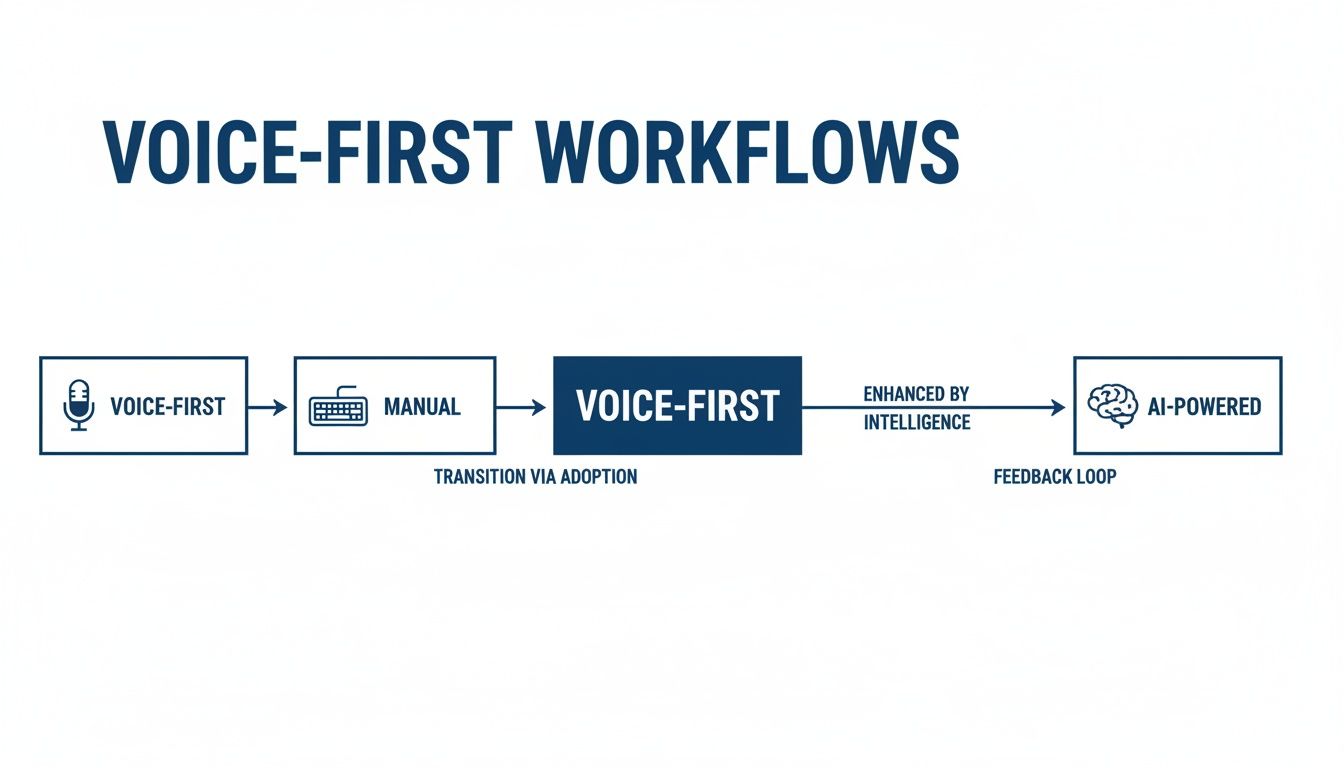
As you can see, the journey moves past simple dictation and into a space where AI becomes a genuine partner in getting work done.
The Three Core Technologies
The software relies on a trio of powerful AI engines to make sense of your voice. Each one handles a critical part of the conversation, from capturing your words to understanding your intent.
Let's break down the key technologies that power a platform like Whisperit. This table outlines each component and offers a simple analogy to make its function clear.
Key Technologies in Natural Speaking Software
| Technology Type | Core Function | Professional Analogy | Example in Whisperit |
|---|---|---|---|
| Speech-to-Text (STT) | Converts spoken audio into written text. | The Digital Stenographer: Its sole job is to listen intently and create a perfect transcript of everything you say. | You dictate a client memo, and Whisperit captures every word with high accuracy. |
| Text-to-Speech (TTS) | Converts written text into natural-sounding audio. | The Professional Narrator: It reads a document aloud, helping you catch errors or review content without looking at the screen. | After finishing a report, you ask Whisperit to "read it back to me" for proofreading. |
| Natural Language Processing (NLP) | Analyzes text to understand intent, context, and commands. | The Executive Assistant: It doesn't just hear your words; it understands what you want to do with them. | You say, "Summarize the last two paragraphs," and the system generates a concise summary. |
It's the tight collaboration between these three technologies that elevates simple voice input into a true conversational workflow. One captures, one understands, and one communicates back, creating a powerful loop that feels intuitive.
How These Parts Work Together
These pillars aren't working in silos; they’re in constant communication. This back-and-forth is what turns your spoken thoughts into finished work.
Here’s a practical example of how it all comes together:
- You start dictating a legal motion. (STT kicks in to capture your words.)
- You pause and say, "Add a section about prior precedents." (NLP recognizes this as a formatting command, not just more text for the motion.)
- The software instantly adds the new heading and gets ready for your next thought.
- Once you’re done, you say, "Read the whole document back to me." (TTS then vocalizes the text for your final review.)
This dynamic interaction is what makes natural speaking software so powerful in professional settings. It’s about more than just turning voice into text. It’s about understanding commands, context, and the structure of complex documents—something especially critical for legal and medical professionals who rely on specialized terminology.
The engine that makes all this comprehension possible, Natural Language Processing, is a field experiencing massive investment. The global NLP market is expected to rocket from $27.1 billion in 2025 to an incredible $100.7 billion by 2032. This growth is being driven by its adoption in professional services where every second of efficiency counts.
Real-World Applications in Legal and Healthcare
It’s one thing to talk about how the technology works, but it’s another to see it in action. Natural speaking software really shines in high-stakes fields like law and healthcare, where every minute counts and accuracy is everything. In these professions, the tools aren't just a nice-to-have; they’re quickly becoming a must-have for tackling the mountain of administrative work that drains time and energy.
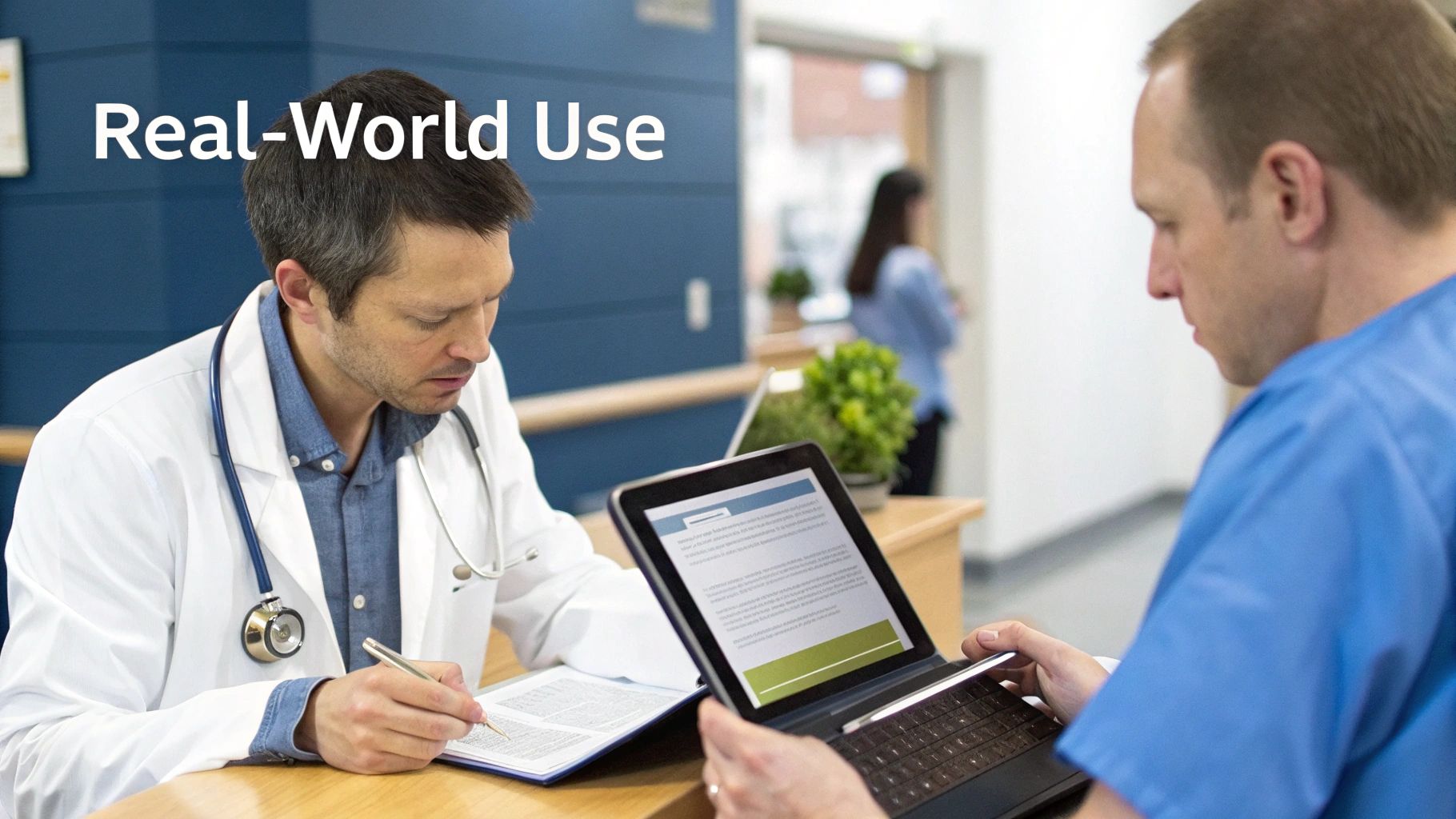
Think about a doctor wrapping up a patient visit. Instead of spending the next 10 minutes hunched over a keyboard, typing detailed notes into the Electronic Health Record (EHR), she can just speak them out loud. The software instantly captures complex medical terms, formats the entry, and files it away—all before she’s even left the room.
This kind of immediate, hands-free documentation does more than just save time. It cuts down on the risk of forgetting important details and gives professionals back their evenings. For many, it’s the end of "pajama time"—those late hours spent catching up on paperwork that should have been done hours ago.
Transforming the Legal Practice
Lawyers are seeing a similar shift, turning their spoken words into structured, billable work in a fraction of the time it used to take. The benefits go well beyond simple dictation.
Imagine an attorney finishing a long deposition. While the details are still fresh in her mind, she can dictate a full summary directly into her case management system. The software can even be set up with templates, making sure every memo adheres to the firm's specific formatting standards.
Here are just a few legal workflows being completely changed by this tech:
- Drafting Contracts and Motions: A lawyer can build a document with voice commands, saying things like, "Insert standard liability clause," or "Add a signature block for all parties."
- Managing Client Correspondence: Dictating a detailed follow-up email right after a client call ensures nothing gets missed and creates an immediate record of the conversation. Check out more examples of dictation in legal workflows in our dedicated guide.
- Capturing Billable Time: By dictating time entries the moment a task is finished, attorneys can capture every billable minute, preventing the revenue leaks that come from forgotten activities.
This capability is driven by an AI subset called Natural Language Generation (NLG), a market expected to surge from $782.1 million in 2024 to $2.5 billion by 2030. Its growth is all about its power to automatically create text that reads as if a human wrote it.
The real magic is turning fleeting, spoken thoughts into a structured, usable asset. It closes the gap between thinking and doing, making every conversation a potential launchpad for productive work.
Enhancing Healthcare Delivery
In healthcare, natural speaking software is a powerful tool in the fight against physician burnout, which is so often tied to endless administrative tasks. Because it can plug directly into EHRs and other clinical systems, it fits seamlessly into the daily workflow of patient care.
For healthcare providers, advanced conversational AI is a game-changer. Looking at guides on the benefits of Virtual Medical Receptionist Services shows how this tech even extends to patient-facing interactions, improving efficiency across the board.
The benefits are concrete and immediate:
- Real-Time Clinical Notes: Doctors can document patient visits as they happen or right after, leading to more detailed and timely records.
- Generating Referral Letters: A physician can dictate a referral letter to a specialist by simply stating the key findings. The software handles all the professional formatting.
- Medical Reporting and Compliance: Creating accurate surgical reports or compliance documents is faster and less error-prone when dictated and structured by an AI that understands medical jargon.
At the end of the day, the goal is the same in both fields: free highly skilled professionals from the tyranny of the keyboard. Letting them work at the speed of speech doesn't just make them more productive—it lets them focus on what they do best: serving clients and caring for patients.
Choosing The Right Natural Speaking Software
Picking the right natural speaking software isn't just about ticking boxes on a feature list. It’s a serious decision that touches every part of your workflow, your data security, and your ability to meet tough compliance standards. For professionals in fields like law and healthcare, the stakes are incredibly high, so this isn't a choice to be taken lightly.
While top-notch transcription accuracy is a great starting point, it's really just the beginning of the story. The real difference between a genuinely helpful tool and a potential liability is hidden in the details—the security protocols, the data handling policies, and how the software actually fits into the way you already work. The wrong tool can create frustrating bottlenecks, open up security holes, and end up costing you more time than it saves.
Looking Beyond Basic Accuracy
Modern AI models have made quality transcription more accessible than ever. But accuracy alone doesn't make a tool right for professional settings where sensitive data is part of daily life. You have to dig deeper and really scrutinize the platform's commitment to security and compliance. When you're weighing your options, understanding the nuances of finding the best speech to text API that lines up with your specific needs is a must.
The question you should be asking isn't just, "How well does it transcribe?" It's, "How well does it protect my practice and my clients?" This simple shift in perspective brings a more important set of criteria into focus.
Core Evaluation Criteria For Professional Use
To make a smart choice, your evaluation should hinge on five key areas. Think of these as the pillars that ensure the software you choose is not only effective but also secure, compliant, and genuinely useful in a professional environment.
Here’s what to look for:
- Robust Security Protocols: Your software is going to handle highly confidential information. Look for tools that provide end-to-end encryption. This means your data is scrambled from the moment you speak until it’s safely stored, making it completely unreadable to anyone without authorization.
- Strict Data Residency and Sovereignty: Where is your data physically stored? This is a deal-breaker. For GDPR compliance, for instance, a provider with Swiss or EU-based hosting is non-negotiable. This keeps your data under the protection of some of the world's most stringent privacy laws.
- Auditable Compliance and Certifications: The vendor needs to be upfront about their compliance with regulations like GDPR or HIPAA. Don't be afraid to ask for documentation or certifications that prove they meet these standards. A clear, auditable trail is your proof of due diligence.
- Low Latency and High Performance: The software has to keep up with you. Low latency is key, ensuring a real-time transcription experience that feels natural and doesn't break your concentration. No one has time for frustrating delays.
- Seamless Workflow Integration: A great tool shouldn't force you to reinvent your process; it should make it better. See how well the software plays with your existing systems, whether that's a Case Management platform or an EHR. The goal is a unified workflow, not another siloed app to manage.
A truly professional-grade solution is built on a foundation of trust. It must demonstrate an unwavering commitment to protecting sensitive data through transparent security measures and verifiable compliance.
To help you systematically evaluate your options, we've put together a checklist that covers these critical areas. Use this table when talking to vendors to ensure you're asking the right questions and getting the clear answers you need to protect your practice.
Evaluation Checklist for Compliant Natural Speaking Software
| Evaluation Criteria | Why It Matters | Key Questions to Ask Vendors | Whisperit's Approach |
|---|---|---|---|
| Accuracy & Performance | The tool must capture speech precisely and in real-time to be useful. High latency disrupts natural thought and workflow. | What is your typical Word Error Rate (WER) for legal/medical terminology? What is the average latency from speech to text? | We use state-of-the-art models fine-tuned for professional jargon, ensuring high accuracy. Our infrastructure is optimized for near-instantaneous transcription. |
| Data Residency & Sovereignty | Your data must be stored in a jurisdiction that complies with your industry's regulations (e.g., GDPR, HIPAA). | Where are your servers located? Do you offer region-specific hosting? Can I ensure my data never leaves the EU/Switzerland? | All client data is exclusively hosted on secure, audited servers in Switzerland, providing maximum data protection under Swiss privacy laws. |
| End-to-End Encryption | Protects data from interception or unauthorized access, both in transit and at rest. | Is all data encrypted end-to-end? What encryption standards (e.g., AES-256) do you use? | We implement end-to-end AES-256 encryption. Your data is encrypted on your device and remains encrypted until you decrypt it. Not even we can access it. |
| Compliance & Auditability | You must be able to prove that your tools and processes meet legal and regulatory requirements. | Are you GDPR/HIPAA compliant? Can you provide compliance documentation? Do you offer audit logs? | Whisperit is fully GDPR-compliant and designed to meet the strict standards of regulated industries. We provide comprehensive audit trails for full transparency. |
| Workflow & UI Integration | The software should reduce friction, not create it. It needs to fit into your existing tools and processes naturally. | Does your software offer an API? Does it integrate with my existing case management/EHR system? Is the UI intuitive? | Our platform is built as a unified workspace, not just a transcription tool. It's designed for a seamless workflow from dictation to final document, minimizing context switching. |
This checklist provides a solid framework for your evaluation, ensuring no critical aspect is overlooked. A vendor who can confidently and transparently answer these questions is one who takes your professional responsibilities as seriously as you do.
The Importance Of An Intuitive User Experience
Beyond all the technical specs, the user interface (UI) and overall experience (UX) are what make or break a tool's adoption. If the software is clunky, confusing, or just plain difficult to use, your team won't use it—no matter how powerful it is.
A well-designed interface should feel natural from the get-go. It minimizes the learning curve and helps users feel productive right away, without having to dig through dense menus to find what they need. For example, a platform like Whisperit is designed as a single, unified workspace. It brings dictation, document drafting, and AI assistance together in one logical place, creating a smooth and intuitive workflow. This focus on usability makes sure the technology is serving you, not the other way around.
Ultimately, the right natural speaking software should feel like a natural extension of your own professional expertise.
Deploying Voice AI in Your Practice
Bringing new technology into your practice can feel daunting. But with a smart, phased approach, integrating natural speaking software can be a smooth transition instead of a major disruption. It’s not about just installing another app; it’s about carefully weaving the tool into your firm's DNA to truly see the benefits.
The key to a successful rollout is a solid plan that accounts for the technology, your processes, and, most importantly, your people. The goal is to make the software feel like a natural extension of your team’s skills, not just another hurdle to clear.
Choosing Your Deployment Model
One of the first big decisions is whether to go with a cloud-based service or an on-premise setup. On-premise solutions give you physical control over your servers, but that control comes at a steep price. You're looking at high upfront hardware costs, constant maintenance, and the need for dedicated IT staff to handle security and updates.
For most modern practices, a secure cloud platform is the smarter choice. You get the flexibility to scale up or down as your needs change, without buying new equipment. Even better, reputable cloud providers built for the legal and healthcare fields offer serious security and compliance guarantees—like Swiss or EU data hosting—that are often far stronger than what a single firm could manage on its own.
Opting for a secure, compliant cloud provider means you're handing off the heavy lifting of infrastructure, security, and scalability to experts. This frees up your team to focus on what they do best: serving clients and patients.
This approach slashes your initial investment and simplifies day-to-day management, making powerful voice AI accessible without the traditional IT headaches.
Integrating with Your Core Systems
For voice AI to be a real time-saver, it has to play nicely with the other tools you use every single day. A dictation tool that forces you to constantly copy and paste text between windows just adds another layer of frustration. It completely defeats the purpose.
This is where Application Programming Interfaces (APIs) come in. Think of an API as a secure translator that lets your voice software talk directly to your other essential systems, including:
- Case Management Systems for law firms
- Electronic Health Record (EHR) platforms for medical practices
- Customer Relationship Management (CRM) software
A good API integration creates a single, fluid workflow. You could dictate a client note, for instance, and have it automatically filed under the correct case in your management system without ever leaving the voice platform. To dig deeper into vetting these integrations, our guide on performing AI due diligence for your practice is a great place to start.
Managing Team Adoption and Change
The last—and arguably most important—piece of the deployment puzzle is your team. The best software in the world is worthless if nobody wants to use it. Getting your team on board requires a thoughtful approach to change management, built on clear communication and solid training.
Start by showing them exactly how the tool solves their biggest headaches, like slashing the time they spend on tedious documentation. Frame it as a solution that makes their jobs easier, not just another piece of tech they have to learn.
Here are a few practical steps to make the rollout a success:
- Provide Comprehensive Training: Go beyond the basics. Run hands-on sessions that show your team how to use the software in the context of their actual, day-to-day tasks.
- Establish Firm-Wide Templates: Create a set of standard templates for common documents like client intake notes, case summaries, or patient reports. This drives consistency and helps new users get productive right away.
- Appoint Internal Champions: Find a few enthusiastic team members who can serve as the go-to experts for their colleagues. These champions can answer questions, offer tips, and act as a valuable feedback channel.
Whisperit: The Voice-First Legal Workspace
We’ve spent this guide digging into the real power of natural speaking software—how it can tackle everything from the mountain of administrative work to the critical risk of documentation errors. We've also laid out a clear checklist for picking a tool that meets the tough security and compliance standards of legal and healthcare work.
Now, let's put all those pieces together and look at a solution designed specifically for legal professionals.

Whisperit isn't just another dictation app. It’s a complete, voice-first workspace built to handle the entire lifecycle of your legal matters. It directly confronts the headaches of disjointed workflows and administrative bottlenecks, creating a smooth line from client intake all the way to the final signed document.
A Purpose-Built Legal Operating System
Generic software just doesn't get it. Whisperit is different because it's structured around how lawyers actually work. At the heart of the platform is the Navigator AI, a context-aware assistant that understands your spoken commands, letting you glide between tasks without ever touching the mouse.
Think about a typical workflow:
- You start by saying, "Open the Miller case." The Navigator instantly brings up the entire case file—summaries, parties, key documents, everything.
- Next, "Draft a motion to compel using the firm template." Just like that, Whisperit loads the correct, pre-formatted template into the editor.
- Then, you simply dictate the details. The software transcribes your words on the fly, while built-in Style Profiles automatically handle the proper formatting and citations.
This whole process happens inside a single, secure environment. No more jumping between different programs. To see this integrated approach in action, you can dive deeper into the Whisperit Lawyer OS in our dedicated article.
Whisperit turns your voice from a simple input tool into the command center for your entire workflow. It’s about orchestrating your work, not just transcribing your words.
Security and Compliance at the Core
Remember those evaluation criteria we covered? Whisperit was built from the ground up to meet and exceed every single one. Security isn't just a feature; it's the bedrock of the entire platform.
With exclusive Swiss/EU hosting, your sensitive data is shielded by some of the most robust privacy laws on the planet. The platform is fully GDPR-aligned and uses end-to-end encryption, giving you total confidence that your client information stays confidential and compliant. It’s the peace of mind that comes from knowing your tools take your professional obligations as seriously as you do.
Ready to see how a voice-first workspace can redefine your practice? It's time to experience the future of legal work and find a calmer, more focused way to get things done.
Frequently Asked Questions
When you're considering new technology for your practice, especially one that handles sensitive client or patient information, you're bound to have some questions. Let’s tackle some of the most common ones we hear from legal and healthcare professionals.
How Does Natural Speaking Software Handle Complex Terminology?
This is a great question, and it gets right to the heart of what separates a professional tool from a generic one. Your average voice-to-text app will absolutely trip over legal citations or complex medical terms. It just wasn't built for that world.
But high-quality natural speaking software is different. It’s trained on massive datasets filled with professional documents—court filings, medical journals, you name it. This means it comes out of the box already fluent in your professional language. On top of that, many platforms let you build out your own custom dictionaries. You can add unique case names, specific acronyms, or proprietary terms so the software gets them right every single time.
Is Confidential Data Secure on a Cloud-Based Platform?
This is, without a doubt, one of the most critical questions you can ask. The short answer is: it depends entirely on the provider. For any serious professional, security can't be an afterthought; it has to be the bedrock of the entire system.
Here's what you absolutely must look for:
- End-to-End Encryption: Your words need to be protected from the moment they leave your mouth to when they're stored. This makes your data unreadable to anyone, whether it's in transit or sitting on a server.
- Strict Data Residency: You need to know exactly where your data lives. For anyone concerned with GDPR, for example, having a guarantee of Swiss or EU hosting is non-negotiable. It keeps your information protected by some of the strongest privacy laws on the planet.
Choosing a provider that can verifiably prove its security and compliance isn't just a good idea—it's your professional responsibility. If a platform can't guarantee where your data is and how it's protected, it's simply not an option for confidential work.
What Is the Learning Curve for This Type of Software?
You'll be pleasantly surprised. Modern natural speaking software is designed to be incredibly intuitive. Think about it—it's built to understand the way you already talk, so the learning curve is naturally quite low. Most people are dictating with high accuracy within just a few minutes.
Of course, mastering the more advanced features, like setting up custom voice commands or building firm-wide templates, will take a little more time. But the best platforms feel less like operating a piece of software and more like delegating to a smart assistant. A central AI that understands conversational commands really flattens that learning curve for the whole team.
Can This Software Integrate with My Current Practice Management System?
Yes, and it absolutely should. Any tool that forces you to jump between different systems just creates more silos and friction in your day. The whole point is to make your workflow smoother, not more complicated.
The best solutions are built with integration in mind. They use APIs (Application Programming Interfaces), which are like secure bridges that connect to your other essential tools, whether it's a Case Management System or an EHR. This is where the real magic happens. Imagine dictating a client memo and having it automatically saved to the correct case file without ever leaving the voice platform. That's the kind of power you get when your tools talk to each other. Always ask a vendor about their integration capabilities upfront to make sure it will truly enhance your process.
Ready to see what a secure, voice-first workspace can do for your practice? Whisperit brings dictation, drafting, and case management together to help you work with more speed and precision. Discover how Whisperit can bring calm and control to your practice.