
Legal Software for Small Firms That Drive Growth
Are you a small firm trying to punch above your weight, competing with bigger practices while juggling a mountain of administrative work? If so, you already know that specialized legal software for small firms isn't just a "nice-to-have" anymore. It's a critical tool for survival and growth.
Think of it like this: you can still get around with a paper map, but a GPS makes the journey faster, more efficient, and gives you real-time data to avoid roadblocks. That's what the right software does for your practice.
Why Your Small Firm Needs More Than Spreadsheets
For too long, small law firms have been stuck with a Frankenstein's monster of tools—a patchwork of spreadsheets, Word documents, and basic calendar apps. It’s a familiar system, sure, but it’s also a huge drain on your time and resources.
Every minute you spend hunting for a document, manually tracking your time, or wrestling with an invoice is a minute you can't bill. This constant administrative drag is exactly what modern legal tech is designed to eliminate. It acts like a digital paralegal, automating the tedious stuff and bringing all your vital information into one place. The whole point is to give you back your most valuable asset—your time—so you can actually practice law.
This shift away from manual chaos is happening everywhere. The global legal tech market hit a staggering $31.59 billion in 2024 and is on track to reach $63.59 billion by 2032. Small firms are a huge part of that growth, and for good reason.
A dedicated platform truly changes the game for your day-to-day operations.
This is the goal: a focused, efficient environment where a streamlined digital workspace replaces cluttered desks and scattered files.
Core Benefits of Specialized Software
When you stop juggling a dozen different apps and bring everything under one roof, you see real, tangible returns on your investment. Here’s how a unified system can transform your firm:
- Centralized Case Management: Imagine having every client detail, document, deadline, and email organized in one place, accessible in seconds. No more digging through folders or searching your inbox.
- Improved Billing Accuracy: Automated time tracking and invoicing systems capture every billable minute, putting an end to lost revenue from forgotten tasks or manual entry errors.
- Enhanced Document Control: Securely managing client files is non-negotiable. Proper software gives you version control, audit trails, and easy, secure access. Our guide on document management for small business digs deeper into getting this right.
- Better Client Communication: With client portals and integrated email, you can keep your clients in the loop effortlessly, building trust and satisfaction without adding to your workload.
This guide is your roadmap. We’ll walk you through how to understand, evaluate, and implement the right legal software to help your small firm not just survive, but thrive.
Deconstructing Your Digital Legal Toolkit
Moving past a simple feature list reveals what legal software for small firms really accomplishes. It’s not just another application on your desktop; it’s an interconnected toolkit where each module tackles a specific operational headache.
Think of it like a craftsman’s workshop. A hammer builds structure, a saw shapes material, and a level brings precision. Individually they serve different tasks—together they create something solid.
The infographic below shows the key obstacles a well-designed digital toolkit helps your firm overcome.
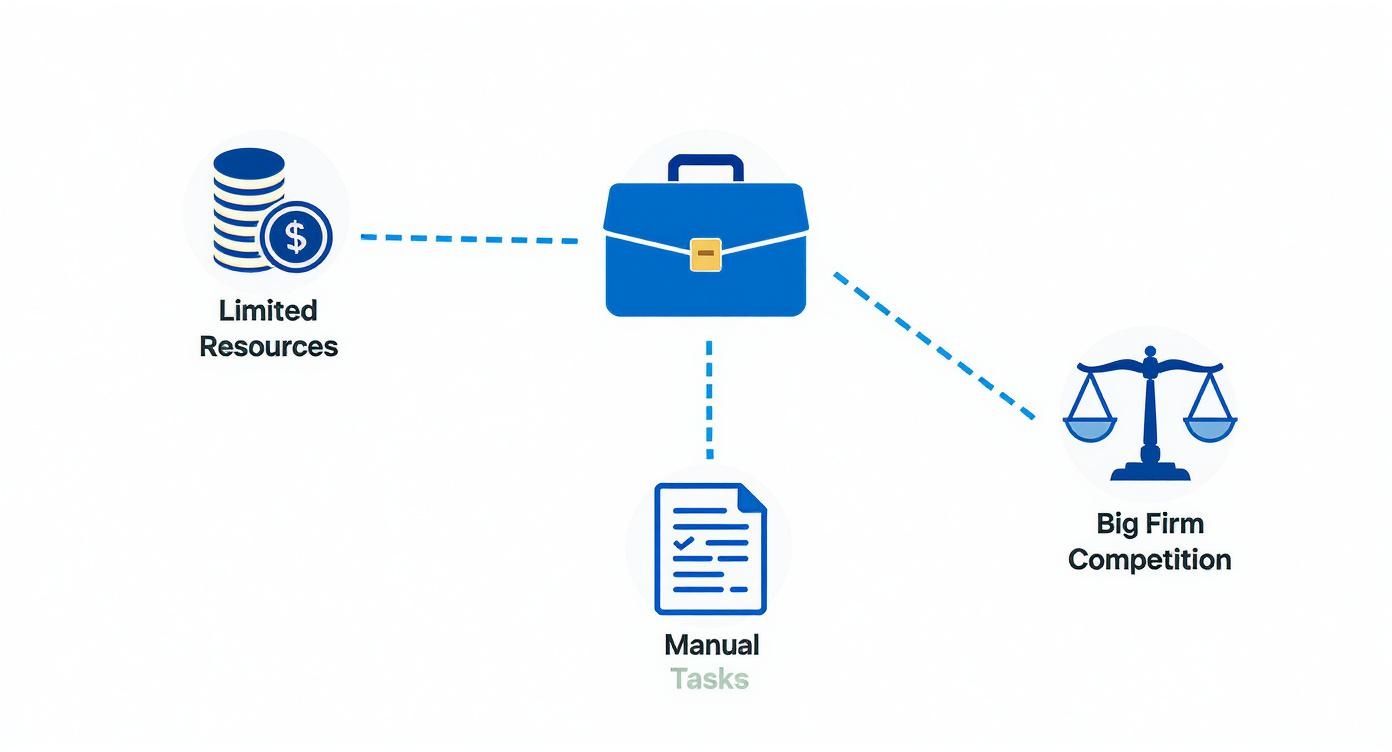
It highlights pressures like tight budgets, manual overload, and fierce competition—all issues a unified system is built to ease.
Your Digital Command Center Case Management
At the core of your software suite lies the case management system—the digital nervous system of your practice. Instead of rummaging through paper files, imagine an intelligent filing cabinet that sorts itself and is accessible from anywhere.
Every detail—client contacts, notes, deadlines, documents, and messages—lives here. This single point of truth slashes the time wasted toggling between disparate tools.
A study found that lawyers spend an average of 69% of their time on administrative tasks rather than billable work. A robust case management system directly targets this inefficiency, reclaiming valuable hours for client-focused activities.
This foundation ensures every component in your toolkit communicates smoothly. For a deeper dive into integrating various digital tools, explore this guide on unified communications as a service (UCaaS) for businesses.
Plugging Revenue Leaks With Automated Billing
One major drain on small-firm profits comes from missed or inaccurate time entries. Manual tracking often overlooks quick calls or email replies, and that unbilled work adds up.
An automated billing system runs in the background, capturing every billable moment—drafting documents, phone calls, even a five-minute chat. Your invoices finally reflect the full value of your efforts.
Secure Document Management And Client Portals
Storing sensitive client data demands more than consumer-grade cloud folders. A dedicated document management system offers security and control:
- Version Control: Track edits, see who made them, and roll back if needed.
- Secure Access: Assign view or edit permissions to safeguard confidentiality.
- Audit Trails: Record every action for compliance and security audits.
Integrated client portals then give your clients a secure, transparent window into their case. No more risky email attachments—documents and updates flow through an encrypted channel that also elevates the client experience.
This tech-forward approach is essential for a modern practice. For further insights, read our analysis of law firm technology and its impact on firm efficiency.
Essential Features in Legal Software for Small Firms
Below is a quick comparison of the critical software features every small law practice needs and the benefits they deliver:
| Feature | Primary Benefit | Impact on Small Firm |
|---|---|---|
| Case Management | Single source of truth for all case details | Cuts search time and boosts billable hours |
| Time & Billing | Automated capture of every billable minute | Prevents revenue leakage |
| Document Management | Secure versioning and organized storage | Enhances compliance and reduces costly errors |
| Client Portals | Centralized, encrypted client communication | Improves client satisfaction and trust |
| Email Integration | Conversations stored in one platform | Streamlines workflows and speeds up response times |
This snapshot shows how each feature directly addresses common pain points, helping your small firm run more smoothly and profitably.
How to Choose the Right Software for Your Firm
Picking the right legal software for your small firm is a bit like buying a car. It's easy to get distracted by flashy features and performance specs, but at the end of the day, what really counts is how it handles your day-to-day work. The goal isn't to find the software with the longest list of bells and whistles; it's to find the one that fits your firm's specific needs like a key in a lock.
To do that, you need a practical approach that cuts through the marketing noise and zeroes in on what will actually make a difference for your practice. By asking the right questions and focusing on a few crucial criteria, you can land on a solution that pays off for years.
Prioritize the User Experience
Let's be blunt: if the software is a pain to use, your team won't use it. At least not willingly. That’s why the user experience has to be your top priority. An intuitive, clean interface means your team can get up and running quickly, making the tool a natural part of their day instead of another hurdle.
A good user experience (UX) isn't just about looking pretty. It's about efficiency. Can you find a case file, log your time, or send an invoice in just a few clicks? When you're watching a demo, pay close attention to the flow. If you feel like you'd need a manual to figure out basic tasks, that's a major red flag.
Your software is a tool you'll interact with all day, every day. If it creates friction, it's actively slowing you down. A clean, logical design that your team can adopt without a fight is non-negotiable.
Think of it this way: a great UX is like a perfectly organized desk where everything you need is exactly where you expect it to be. A bad one is a cluttered mess that makes every task take twice as long. For a small firm where every minute is billable, the choice is obvious.
Evaluate Integration Capabilities
Your firm runs on more than just one piece of software. You have email, accounting programs, and document storage to juggle. The best legal software doesn't try to exist on an island; it acts as a central command center that connects seamlessly with the tools you already rely on.
This is huge. When your systems "talk" to each other, you eliminate the soul-crushing task of entering the same data in three different places, which is a recipe for mistakes. When your case management platform syncs with your Outlook calendar and your billing tool pushes invoices to QuickBooks, you create a single, unified digital office.
Look for a few key integrations:
- Email: Can you save emails and attachments from Outlook or Gmail directly into the client’s case file?
- Accounting: Does it sync with your accounting software to keep your financial records accurate without manual reconciliation?
- Calendaring: Will it populate court dates and client meetings across everyone’s calendars to avoid double-bookings?
These integrations build bridges between your different operational tasks, creating a workflow that’s both smooth and efficient. You can learn more about how these systems fit together in our guide to legal practice management software.
Scrutinize Security and Compliance
Your duty to protect client confidentiality is paramount. When you're looking at software, especially cloud-based platforms, security can't just be a line item on a feature list—it has to be a core pillar of the product. You need absolute confidence that the provider meets the highest industry standards for data protection.
This means looking for things like end-to-end encryption, regular third-party security audits, and full compliance with regulations like GDPR. The silver lining is that a top-tier provider can often offer a level of security that would be incredibly expensive and difficult for a small firm to manage on its own. For a good overview of secure options, a list like the 12 Best Cloud Based Law Firm Software Options for 2025 can be a great starting point.
Decode Pricing and Support
Software pricing models can feel intentionally confusing, with per-user fees, setup costs, and tiered plans. Your job is to look past the sticker price and understand the total cost of ownership. Don't be shy about asking direct questions: Are there extra fees for data migration? Is training included? What happens if we need priority support?
That last point—support—is more important than you think. When something goes wrong (and eventually, it will), you need to know you can get a knowledgeable human on the line quickly. This is especially true in the legal billing space, where cloud software is quickly becoming the standard. The market is expected to grow at a 7.8% CAGR through 2034 and hit $4.28 billion, driven by the need for reliable time and expense tracking. A vendor with solid support ensures you actually get the value you’re paying for.
Leveraging AI To Level The Playing Field
Small law firms no longer have to watch bigger practices sail ahead. With the right AI features tucked into your legal software, you can simplify even the toughest workloads.
AI-driven document review, for instance, can chop discovery time by 50%, giving lawyers back hours to refine strategy. At the same time, automated transcription turns every conversation into text—no more racing to keep up with your keyboard.
- AI document analysis scans contracts and case files in seconds, slashing manual review hours.
- Voice-to-text workflows capture client discussions on the fly, reducing typos and missed details.
- Drafting templates auto-populate standard letters, so you spend less time on boilerplate.
- Integrated calendars send reminders automatically, cutting down on missed deadlines.
How AI Acts As A Force Multiplier
Think of AI as a digital associate that never clocks out. It tackles repetitive chores, freeing your team to concentrate on higher-value tasks.
Automating billing entries and court deadlines means fewer slip-ups and healthier profit margins. Plus, consistent accuracy boosts your reputation with judges and clients alike.
73% of small firms report faster turnaround times after adopting AI-driven tools, and they cite improved accuracy as a key benefit.
- Let AI handle discovery so you can focus on case strategy.
- Rely on transcription to speed up meeting notes and reduce errors.
- Use AI-powered drafting to maintain a consistent brand voice.
Integrating Whisperit In Your Workflow
Whisperit brings everything into a voice-first AI workspace—dictation, drafting, collaboration—all in one hub. From the Cases dashboard to real-time editing, you’ll move faster with simple voice commands.

That screenshot shows how case summaries, documents, and the AI Navigator live side by side. No flipping between apps or lost context—just everything you need at your fingertips.
Teams using Whisperit spend less time juggling tools and more time refining arguments. Its Templates and Style Profiles lock in consistent tone, citations, and formatting from draft to delivery.
Market data backs this up: the global legal AI software sector is growing by $2.92 billion at a 32.4% CAGR through 2029. Learn more about these findings from Technavio’s research.
You might be interested in: Check out our guide on how generative AI can enhance law firm efficiency for deeper insights.
To get started, pinpoint high-volume tasks that AI can improve. Try Whisperit’s transcription on your next team call and compare accuracy. Then roll out drafting templates for routine letters to see time savings right away.
Here are a few best practices for a smooth launch:
- Begin with a small pilot group to collect feedback.
- Offer hands-on training for voice commands and live editing.
- Track time-saved and error-rate metrics from day one.
- Refine templates based on real user input.
Treat AI like a junior associate that never tires. Before long, your firm will deliver faster service, reduce mistakes, and reclaim valuable billable hours. Small teams suddenly hold big-firm capabilities.
Measuring Success With AI Tools
Set clear metrics—time saved per task, fewer errors, higher client satisfaction—and watch Whisperit’s analytics paint a picture of progress.
Periodically review these reports with your team and tweak prompts or templates as you learn.
- Compare billing accuracy before and after AI to quantify new revenue.
- Survey staff each quarter on ease of use and workflow impact.
Celebrating wins, even just halving a draft’s turnaround time, keeps momentum high. Over months and years, these small gains add up to significant ROI and a sharper competitive edge.
AI-powered legal software isn’t a one-off project—it’s a long-term partner. Keep iterating, monitoring, and refining. Your firm will stay agile, efficient, and ready for whatever comes next.
Calculating the Real ROI of Your Software Investment
If you’re looking at legal software for small firms as just another line item on your expense report, you’re missing the bigger picture. It’s not a cost; it’s an investment. And like any good investment, it should deliver a real, measurable return. The question is, how do you measure that return beyond just a gut feeling that things are running a bit smoother?
It all starts with your most precious, non-renewable resource: billable time. Every single hour your team sinks into administrative, non-billable grunt work is an hour of lost revenue. The right software is designed to claw back that time, turning wasted minutes into profitable, client-focused work.
Quantifying the Financial Return
The clearest way to see the ROI is by adding up the time saved on all those routine tasks. Think about the daily grind—the manual time tracking, the frantic search for a specific document, or building invoices from the ground up every month. It adds up, fast.
Let's break it down with a realistic example. Imagine a small firm with one attorney and one paralegal. Between them, they might easily spend a combined five hours every single month just chasing down information, piecing together billing reports, and formatting invoices.
- Attorney's Rate: $300/hour
- Paralegal's Rate: $125/hour
- Total Monthly Time Saved: 5 hours
When a good case management system takes over those tasks, that time is instantly freed up. Using a blended rate, this simple change could mean recovering $1,000 or more in billable time** each month. That’s **$12,000 a year that goes directly to your bottom line, often paying for the software subscription many times over.
But there’s another huge financial win: better billing accuracy. Automated time-tracking tools don't forget the little things. They catch every six-minute phone call and quick email that you’d otherwise forget to log. This alone can stop revenue leakage and add a surprising 5-10% to your monthly invoices.
Looking Beyond the Balance Sheet
The hard numbers are compelling, but the true value of the right software goes much deeper. These "softer" returns are just as critical for the health and future of your firm.
A well-implemented software solution does more than save time; it reduces risk and creates a more sustainable work environment. By centralizing case data and automating deadlines, you drastically lower the chance of malpractice due to missed filings or administrative errors.
This newfound organization creates a powerful ripple effect. When case information is at your fingertips and clients can get updates through a secure portal, their satisfaction skyrockets. And as we all know, happy clients stick around longer and send more referrals your way.
Don't underestimate the impact on your team, either. When you remove the friction of clunky administrative work, your staff can focus on the challenging legal work they were hired to do. This boosts morale and helps fight burnout—a massive problem that plagues the legal profession.
Your ROI Calculation Checklist
Ready to pencil out what this could mean for your own practice? Use this quick checklist to get a rough estimate of your potential return on investment.
- Estimate Time Saved on Admin Tasks: How many hours a week does your team really spend on manual data entry, searching for files, and preparing bills? Be honest.
- Calculate Recovered Billable Value: Multiply those saved hours by your team’s billable rates to see the immediate financial gain.
- Factor in Increased Billing Accuracy: What would a 5% bump in captured billable time mean for your monthly revenue? It's a conservative but realistic starting point.
- Consider Reduced Risk: What’s the peace of mind worth? Think about the potential cost of avoiding just one missed deadline or critical mistake a year.
- Assess Client Satisfaction Impact: How would better communication and faster service improve your client retention and referral rates?
When you walk through these steps, the software stops looking like a cost and starts looking like a business strategy. The right legal software isn’t an expense—it’s an engine for profitability, efficiency, and sustainable growth.
Your Step-By-Step Implementation Roadmap
Picking the right legal software for small firms is a big win, but the real journey begins when you roll it out. Implementation isn’t just about clicking buttons—it’s about weaving a new tool into your firm’s daily rhythm and routines.
Imagine moving into a fresh, modern office. You wouldn’t toss furniture wherever it fits. You’d sketch out where desks go, how the lighting works, even where the coffee station sits. That same careful planning makes your software transition smooth rather than jarring.

Planning Your Data Migration
Moving your existing case files and documents can feel like a leap into the unknown. Break it down step by step, and you’ll see it’s more assembly than guesswork.
Start by cleaning house:
- Archive outdated client files and closed matters
- Standardize folder and document naming conventions
- Confirm the data formats your new system supports
- Set clear access permissions for sensitive records
This fresh start keeps clutter out and ensures everything lands where it belongs.
Conducting Effective Team Training
All the features in the world won’t matter if your team sticks to old habits. Adoption hinges on relevance—show people exactly how the software solves their daily headaches.
“Our paralegal saved an hour on billing last week. And our junior associate cut drafting time in half with templates.”
Shape your sessions around these wins:
- Role-based demos that mirror real tasks
- Hands-on exercises, not just slide decks
- A group of internal champions to guide their peers
Kick off with a small pilot team, iron out any wrinkles, then expand to the rest of the firm.
Configuring Integrations And Going Live
With everyone trained, it’s time to plug your new system into the tools you already use—email, accounting software, e-signatures. Test each connection until data flows naturally.
Follow this go-live checklist to stay on track:
- Final Data Sync: Import the latest updates
- Pilot Group Launch: Let power users uncover any hidden snags
- Firm-Wide Rollout: Pick a launch date and staff up support
- Celebrate Early Wins: Share stories of tasks done faster or more accurately
A clear roadmap keeps everyone aligned and turns your new software into a real engine of efficiency and growth. For a deeper dive, explore our guide on building a digital transformation roadmap for your modern enterprise.
Your Top Questions About Legal Software, Answered
New technology always brings up questions, and that’s a good thing. When you’re talking about the system that runs your entire firm, you absolutely need clear answers before you commit. Let's walk through the most common concerns we hear from small firm owners.
How Much Should I Budget for Legal Software?
Figuring out a budget for legal software for small firms means looking past the monthly price tag. Most modern platforms have a straightforward per-user, per-month fee, but the real number to focus on is the total cost of ownership. You don't want to be blindsided by hidden expenses.
It’s a bit like buying a car. The sticker price is just the start; you still have to factor in gas, insurance, and maintenance. For software, that means asking vendors about one-time setup fees, the cost to migrate your data, and whether training and premium support are baked into your plan or cost extra.
A solid, all-in-one solution typically runs from $50 to $150 per user per month. The real value, though, comes from how it saves you money and time elsewhere. If a platform saves you just five billable hours a month, it's already paid for itself—turning it from an expense into a powerful investment.
Is Cloud-Based Software Secure Enough for Client Data?
I get it. The idea of storing confidential client files in the cloud can feel unsettling. But here's the reality for a small firm: partnering with a top-tier cloud provider often gives you far better security than you could ever build on your own with an in-house server.
Think about it—a leading cloud vendor's entire reputation is built on data protection. They have dedicated teams of cybersecurity pros and pour millions into security infrastructure that’s simply out of reach for a small practice.
Reputable cloud-based legal software providers use advanced security measures, including end-to-end encryption, multi-factor authentication, and regular third-party security audits. This level of protection ensures your data is secure both in transit and at rest, often exceeding the security capabilities of a typical on-premise setup.
This means your client data gets shielded by enterprise-grade security, giving both you and your clients the peace of mind you need.
How Difficult Is Switching from Our Current System?
Moving off an old system—whether it's clunky legacy software or a jumble of spreadsheets and Word docs—is a big step, but it doesn't have to be a nightmare. The secret to a smooth transition is good planning paired with a vendor who provides excellent migration support.
Getting your data moved over correctly is the most important part. A good partner will hold your hand through this, helping you clean up your existing files and map everything to the new system. The key is not to try to boil the ocean.
Break the transition into manageable phases to keep your daily work from grinding to a halt. Here’s a simple roadmap:
- Start with a Pilot: Test the new software with one practice area or a few of your more tech-friendly team members to iron out any wrinkles.
- Schedule Training: Make sure everyone gets hands-on training that’s relevant to their specific jobs and workflows.
- Phased Go-Live: Move all your active cases to the new platform first, then worry about the archived files later.
With a smart plan and a vendor who has your back, you can make the switch without the chaos and start seeing the benefits of your new system right away.
Ready to see how a voice-first AI workspace can transform your firm's productivity and security? Discover Whisperit and learn how our unified platform for dictation, drafting, and case management helps legal teams work smarter.