
Legal Client Letter Template: Save Time, Impress Clients
A legal client letter template is essentially a pre-built framework for your most common correspondence. Think of it as a starting point that standardizes the structure of your letters, ensuring every piece of communication that leaves your office is consistent, professional, and thorough. It's a foundational tool that helps you manage risk, save precious time, and maintain crystal-clear communication from the first client meeting to the final case closure.
Why a Standardized Client Letter Matters More Than You Think

Sure, the time-saving aspect of a good template is obvious. But the real value runs much deeper, touching on everything from risk management to client relationships. Don't just see it as a document; see it as a shield against common malpractice claims and a powerful tool for building a rock-solid professional brand.
Inconsistent communication is a breeding ground for client disputes. When every attorney drafts letters from scratch, it’s easy for crucial details to fall through the cracks. This can lead to serious misunderstandings about the scope of a case, billing practices, or important deadlines. A solid template forces the inclusion of essential information, every single time.
Fortifying Your Firm’s Brand and Reputation
Every letter that leaves your office is a direct reflection of your firm's standards. A template locks in uniformity for formatting, tone, and language, which presents a cohesive and polished brand identity to the world.
This kind of consistency is what builds client trust and reinforces your credibility in a crowded market. It takes the guesswork out of the process and ensures that even your newest associate communicates with the authority and professionalism of a seasoned partner. This is a key step in refining your client intake, something we dive into in our guide on how to improve the client onboarding process.
Minimizing Errors and Managing Risk
Standardization is one of the single most effective ways to reduce human error. Research from Walker Advertising highlights that consistent formats promote professionalism and clarity—which becomes critical in disputes where your documented advice is on the line. It's no surprise that since templates became more common, there's been a noticeable drop in communication-related malpractice claims. They are a proven risk management tool.
A well-implemented template system does more than save time—it creates an operational backbone that supports compliance, enhances clarity, and significantly reduces the firm's exposure to liability from miscommunication.
At the end of the day, a template isn't about stifling creativity; it’s about establishing a reliable framework. This structure frees up your legal team to focus on what truly matters—the substantive legal arguments within the letter—instead of sweating the small stuff like formatting or remembering to add a critical disclaimer. It turns a routine task into a strategic asset.
The Anatomy of an Effective Legal Letter Template
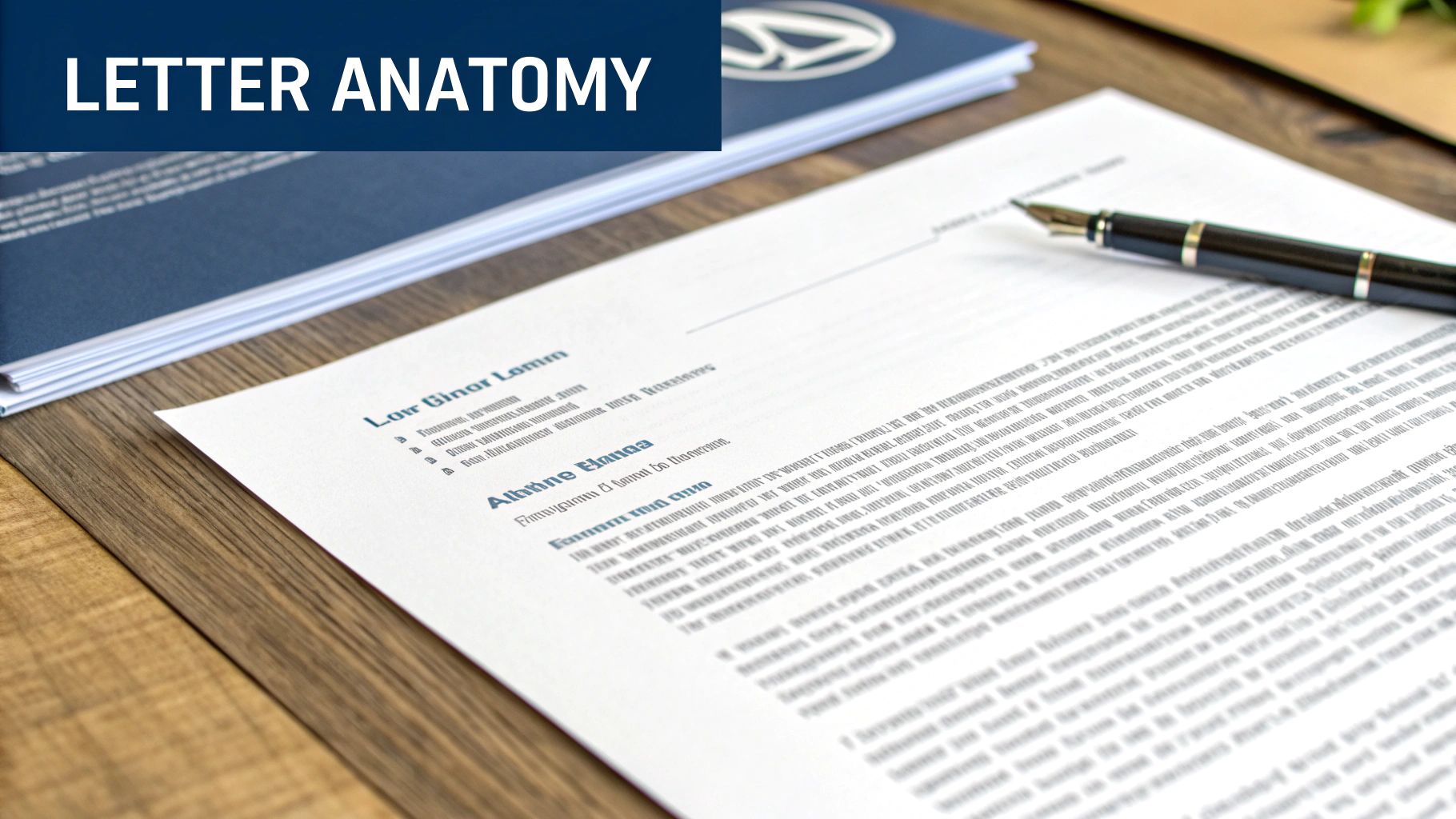
A truly great legal client letter template is far more than a boilerplate document. Think of it as a meticulously designed framework, built from the ground up to deliver information with clarity, professionalism, and real impact. When you break it down, you'll find a handful of essential components that are absolutely non-negotiable. Each one has a specific job to do.
Every strong legal letter starts with its foundation: the structural elements that organize the communication and establish a professional tone right from the start.
Key Components of a Legal Client Letter
Here's a closer look at the non-negotiable elements every template should have. Getting these right ensures consistency and clarity across all your client communications.
| Component | Purpose and Best Practice |
|---|---|
| Firm Letterhead | Instantly establishes your firm’s identity and authority. It’s not just for looks; it’s a branding tool. Best Practice: Include your firm's full name, address, phone number, and website clearly at the top. |
| Date Line | Creates a legal record and establishes a timeline of communication, which can be critical later on. Best Practice: Always use the date the letter is being sent, not drafted. |
| Reference Line | Helps everyone—your firm, your client, and opposing counsel—quickly identify the matter. Best Practice: Use a consistent format, such as "Our File: 123-ABC" or "Client Matter No. XYZ-001." |
| Client Address Block | Ensures the letter reaches its intended recipient and serves as the official point of contact for formal correspondence. Best Practice: Double-check for accuracy. Use the client’s full legal name and current mailing address. |
| RE: Subject Line | This is your letter’s headline. It gives the client the core purpose at a glance. Best Practice: Be direct and informative. A good example is, "RE: Status Update in Smith v. Jones, Case No. 2024-CV-001." |
| Salutation | Sets the professional and respectful tone of the letter from the outset. Best Practice: Use a formal greeting like "Dear Ms. Smith:" unless you have an established, more informal relationship. |
| Body Paragraphs | This is the core of your message where you convey information, analysis, or requests. Best Practice: Keep paragraphs short (2-3 sentences). Use bullet points to break up complex information and make it easier to digest. |
| Conclusion & Call to Action | Summarizes the key takeaways and tells the client exactly what needs to happen next. This prevents confusion. Best Practice: Be explicit. "Please sign and return the enclosed document by..." is much better than "Let me know your thoughts." |
| Closing & Signature Block | A professional sign-off that reinforces the formality of the communication. Best Practice: Use a standard closing like "Sincerely," or "Very truly yours," followed by your typed name and title below your signature. |
| Enclosures/CC Line | Indicates if other documents are included or if other parties are being copied on the correspondence. Best Practice: List each enclosure (e.g., "Encl: Signed Affidavit of John Doe") and list CC'd parties by name and title. |
Having a template that standardizes these elements is a game-changer for efficiency. According to Clio's Legal Trends Report, firms that use automated document tools can slash their drafting time by an incredible 80%. It’s not just about speed, either. The Law Society of England and Wales found that standardized formats reduced compliance issues by 40% by ensuring all necessary components are always included.
Writing the Body and Conclusion
Once the structural basics are in place, the real communication begins. A well-designed template doesn't just provide placeholders; it guides you in crafting a message that’s easy for a non-lawyer to follow.
The introduction should be short and to the point. Skip the long-winded preambles and get straight to why you're writing. A simple, "This letter provides an update on the discovery phase of your case," is perfect.
In the body, you'll lay out the detailed information—whether that's an analysis of a recent development, a request for documents, or a summary of a conversation. Remember, your client is busy and likely not a legal expert. Use short paragraphs and lists to make complex topics digestible. This approach is something we explore in more detail in our guide to powerful templates for legal documents.
Every legal letter should guide the client toward a specific action or understanding. The conclusion isn't just an ending; it's a clear directive that prevents ambiguity and keeps the case moving forward.
Finally, every letter needs a decisive conclusion. This is where you summarize the key points and provide a crystal-clear call to action. Don't leave your client guessing. Tell them exactly what you need, whether it's signing a document, gathering information, or simply waiting for your next communication.
Wrap it all up with a professional closing ("Sincerely," or "Very truly yours,") and your signature block. This final touch brings the letter to a polished, authoritative close, reinforcing the professional tone you established from the very first line.
How to Adapt Your Template for Different Scenarios
Having a single, static legal client letter template is a good first step, but its real value comes from smart adaptation. Think of your base template as a reliable chassis. The core structure—your letterhead, the date, the client info block—will always be there. But the engine and the interior? That's the body, tone, and call to action, and those need to change depending on where you're going.
A great template isn't rigid; it’s a flexible framework. The idea is to build out a few specialized versions for the most common touchpoints in a client's journey. This ensures every message you send is not just professional but perfectly tuned for its specific purpose.
The Initial Engagement Letter
This is your first official communication, and it sets the tone for the entire relationship. Getting this right from the start can prevent a world of headaches later on. Your tone should be welcoming but firm, establishing the ground rules of your partnership from day one.
Here’s where you need to get specific:
- Define the Scope: Be crystal clear about what you will and will not be doing. Don't leave it open to interpretation. For example: "Our representation is limited to negotiating a settlement for the property damage claim from the July 10th incident. It does not include any personal injury claims that may arise."
- Outline Fees and Billing: Ditch the jargon. Explain your fee structure, how often you’ll bill, and your payment terms in plain English. Instead of "invoiced net 30," try "Payment is due within 30 days of the invoice date."
- Set Communication Expectations: Let the client know how and when they can expect to hear from you. Something as simple as, "We will provide you with a status update by email every other Friday," works wonders for managing expectations.
The Periodic Case Status Update
Nothing makes a client more anxious than silence. Regular updates, even if there’s no major news to report, are crucial for maintaining trust and showing you’re on the job. The tone here should be informative, reassuring, and to the point.
For this version of your template, focus on brevity. Use a simple bulleted list to summarize recent activities. It’s far more effective than a dense paragraph.
- Filed the motion to compel discovery on May 15, 2024.
- Received and began reviewing the defendant's initial document production.
- Scheduled the deposition of Jane Doe for June 5, 2024.
This scannable format lets a busy client see progress at a glance. It tells them you’re actively working their case without overwhelming them with details.
The Firm Demand Letter
When it's time to get serious, your template needs a major tonal shift. A demand letter is formal, firm, and authoritative. Your goal is to state your client’s position and the consequences of non-compliance so clearly that there’s absolutely no room for misinterpretation.
A demand letter's power comes from its clarity and conviction. It must lay out a logical argument, specify a clear demand, and set a firm deadline. This creates a sense of urgency and seriousness that gets results.
This is a highly specialized document that requires careful drafting. While your base template provides the letterhead and formatting, the language itself must be precise and legally solid. For a much deeper dive into crafting these critical communications, you can explore our guide on the legal demand letter template.
The Concluding Closing Letter
Formally ending your representation is every bit as important as starting it. The closing letter is your official record that a matter is finished. It’s your best defense against "scope creep" and can help prevent potential malpractice claims down the line.
Your closing letter template should always include:
- A clear statement that your work on the matter is complete.
- A brief summary of the case's outcome.
- Your firm's file retention policy and instructions for the client.
- A final invoice or, better yet, a confirmation of a zero balance.
The tone should be professional and appreciative, but final. Thank the client for their business and close the loop cleanly. It's the last impression you'll leave, so make it a good one.
Mastering Tone, Language, and Compliance
The structure of your legal letter template is the skeleton, but the words you choose are what give it a pulse. Nailing the right tone is a huge part of this; it's what makes a letter feel supportive instead of cold and intimidating. You're aiming for that sweet spot between professional authority and genuine human connection.
A big part of this is ditching the dense legal jargon wherever you can. Instead of writing, "Herein, the aforementioned party must remit payment forthwith," just say, "Please pay the enclosed invoice by the deadline." Using plain English doesn't make you sound less like an expert. In fact, it shows you respect your client's time and drastically cuts down on misunderstandings.
Finding the Right Voice for the Situation
Your tone can't be a one-size-fits-all approach. It has to shift based on what you're writing about. If you're drafting a demand letter, your language needs to be firm, direct, and leave no room for interpretation. But when you have to deliver difficult news or discuss a sensitive family law matter, your voice should be much more empathetic and compassionate.
Think about it this way: in an update for a personal injury client, acknowledging their recovery process before jumping into the legal details shows you see them as a person, not just a case number. A simple line like, "I hope you are recovering well," can do wonders for the attorney-client relationship.
A letter that sounds like it was written by a human, for a human, will always be more effective. Empathy and clarity build trust, which is the foundation of any successful legal partnership.
Integrating Compliance Without Sounding Robotic
Let's be clear: compliance elements are non-negotiable. But they don't have to make your letters sound like they were spat out by a machine. Confidentiality notices and disclaimers are your first line of defense in managing risk, especially given how sensitive legal communications are. If you want a refresher, it's always a good idea to review the essentials of attorney-client privilege rules.
Instead of just slapping a dense legal block at the bottom of your email, try weaving it in more naturally. A softer lead-in can make a world of difference.
- The Standard: "This communication is confidential and intended solely for the use of the individual to whom it is addressed."
- The Human Approach: "To protect your privacy, please note that this email and any attachments are confidential. If you've received this by mistake, please just let me know."
See the difference? That small tweak in phrasing keeps you compliant but feels much less jarring to the reader.
Finally, never, ever underestimate the power of one last proofread. A single typo can completely undermine the authority of an otherwise perfect letter. Before anything leaves your office, have a paralegal or another attorney give it a once-over. This simple peer-review habit is one of the best safeguards for your firm's reputation, ensuring your message is always clear, professional, and correct.
Putting Your Template to Work with Smart Automation
You’ve designed a solid legal client letter template. That's a great start, but the real magic happens when you automate it. Let's be honest, manually copying, pasting, and tweaking that template for every single client is a massive time-sink and a prime opportunity for embarrassing typos or errors. It's time to turn that static document into an intelligent tool that does the heavy lifting for you.
This is exactly what platforms like Whisperit are built for. By plugging your template into a central system, you can slash the time spent on repetitive tasks that eat into your billable hours. This isn't just about moving faster; it's about creating a communication process that's more reliable and less prone to human error.
Get Your Template into the System
First things first, you need to get your template into Whisperit’s Templates Grid. Think of the grid as your firm's central library for every standardized document you use. Just import your letter, and it instantly becomes a dynamic foundation you can build on.
Once it's in the grid, the next move is to swap out the static text for dynamic fields. These are smart placeholders that automatically pull the correct information straight from your case files. It's simpler than it sounds.
- Client Details: Instead of typing a name, you’d use a field like
{{Client_Full_Name}}or{{Client_Address}}. - Case Information: Your reference line can automatically populate with
{{Case_Number}}and{{Matter_Name}}. - Dates: A simple
{{Current_Date}}field means you never have to manually update the date again.
This is the core idea behind document automation—a game-changer for law firm productivity. If you want to dive deeper into the nuts and bolts, our guide on what is document automation is a great resource. By setting this up just once, you ensure every letter is instantly pre-filled with the right info, letting you focus on the actual legal advice.
Lock in Your Firm's Brand and Formatting
A consistent look and feel across all communications is crucial for your firm’s brand. Whisperit's Style Profiles let you define and save formatting rules—everything from tone of voice and citation styles to numbering—that can be applied to any document with one click. This ensures every letter looks like it came from your firm, no matter which attorney drafted it.
Then, when you're ready to send it out, Export Layouts take care of the final presentation. You can set up different layouts for different needs. For example, one layout might have your digital letterhead for emailing PDFs, while another is formatted with precise margins for printing and mailing.
By automating your template, you're not just saving time. You're creating a single, reliable source of truth that adapts to any situation. This cuts down on review cycles, prevents mistakes, and guarantees a polished, professional document every single time.
This simple three-step process is a great mental checklist to run through before anything goes out the door.
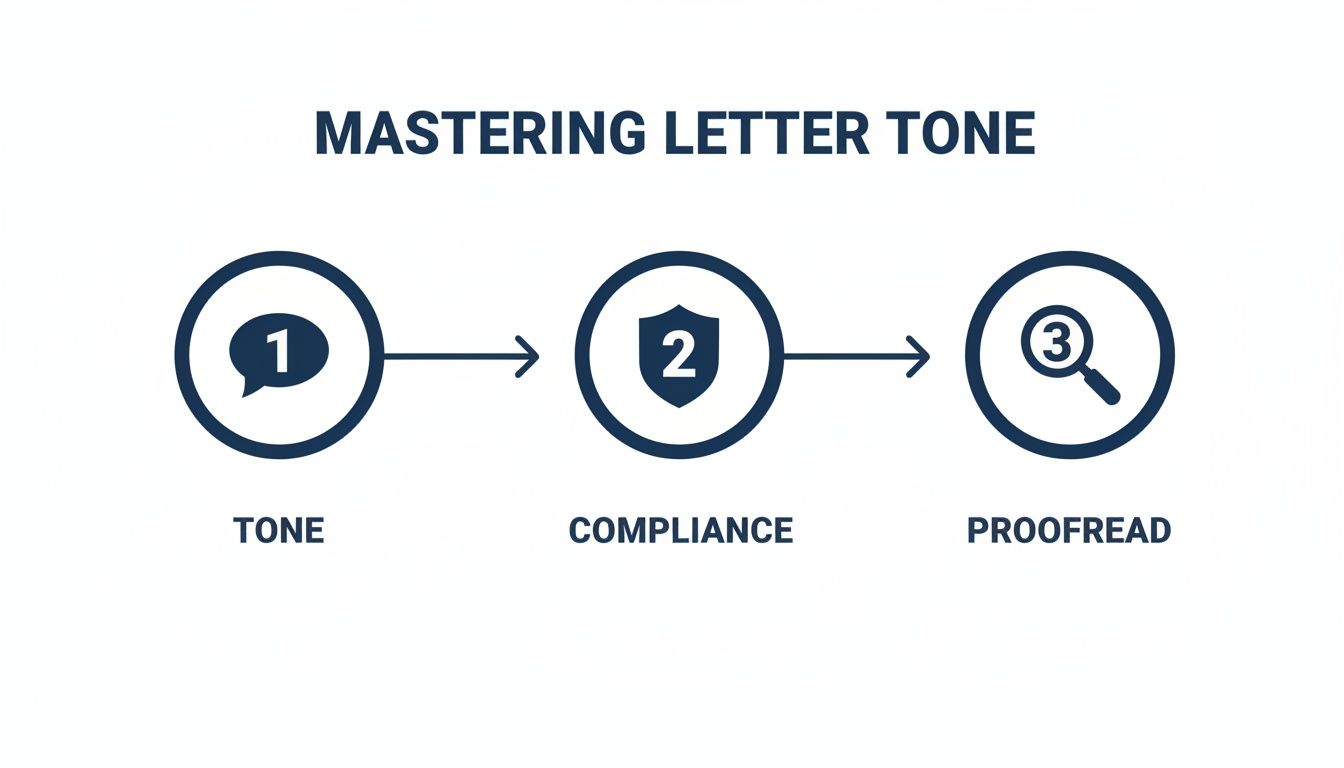
Nailing the tone, double-checking for compliance, and a final proofread are non-negotiable steps for every single piece of client correspondence.
The impact here is huge. Firms that adopt these kinds of tools have seen 4x faster growth rates and a 25% reduction in stress. One report even found that integrating templates can boost client acquisition by 28%. For any professional trying to get more done, looking into specialized legal transcription software solutions can also open up new avenues for efficiency.
Answering Your Questions About Legal Client Letters
Even with a perfect template in hand, real-world questions always pop up. It's one thing to build a template; it's another to use it effectively day in and day out. Let's dig into some of the most common questions I hear from other legal professionals.
Getting these practical details right is what turns a good template into a truly reliable part of your firm’s workflow. This is about building a system you can actually trust to work every time.
How Often Should I Update My Legal Letter Templates?
Think of it this way: at a minimum, you should be doing a full review of all your templates at least once a year. An annual check-in is just good housekeeping. It ensures your communications stay compliant and professional, and it stops outdated firm details or old legal boilerplate from creeping into your client correspondence.
But some situations demand an immediate update. If new legislation is passed, procedural rules change, or your firm updates its own policies—like billing rates or a new office address—you need to review your templates right away. Treating these updates as urgent is a simple, powerful form of risk management.
Can One Template Work for Both Email and Print?
Yes, absolutely. But you have to be smart about it. The core content—the legal substance and the body of your message—can and should remain consistent. That’s where you get the real time-saving benefits. The main differences are all about presentation.
- For email: You'll want to strip out the formal letterhead and rely on a clean, professional email signature block.
- For print: The formatting needs to be perfect for a physical page, which means getting the margins, spacing, and physical signature area just right.
My advice? Maintain one "master" template for the actual content. Then, use different export settings or style profiles to format it for either digital delivery or a physical letter. This gives you total consistency in your message while perfectly adapting the format to the medium.
This is where a tool like Whisperit really shines. It's built to handle this exact scenario. You can use different "Export Layouts" to generate a polished PDF for printing or a clean email body, all from the very same source template.
What Is the Biggest Mistake to Avoid with Templates?
Forgetting to personalize. That's the single biggest—and most damaging—mistake you can make. A template is your foundation, not the final word.
Sending a letter that still contains a placeholder like [Client Name] or includes generic information that doesn't apply to the recipient is a disaster for your firm's credibility. It screams carelessness and can instantly erode the trust you've worked so hard to build.
Before any letter goes out the door, it needs a final, careful read-through to make sure every detail is tailored to that specific client and their unique situation. This final check is non-negotiable. It's the human touch that ensures your template is doing its job: providing a professional, consistent framework for a personal, thoughtful message. Automation handles the repetitive work so you can focus on this crucial last step.
Ready to stop drafting letters from scratch and start building an automated communication system? With Whisperit, you can turn your best templates into dynamic, intelligent tools. You'll save time, slash errors, and maintain perfect brand consistency with every single letter you send. Learn more about how Whisperit can transform your workflow.