
Legal Billing Software for Small Firms - legal billing software for small firms
Are you drowning in invoices and spreadsheets when you should be focused on your clients? It’s a common struggle. For a small law firm, your time is your most valuable asset, and manual billing is a notorious time thief. Adopting dedicated legal billing software for small firms isn't just an upgrade; it's a fundamental shift that turns your practice into a lean, profitable operation.
Why Your Small Firm Needs Modern Billing Software

Think about a partner's typical Tuesday. The morning might be spent prepping for a critical deposition, but the afternoon quickly devolves into administrative chaos. You're hunting down billable hours from scribbled notes, sifting through emails, and cross-referencing your calendar. Every minute you can't account for is money left on the table.
It’s no surprise that recent legal trends reports show lawyers average less than three billable hours a day. The rest of that time? It’s eaten up by non-billable work just like this. This isn't just inefficient; it's a serious business risk that stalls your firm’s growth by creating bottlenecks and financial headaches.
The Hidden Costs of Manual Billing
Sticking with spreadsheets and manual invoices creates a ripple effect of problems that hit your bottom line hard. Every little error and delay eats away at your profitability and chips away at your firm's professional image.
Here's what you're really dealing with:
- Uncaptured Billable Hours: Time that isn't tracked the moment it happens is revenue you'll never see again.
- Embarrassing Invoicing Errors: A simple typo, the wrong rate, or a math mistake on a manually created invoice can instantly damage a client's trust.
- Compliance and Trust Accounting Risks: Juggling IOLTA and client trust funds without automated checks and balances is a high-wire act that puts you at risk of major ethical violations.
- Delayed Cash Flow: The longer it takes you to assemble and send out accurate invoices, the longer it takes to get paid. This creates a constant state of cash flow uncertainty.
The real issue is that manual billing forces you to work in your business instead of on it. It buries you in administrative tasks, pulling you away from high-value client work and strategic planning.
Moving to modern legal billing software for small firms is the most powerful step you can take to get your time back. This is something we dig into deeper in our guide to choosing the right legal software for small firms. By automating these repetitive processes, you turn billing from a painful chore into a smart tool for building a more competitive and successful practice.
Decoding the Must-Have Software Features
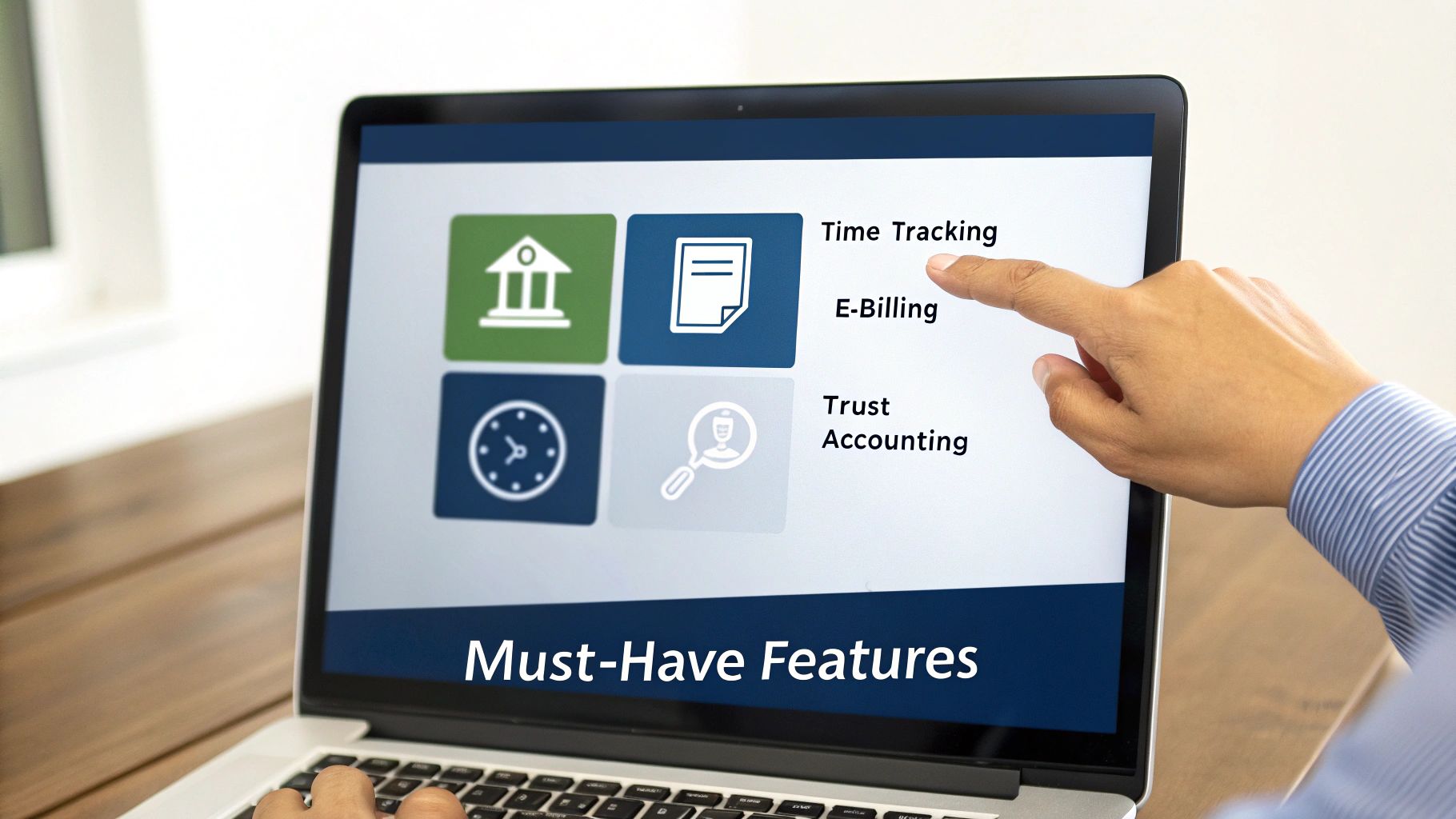
Choosing the right legal billing software for small firms isn’t just about buying a new tool. It's more like picking the engine that will power your entire practice. The features you prioritize will have a direct, daily impact on your efficiency, your cash flow, and even your ethical compliance.
This isn't about finding the software with the longest list of features. It’s about zeroing in on the core functions that solve your biggest headaches.
Think of it this way: any car can get you from A to B. But a car with GPS, cruise control, and modern safety features makes the journey faster, easier, and a lot less stressful. The same goes for your billing software. Let’s break down the absolute non-negotiables.
Time and Expense Tracking That Actually Works
For any law firm, your time is your product. But studies show lawyers often record fewer than three billable hours a day, with the rest swallowed by administrative tasks or simply lost in the shuffle. A good time-tracking feature acts as a safety net, making sure every billable minute is captured without you even thinking about it.
We’re talking about a massive leap from scribbled notes or trying to reconstruct your day from memory. Modern tools let you:
- Start a timer with one click right from the document you're working on or the email you're drafting.
- Use passive timekeepers that run in the background, logging your activity and suggesting time entries for you to approve.
- Capture expenses on the go. Just snap a photo of a receipt with your phone, and it’s instantly logged and tied to the right client matter.
Automating this stops the revenue leaks and makes your invoices far more accurate and transparent. For a closer look at getting paid for all your work, check out our guide on how to calculate billable hours.
E-Billing and Online Payments
Waiting for checks to arrive in the mail is a relic of the past that throttles your firm's cash flow. An integrated e-billing system that includes an online payment portal is the modern standard. It shrinks the gap between sending an invoice and getting paid from weeks to, quite often, the same day.
It’s a game-changer. LawPay found that a staggering 57% of bills sent with their Quick Bill feature are paid the same day they are sent. That stat alone shows how much clients appreciate easy, digital payment options.
This feature lets clients pay their bills immediately with a credit card or eCheck through a secure portal. Not only does this speed up your collections, but it also creates a much smoother, more professional experience for your clients. Less friction, fewer follow-up calls.
Built-In Trust Accounting and IOLTA Compliance
Let's be honest: managing client trust funds is one of the most stressful parts of running a firm. One tiny mistake can lead to serious ethical trouble. This is an area where you simply can't afford to cut corners, and it’s where specialized legal software becomes essential.
Forget wrestling with complicated spreadsheets. The right software provides built-in safeguards that practically automate compliance. These aren't just nice-to-haves; they're critical.
Essential Features and Their Real-World Impact
To make it even clearer, let's connect these core features to the direct benefits you'll see in your firm's day-to-day operations and bottom line.
| Feature | What It Does for You | The Bottom-Line Benefit |
|---|---|---|
| Automated Time Tracking | Captures every billable moment, often passively, and eliminates manual data entry. | Stops revenue leakage, increases billable hours, and improves invoice accuracy. |
| E-Billing & Online Payments | Allows you to send digital invoices and lets clients pay instantly online via credit card or eCheck. | Accelerates cash flow dramatically, reduces accounts receivable, and saves time. |
| Trust Accounting | Manages client funds in a compliant way with built-in safeguards against commingling and easy reconciliation. | Prevents ethical violations and disbarment risk, and simplifies audits. |
| Integrations | Connects your billing software to other essential tools like your email, calendar, and accounting software (QuickBooks). | Creates a single source of truth, eliminates double entry, and saves hours of work. |
These features work together to create a system that not only gets you paid faster but also protects your firm and frees you up to practice law.
Solid Integrations and Clear Reporting
No software works in a vacuum. Your billing system needs to talk to the other tools you rely on every single day. This is why reliable software integration services are so important; they ensure your billing platform connects to your practice management system or accounting software like QuickBooks.
This creates a unified workflow, kills duplicate data entry, and gives you a complete picture of your firm’s health. Good reporting features then take all that data and turn it into real insights. You can finally see which practice areas are your most profitable, who your best clients are, and where your team’s time is really going. It’s no surprise the legal billing software market is projected to hit USD 3.81 billion by 2035—small firms are demanding these kinds of efficiencies to compete and thrive.
Choosing Between Cloud and On-Premise Solutions
One of the first big decisions you'll face when picking legal billing software is where your data will actually live. This isn't a minor detail; it impacts your budget, your IT needs, and how you work every day. The choice boils down to two models: cloud-based (often called SaaS) and on-premise. Which one is right for you really depends on your firm's resources, comfort with technology, and long-term goals.
Let's break it down with an analogy.
An on-premise solution is like buying a house. You own the property, you control who comes and goes, and you can customize it however you want. But you’re also on the hook for everything—the leaky roof, the broken furnace, and the entire security system. If a server crashes at 2 a.m., that’s your problem to solve.
A cloud-based solution, on the other hand, is like leasing a premium office in a brand-new, fully-serviced building. You pay a predictable monthly rent, and the building management handles security, maintenance, and all the infrastructure. You can work from anywhere you have an internet connection, and you never have to think about the plumbing or the electrical grid.
The Cloud Advantage for Small Firms
For the vast majority of small law firms, the cloud just makes more sense. It sidesteps some of the biggest operational headaches and financial hurdles that small practices face. The most immediate benefit is swapping a massive upfront capital expense for a predictable monthly operational cost.
Instead of shelling out thousands for servers and software licenses before you even get started, you pay a manageable subscription fee. This simple shift makes powerful, modern technology accessible without gutting your firm's bank account.
Here’s why it’s such a popular choice:
- Lower Upfront Costs: You get to skip the five-figure investment in servers, installation, and initial licensing. That's a game-changer for firms working with a lean budget.
- Anywhere Access: Your team can log hours, send invoices, or check case files from the office, the courthouse, or their kitchen table. That kind of flexibility is no longer a luxury; it’s a necessity for today's lawyer.
- Automatic Updates and Maintenance: The provider takes care of all the behind-the-scenes work—security patches, software updates, and server upkeep. You're always running the latest and most secure version without lifting a finger.
- Scalability: When you hire a new paralegal, you just add another user to your plan. The software scales with your firm, no new hardware required.
The legal world is catching on fast. Recent data shows 68% of firms point to fee collection as a major challenge. The automated invoicing and easy payment options in most cloud platforms directly tackle this problem.
On-Premise Control and Security Considerations
While the cloud is the go-to for many, on-premise solutions still have their place, especially for firms with very specific requirements. The main attraction? Total and complete control over your data. Because everything lives on your own servers in your own office, you aren't depending on an outside company for security or access.
This can be a non-negotiable for firms handling ultra-sensitive information or those bound by strict client security mandates. But with great power comes great responsibility.
This control means you are solely in charge of:
- Data Security: Everything from firewalls and encryption to the physical security of the server room falls on your shoulders. This demands real IT expertise.
- Backups and Disaster Recovery: What’s your plan if a server dies or gets hit with ransomware? It's up to you to have a bulletproof backup system ready to get the firm running again.
- IT Staffing: You’ll need a dedicated IT person on staff or a very responsive (and likely expensive) consultant on retainer to manage it all.
At the end of the day, protecting your client data is non-negotiable, regardless of where it’s stored. For a much deeper look at this, our law firm data security guide for protecting client info is a great resource. Truth be told, most reputable cloud providers offer a level of security that far exceeds what a small firm could realistically build and maintain on its own.
Unpacking Software Pricing and Finding the Hidden Costs
Trying to figure out the real price of legal billing software can feel a lot like reading the fine print on a contract. The number you see on the pricing page—that monthly subscription or one-time fee—is almost never the full story. To make a smart financial move for your firm, you have to look past the sticker price and understand the total cost of owning and using the software.
The most common model you'll see is a per-user, per-month subscription. It's simple enough: you pay a flat fee for every person at your firm who needs access. This is popular because it's predictable and scales with your team. But be warned, if you plan on growing, those "small" monthly fees can add up fast.
You'll also run into tiered plans, where vendors package features into different levels. The basic tier might give you time tracking and invoicing, while the top-tier plan unlocks things like trust accounting or advanced reporting. This seems great because you only pay for what you use, but you have to watch out for "feature gates"—that one critical feature you can't live without might be locked away in a much pricier package.
Watch Out for the Hidden Costs
The real budget-killers are the fees that aren't splashed across the homepage. These extras can dramatically inflate your costs over time, so spotting them early in your evaluation is key to avoiding nasty surprises later.
Keep an eye out for these common extra charges:
- Data Migration Fees: Getting your existing client and billing data out of spreadsheets or an old system is a real headache. Many vendors will charge a hefty one-time fee for this service, sometimes running from a few hundred to several thousand dollars.
- Mandatory Onboarding and Training: Some companies require you to buy a training package to get your team started. Good training is vital, but an unexpected, mandatory fee can put a serious dent in a small firm's budget.
- Premium Support Charges: Sure, basic email support might be included. But what about when you have an urgent problem on a Friday afternoon? Getting phone support or a dedicated account manager often costs extra every single month.
- Integration Fees: Need to connect your billing software to other tools you depend on, like QuickBooks or your document management system? That might come with additional setup costs or ongoing subscription fees.
The goal here is to calculate the Total Cost of Ownership (TCO). This isn't just the subscription fee; it's every single related expense over one to three years. That’s the only way to get a true picture of the financial commitment you're making.
Seeing the Bigger Financial Picture
Choosing the right software is a major strategic decision, and the market shows just how important it's become. According to Zion Market Research, the global legal billing software market was valued at USD 2.36 billion in 2024 and is projected to skyrocket to USD 18.47 billion by 2034. That explosive growth is being fueled by firms just like yours, all looking for ways to work smarter. You can find more details about the legal billing software market on zionmarketresearch.com.
At the end of the day, paying a slightly higher subscription for a platform with transparent pricing, great support included, and top-notch security is often the better value. Things like security certifications are a clear sign of how seriously a vendor takes protecting your sensitive data. You can learn more about what that involves by reading our guide on SOC 2 Type 2 requirements. Taking this wider view ensures you're making a sustainable investment, not just patching a hole for the short term.
Your Vendor Evaluation And Comparison Checklist
Choosing the right legal billing software for small firms isn't like picking a new office printer. It's more like bringing on a new business partner. With dozens of options all claiming to be the best, it’s far too easy to get bogged down in feature lists and fancy marketing jargon.
To find a tool that actually fits your practice, you need a structured, objective approach. This isn't about finding the software with the most bells and whistles. It's about identifying the one that solves your real-world problems, slots into your existing workflow, and delivers a clear return on your investment.
Start With User Experience And Ease Of Use
Let's be honest: the most powerful software on the planet is useless if your team finds it too clunky to use. Before you even look at features, think about the day-to-day experience for the people who will live in this system—your attorneys, paralegals, and support staff.
A confusing interface leads directly to frustration, billing errors, and, eventually, people just giving up on it.
Your evaluation should focus on these practical questions:
- Is the layout intuitive? Can a new team member figure out how to start a timer or generate an invoice without needing a lengthy manual?
- How many clicks does it take? Core tasks should feel quick and effortless. If logging a simple expense feels like a five-step ordeal, it won't get done.
- Can you use it anywhere? Your team needs to track time from the courthouse, on their commute, or at home. A solid mobile app or responsive web design isn't a luxury; it's a necessity.
The ultimate test of good software is whether it reduces friction or adds it. If a tool makes your team's daily tasks harder, it has already failed, no matter how impressive its other features are.
Evaluate Integrations And Customer Support
No software works in a vacuum. Your billing platform has to talk to the other tools your firm relies on every single day, like your email, calendar, and accounting software. A lack of proper integration creates disconnected data silos and forces your team into tedious, manual data entry—the very thing you're trying to eliminate.
At the same time, even the best software has a learning curve and the occasional hiccup. The quality of a vendor's customer support can be the difference between a minor issue and a full-blown operational crisis. You're not just buying a product; you're buying access to their expertise when you need it most.

As you can see, a solo practitioner's needs are very different from a growing team's. Solos can often prioritize simplicity and low cost, while larger firms need more collaborative tools built for scale.
Security Protocols And Vendor Reputation
Finally, remember what you're entrusting to this software: your firm's most sensitive information. This includes privileged client data and all your financial records. Security can't be an afterthought.
Look for vendors who are transparent about their security measures. Ask about data encryption, regular security audits, and compliance with industry standards like PCI for handling payments.
A vendor’s reputation offers a clear window into your future experience. Look beyond their hand-picked website testimonials. Dig into independent review sites like Capterra or G2 to see what real users are saying about reliability, support response times, and whether the company delivered on its promises.
This kind of due diligence is critical, especially when you are considering an all-in-one system. To learn more, explore our complete guide on legal practice management software. It ensures you partner with a stable, trustworthy company that will support your firm's growth for years to come.
Vendor Comparison Scorecard
To keep your evaluation organized and objective, use a scorecard. This simple tool helps you compare vendors apples-to-apples, preventing you from getting distracted by a single flashy feature. Just rate each vendor on a scale of 1 to 5 for every category that matters to your firm.
| Evaluation Criteria | Vendor A Score (1-5) | Vendor B Score (1-5) | Key Considerations |
|---|---|---|---|
| Ease of Use & UI | How intuitive is the interface? Minimal clicks for common tasks? | ||
| Timekeeping Features | Does it support multiple timers, mobile tracking, and timers on tasks? | ||
| Billing & Invoicing | Can you create custom templates, batch invoices, and automate reminders? | ||
| Trust Accounting | Is it IOLTA/IOLA compliant? Does it have safeguards against overdrafts? | ||
| Core Integrations | Does it connect with your email, calendar, and accounting software (e.g., QuickBooks)? | ||
| Security & Compliance | What are their encryption standards? Are they compliant with legal regulations? | ||
| Customer Support | Are they responsive? Do they offer phone, email, and live chat support? | ||
| Pricing & Value | Is the pricing transparent? Does the value justify the cost? | ||
| Reporting & Analytics | Can you easily track key metrics like profitability and realization rates? | ||
| Overall Fit for Firm | Does this software solve your specific pain points? |
After you've done your demos and filled out the scorecard, the right choice often becomes much clearer. The numbers will help you move past a gut feeling and make a data-driven decision that you and your team can feel confident about.
Making a Smooth Switch: How to Implement Your New Software

Picking the right legal billing software for small firms is a huge win, but it’s only half the battle. The real magic happens during implementation. Think of it this way: you just bought a world-class engine for your car. It won't do you any good sitting in the garage; it has to be installed and tuned correctly to unleash its power.
A great launch gets your team on board from day one. It helps you dodge the common headaches that can turn a brilliant tool into just another expensive subscription nobody uses. The idea is to transition from your old way of doing things to a better, more efficient workflow without causing a major disruption. This takes a real plan—one that considers the tech and the people who will live in it every day. Without that roadmap, you’re just asking for lost data, frustrated colleagues, and a painfully slow adoption process.
Step 1: Plan Your Data Migration
Before you flip the switch, you need to decide what’s coming with you from the old system. This isn't just a digital moving day; it's a chance for a strategic fresh start. Don't just copy and paste everything.
Focus on what's essential to bring over:
- Active Client and Matter Information: All your current cases, contacts, and related files are a must.
- Accounts Receivable: You need every outstanding invoice in the new system to keep collections on track.
- Trust Account Balances: This is critical. Every penny in your trust accounts needs to be moved over with absolute precision to stay compliant.
This is also the perfect opportunity to do some spring cleaning. Archive those old, closed cases that are just collecting dust. Dragging years of outdated information into a shiny new system will only slow it down and create clutter. Start clean.
Step 2: Customize the Setup and Lock Down Permissions
With your core data in place, it’s time to make the software your own. This is where you tailor the platform to match your firm's workflow and brand. Start with your invoice templates. Your bills are a direct reflection of your firm, so make sure they look professional with your logo, brand colors, and a format that’s easy for clients to read.
Just as important is setting up user permissions. Your billing software holds some of your firm's most sensitive information. Think about who needs access to what. Role-based controls ensure team members can only see and do what’s necessary for their job.
A well-structured permission system is the digital equivalent of locking the file room. It protects confidential client data, prevents accidental changes to financial records, and maintains the integrity of your firm’s information.
For instance, a paralegal probably needs to enter time and expenses, but they shouldn't be able to approve final invoices or see the firm’s revenue reports. These settings are a cornerstone of your data security.
Step 3: Get Your Team On Board with Great Training
The last piece of the puzzle is your people. You can have the best software on the planet, but if your team doesn't know—or want—to use it, it's a failure. Good training is what connects the technology to your team's daily success.
Make the training practical and specific to each role. Ditch the one-size-fits-all session. Instead, show attorneys how the mobile app makes time tracking on the go a breeze. Show paralegals how quickly they can generate draft bills for review. When people see how it makes their job easier, they'll be eager to use it.
Finally, find an internal champion. This is someone on your team who's genuinely excited about the new system and can be the go-to person for quick questions. They can offer peer support, share helpful tips, and keep the energy positive long after the formal training ends. A successful launch isn't just about a single day; it's about kicking off a whole new, more efficient way of working for everyone at your firm.
Frequently Asked Questions About Legal Billing Software
Picking new billing software is a big move for any small firm, and it’s smart to have questions. Let's tackle some of the most common ones so you can feel confident about your decision.
How Secure Is My Client Data In The Cloud?
This is usually the first question on every lawyer's mind, and for good reason. Your duty to protect client confidentiality is paramount. The good news is that reputable, modern cloud providers invest in security at a level that’s simply out of reach for most small firms.
Think of it this way: you could keep cash in a safe at your office, but a bank vault offers layers of specialized protection you can't replicate. It's the same with your data. Top-tier vendors provide:
- End-to-end encryption: This scrambles your data as it travels over the internet and while it's stored, making it gibberish to anyone without the right key.
- Highly secure data centers: These are fortresses with physical security, backup power, and 24/7 monitoring.
- Compliance with strict standards: Look for vendors who adhere to protocols like PCI for handling credit card information safely.
In short, with the right partner, your data is often far safer in the cloud than on a server sitting in your office closet.
How Long Will It Take My Team To Learn This Software?
No one has time for a long, frustrating transition that kills productivity. A complicated system is a non-starter. Fortunately, the best legal billing software for small firms is built to be picked up quickly, not to require a computer science degree.
Most teams get comfortable in anywhere from a few days to a couple of weeks. This really depends on how intuitive the software is and how tech-savvy your team members are. Look for vendors who offer great training materials, responsive support, and a clean, common-sense layout.
The whole point of new software is to make your life easier. If a tool seems confusing during the free trial, it’s only going to cause headaches for your team later on.
Can This Software Integrate With My Other Tools?
It absolutely should. Your billing software can't be an island. To get the real efficiency gains you're after, it needs to talk to the other programs you rely on every day. Without that connection, you’re stuck manually entering the same information in multiple places, which is a recipe for mistakes and wasted time.
Make sure any system you consider can connect with:
- Accounting Software: A smooth link to QuickBooks or Xero is non-negotiable for keeping your books straight.
- Email and Calendars: Pulling time entries or expenses directly from Outlook or Gmail is a massive time-saver.
- Document Management: Connecting your billing to your case files keeps everything organized and in one place.
Will This Software Work For My Firm's Billing Needs?
Today’s legal billing platforms are built to be flexible. Whether you bill by the hour, use flat fees, or work on contingency, a good system should handle it all without a fuss. The software needs to adapt to how you work, not the other way around.
Look for a platform that can easily manage hourly rates, project-based flat fees, contingency arrangements, and even the complex electronic billing formats (like LEDES) that many corporate clients demand.
Ready to turn your billing from a chore into a source of strength for your firm? With Whisperit, you get an all-in-one AI workspace that handles everything from voice-powered drafting to effortless collaboration. Find out how our integrated tools, secure Swiss hosting, and intuitive design can bring a new level of efficiency and calm to your small firm. Explore Whisperit today.