
How to manage multiple projects simultaneously: Prioritize, delegate, deliver
Managing one legal case is tough enough. Juggling a dozen at once? That can feel downright impossible.
The secret to keeping all those balls in the air isn't about working more hours. It's about having a rock-solid system built on smart intake, ruthless prioritization, and the right tech to back you up. This guide lays out a practical playbook for turning the chaos of a heavy caseload into a calm, controlled, and profitable workflow.
The Reality of Juggling Multiple Legal Cases
In today's legal world, handling an ever-growing caseload with complete precision is just part of the job. The real challenge isn't just the volume of work; it's the crushing pressure that comes with it. When your system is stretched too thin, missed deadlines, unhappy clients, and personal burnout become very real risks.
Think about your typical day. You're deep in discovery for a complex corporate litigation file, and suddenly an urgent call comes in about a completely different real estate deal. This constant context-switching is mentally draining and a perfect recipe for critical errors. It's incredibly hard to build any real momentum when your focus is constantly being shattered.
Why Your Current Methods Are Failing
When you're starting out, a patchwork system of calendar alerts, flagged emails, and a trusty legal pad might get the job done. But as your caseload grows, that system falls apart. Fast.
- Information Silos: Key details get lost in endless email chains or buried in a notebook, making it impossible to see the whole picture of a case at a glance.
- Reactive Firefighting: Without a clear strategy, you end up working on whatever is screaming the loudest, not what's actually most important. You're always putting out fires instead of preventing them.
- Zero Visibility: It becomes a nightmare to track progress across all your files, spot potential bottlenecks, or give a client a clear, confident status update.
This reactive approach just isn't sustainable. To really get a handle on multiple cases, you have to move from disorganized, makeshift tactics to a structured, repeatable system. This guide cuts through the theory and gives you a workflow built for the realities of modern legal practice. You'll learn how to build a foundation that actually supports your work, rather than getting in the way.
The whole point is to build a workflow so solid that the complexity of your caseload becomes a competitive advantage, not a constant threat. You need a system that ensures absolutely nothing falls through the cracks. For a deeper dive into the fundamentals, our guide on what is legal case management provides essential background.
Build a Rock-Solid Intake and Prioritization System
If you want to get a real handle on your caseload, you have to start at the very beginning—the moment a new matter walks through the door. Effective case management isn't about firefighting; it's about building a system that prevents fires in the first place. Without a consistent way to bring new work into your flow, you’re setting yourself up for chaos, where crucial details slip through the cracks.
This is the fundamental shift you need to make, moving from constant reaction to controlled, deliberate action.
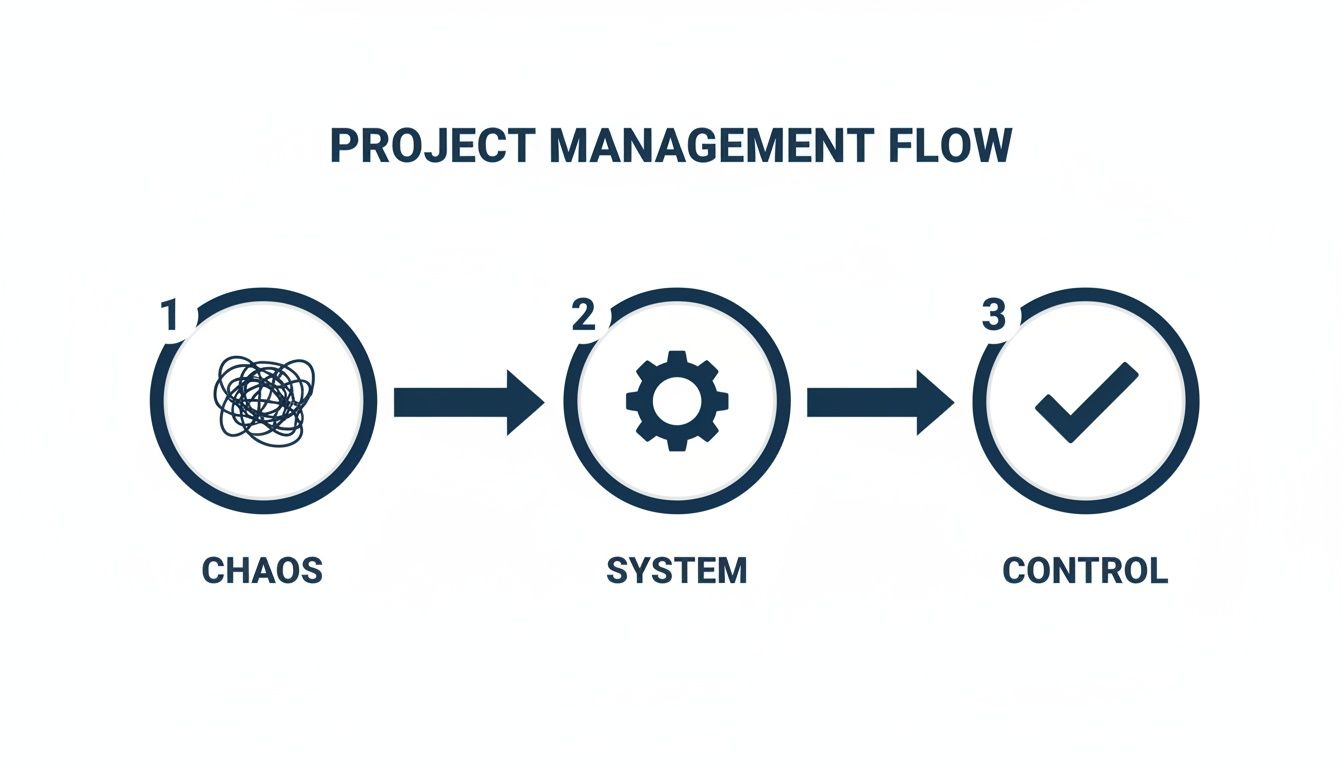
This journey from tangled messes to a clear, executable plan is only possible with a structured system. It all starts with intake.
Standardize Your Intake Process
To juggle multiple projects, you have to control how they even get on your plate. A standardized intake process is non-negotiable. It ensures you capture every essential piece of information right from the start, killing the endless back-and-forth emails that drain so much time and energy. The goal is simple: create a single source of truth for every new case.
For example, using a structured template for every new matter forces you and your team to gather the same key details every time: involved parties, critical deadlines, a clear case summary, and the initial set of documents. This isn't just about tidiness; it defines the scope of the project from day one. When objectives are clear from the get-go, a case has a much higher chance of staying on track.
Don't underestimate this first step. A stunning 70% of all projects fail, and a major culprit is a lack of clear goals. A robust intake system is your first line of defense. If you need a starting point, we've put together some practical advice on crafting the perfect legal client intake form.
Master Strategic Prioritization
Once you have a grip on intake, the next step is to graduate from a simple to-do list. You need a defensible way to decide what gets your attention right now, what can be scheduled for later, and what needs to be handed off. This is where a good prioritization framework comes in.
These systems give you a logical structure for weighing tasks across all your active cases. You stop reacting to the loudest noise and start making strategic decisions about your most valuable resource: your time.
A prioritization framework is your shield against the tyranny of the urgent. It empowers you to protect time for deep, focused work on tasks that are truly important, even if they aren't screaming for your attention.
Choose Your Prioritization Framework
Two of the most practical frameworks I’ve seen work in the legal world are the Eisenhower Matrix and Weighted Scoring. Each gives you a different way to look at your caseload, and the best one for you often depends on the complexity and mix of your work.
To help you decide, here’s a quick comparison of how they apply in a legal context.
Choosing Your Prioritization Framework
| Framework | Best For | Legal Example | Whisperit Application |
|---|---|---|---|
| Eisenhower Matrix | Quick, daily triage of incoming tasks and emails. Great for fast-paced environments. | A partner emails about a new court filing deadline. You immediately classify it as "Urgent & Important" (Do First). | Use Whisperit’s task tagging to create labels like P1-Urgent or P2-Schedule to quickly sort your daily to-do list. |
| Weighted Scoring | Comparing multiple complex cases or strategic initiatives to decide where to allocate firm resources. | Deciding which of three potential contingency cases to take on, based on potential recovery, upfront cost, and likelihood of success. | Create a custom template in Whisperit with fields for each scoring criterion (e.g., Strategic Value: 1-5). This allows you to objectively compare projects. |
The Eisenhower Matrix is brilliant for its sheer speed. It forces you to sort every task into one of four boxes based on urgency and importance, which is perfect for that daily "what do I do next?" moment. You can find many deep dives into various time management matrices if you want to explore further.
On the other hand, Weighted Scoring offers a more measured, data-driven method. It's incredibly useful when you're trying to compare several high-stakes cases that all feel equally important. By assigning scores to criteria like revenue potential, strategic value, or risk, you can rank your priorities with real objectivity.
At the end of the day, a solid system for managing projects isn't just a nice-to-have—it's a financial necessity. When you learn that 9.9% of every dollar is wasted due to poor project performance, the value of getting your intake and prioritization right becomes crystal clear. It's a direct investment in your firm's efficiency, profitability, and client satisfaction.
Turn Your Strategy into an Action Plan
A perfectly prioritized list is a great start, but let's be honest—it doesn't actually do the work. The real trick to juggling multiple cases is closing the gap between knowing what’s important and actually carving out the time to get it done. This is where you move from abstract priorities to a concrete, week-by-week game plan.
If you skip this step, you're stuck in a reactive loop, constantly putting out the urgent fires that pop up and derail your day. A solid plan, on the other hand, protects your most valuable asset—your focused time—and guarantees your most critical legal work gets the attention it truly deserves.

Break Down Cases into Manageable Milestones
Let’s face it, large and complex cases can be overwhelming. Just staring at a file labeled "Johnson v. Acme Corp." can be paralyzing because the finish line feels years away. The secret is to chop that massive undertaking into smaller, more tangible milestones.
Suddenly, you don't have a monolithic project; you have a series of achievable goals. This shift has a powerful psychological effect, turning an intimidating case into a clear, logical sequence of steps.
For a typical litigation file, it might look something like this:
- Initial Milestone: Complete Preliminary Discovery
- Next Milestone: Draft Motion to Dismiss
- Follow-Up Milestone: Prepare for Depositions
- Final Milestone: Finalize Pre-Trial Briefs
Each of these milestones represents a distinct phase of work with a clear deliverable. This not only makes the case feel more manageable but also gives you clear benchmarks for tracking progress and reporting back to clients. If you need a hand defining the scope for each phase, you can learn more about building a solid project scope template to guide you.
Protect Your Focus with Time Blocking
Once your milestones are set, it's time to schedule the actual work. This is where time blocking becomes your superpower. It's a proactive approach where you treat appointments with your tasks as seriously as you treat appointments with your clients.
Instead of just hoping you’ll find time in your day, you reserve specific, non-negotiable blocks in your calendar for deep, focused work on your highest-priority milestones. This is how you stop firefighting and start making consistent, meaningful progress on every single case in your portfolio.
Time blocking is your best defense against a chaotic schedule. It forces you to be realistic about what you can actually accomplish and shields your "deep work" time from the constant flood of interruptions.
Think about the average lawyer's calendar—it's usually packed with meetings, court appearances, and client calls, all of which are reactive commitments. Time blocking flips that script by scheduling the proactive, high-value work first.
A Sample Time-Blocked Week
Here’s a simplified look at how a busy lawyer might structure their week to effectively balance multiple cases.
| Day | 9 AM - 11 AM (Peak Focus) | 11 AM - 1 PM | 2 PM - 4 PM | 4 PM - 5 PM |
|---|---|---|---|---|
| Mon | Draft Motion (Johnson Case) | Client Calls & Emails | Prep for Deposition (Smith Case) | Administrative Tasks |
| Tue | Research (Miller Case) | Team Status Meeting | Document Review (Johnson Case) | Client Follow-ups |
| Wed | Brief Writing (Smith Case) | Client Calls & Emails | Internal Case Strategy Session | End-of-Day Triage |
| Thu | Draft Motion (Johnson Case) | Court Appearance | Deposition Follow-up (Smith) | Client Calls & Emails |
| Fri | Discovery Review (Miller Case) | Flexible Block for Catch-up | Weekly Planning & Review | Clear Inbox |
This intentional structure ensures your most cognitively demanding work, like drafting or complex legal research, happens during your peak focus hours. Meanwhile, less intensive tasks like responding to emails are batched together. This approach is the key to managing multiple projects simultaneously—you assign each one a dedicated, protected slot in your schedule, turning your strategic plan into real, tangible daily action.
Master the Art of the Handoff
When you're juggling multiple cases, one of the toughest lessons to learn is that you can't do it all. More importantly, you shouldn't. Trying to touch every single task on every file is a fast track to burnout and, frankly, mediocre work.
Effective delegation isn't about dumping tasks on someone else; it's a strategic move that frees you up for the high-level thinking and oversight your clients are actually paying for. It's a force multiplier. Many lawyers I know hesitate, worried they'll lose control or the work just won't be right. But that mindset makes you the bottleneck.
The real goal is to get so good at the handoff that your team is empowered to succeed, and you have the confidence to step back. It’s all about building a system founded on clarity and trust.
Create the Perfect Delegation Packet
Let's be honest, the number one reason delegation fails is because of a bad handoff. A vague, two-line email like, "Please research precedents for the Miller case," is an invitation for disaster. It guarantees confusion, a dozen follow-up questions, and a final product that misses the mark.
This is where the idea of a "delegation packet" comes in. It's not as formal as it sounds. It just means that instead of a fly-by request, you give your team member a structured assignment with everything they need to get it right the first time. Think of it as a self-contained mission briefing.
A solid delegation packet should always include:
- The Big Picture: What does a "win" look like for this specific task?
- Need-to-Know Background: What’s the context? Which case is this for? What’s the specific legal issue we're trying to solve?
- Key Resources: Point them directly to the files, documents, or research platforms they’ll need. No treasure hunts.
- Firm Deadlines: Be specific. It’s not just about the final due date, but also any quick check-ins you want along the way.
- The Final Deliverable: How do you want this back? A formal memo? A spreadsheet? A simple list of citations?
Taking a few extra minutes to structure the request this way will save you hours of wasted time and rework down the road.
A well-crafted delegation packet is an investment in your own sanity. It clarifies what you need, cuts down on rework, and respects your team's time by giving them the tools to deliver great work from the get-go.
Vague Request vs. Structured Assignment
Let’s see this in action. Imagine you're delegating a research task to a paralegal.
The All-Too-Common Vague Email: Subject: Research help "Hi Alex, can you find some case law related to breach of contract in the Johnson file? Need it soon. Thanks."
This leaves Alex guessing. Which contract? What jurisdiction? What on earth does "soon" mean? The result is almost guaranteed to be generic research that isn’t quite what you were picturing.
The Game-Changing Structured Assignment:
| Element | Description |
|---|---|
| Case Name | Johnson v. Acme Corp. |
| Objective | I need you to identify 3-5 key precedents in this jurisdiction where a 'force majeure' clause was successfully invoked due to supply chain disruption. |
| Background | Acme Corp. is arguing that a port shutdown excuses their failure to deliver. We need cases that either support or refute this as a valid force majeure event under state law. |
| Resources | The contract is in the case file under Documents > Executed Agreements. Please use our firm's Westlaw account for the research. |
| Deadline | Please have a summary memo back to me by Friday at 4 PM. Let's do a quick check-in on Wednesday so you can share any initial findings. |
The difference is night and day. Now your paralegal can work with confidence and autonomy, delivering exactly what you need. This is a core leadership skill, and you can get more practical tips from our guide on staff training best practices.
Getting this right isn't just about making your own life easier; it's a response to a massive industry trend. The global economy is projected to need 2.3 million new project-oriented roles annually through 2030, creating a huge talent shortage.
For law firms, this means empowering your current team is no longer a "nice-to-have"—it's a competitive necessity. By building a team that can execute flawlessly through clear delegation, you boost your firm's capacity without getting stuck in a tough hiring market.
Keep a Finger on the Pulse Without Micromanaging
So, you've laid out a solid plan and handed off the key pieces of work. Now what? The game shifts from planning to oversight. But let's be clear: effective oversight and micromanagement are two completely different things. Your goal is to establish a rhythm of communication that gives you a crystal-clear, real-time view of every case, without hovering over your team’s shoulder or drowning them in requests for updates.
Juggling multiple cases is a balancing act. You need to be informed enough to sniff out trouble before it starts, but you also have to trust your team to do their jobs. This is where having one central system for everything becomes a non-negotiable. It pulls you out of the chaos of scattered emails and frantic ad-hoc meetings and creates a single source of truth that keeps everyone on the same page.
Build a Central Case Dashboard
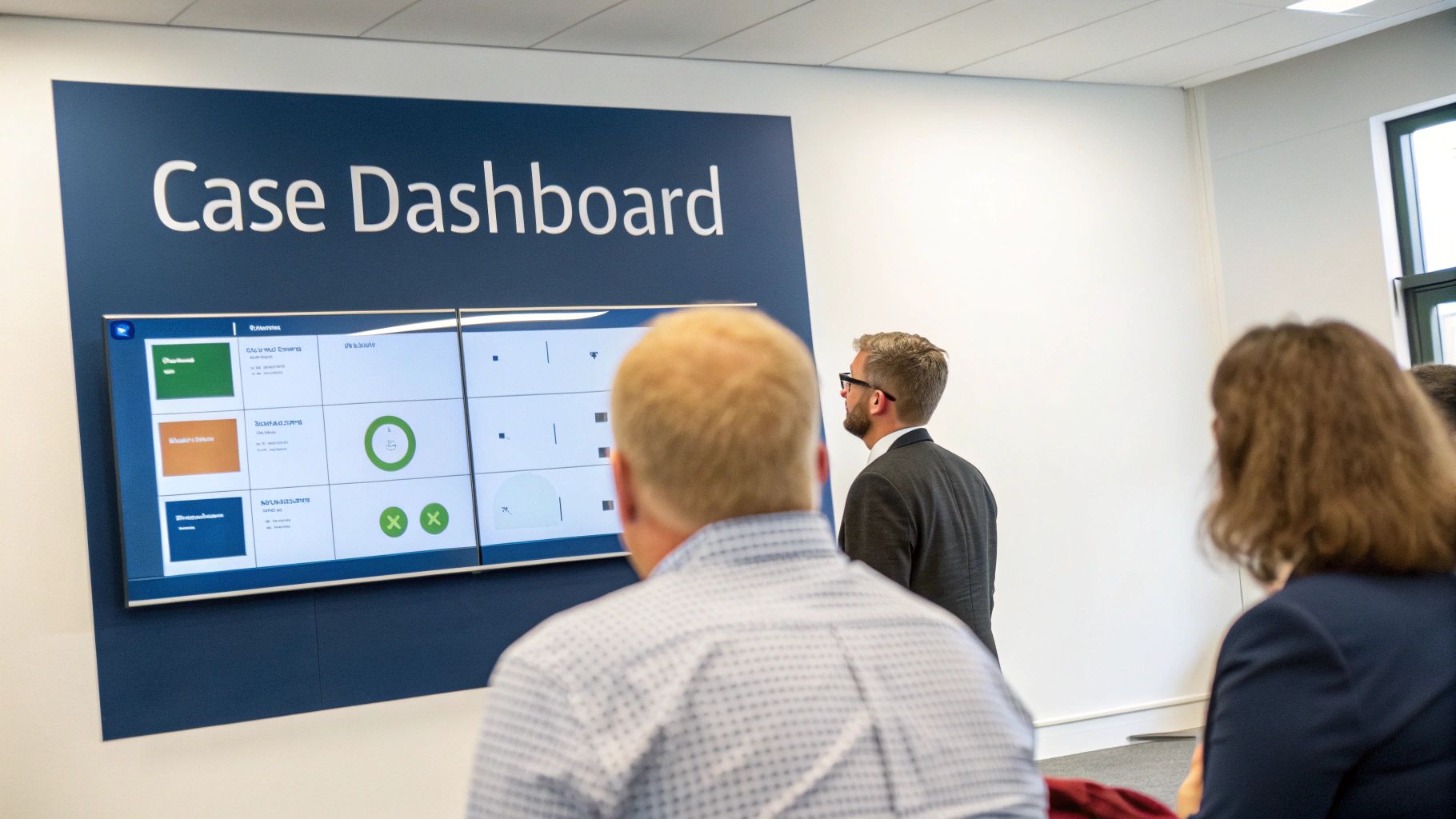
The most powerful tool I've ever used for hands-off monitoring is a Case Dashboard. Seriously, think of it as your firm's command center. It’s one screen where you can get an immediate status check on every single active matter. You can instantly see what’s humming along, what’s falling behind, and what major deadline is just around the corner.
A great dashboard does more than just list tasks—it visualizes progress. It should track key milestones, deadlines, and who owns what for each case. This visual layout lets you spot potential logjams across your entire caseload in seconds. For instance, you might notice that discovery has stalled on one matter while another is racing toward a filing deadline, giving you the heads-up you need to shift resources before it becomes a crisis.
This bird's-eye view is a complete game-changer. Instead of interrupting someone to ask, "Where are we on the Smith case?" you just glance at the dashboard. It empowers your team by cutting down on interruptions and gives you the high-level perspective needed to make smarter strategic calls.
Run Status Meetings That Actually Work
Even with the best dashboard in the world, you still need to connect as a team. The trick is to make that time incredibly valuable. Weekly status meetings should be quick, laser-focused, and driven by a clear agenda. They should never, ever be a rambling update session that could have been an email. The goal is to solve problems, not just report on them.
A brutally effective 30-minute status meeting looks something like this:
- Dashboard Review (5 mins): Pull up the dashboard. Point out any red flags—overdue items or critical upcoming deadlines. Keep it brief.
- Unblock Your Team (15 mins): This is where the magic happens. Go around the room and ask one simple question: "What's standing in your way?" This isn't the time for good news. Focus exclusively on identifying and solving the problems that are grinding progress to a halt.
- Confirm Next Steps (10 mins): Before anyone leaves, get clear commitments. Who is doing what, and what's the deadline? Everyone should walk out knowing exactly what they need to accomplish next.
Your weekly sync isn’t for getting status updates—that's what the dashboard is for. It’s for clearing roadblocks and making decisions. Keep it short, sharp, and focused on pushing things forward.
Standardize How You Report Status
For anyone outside your immediate team—whether it's senior partners or the clients themselves—a consistent, concise status report is your best friend. It creates a predictable flow of information that builds trust and keeps expectations grounded in reality. A good report isn't a novel; it's a scannable snapshot that gets straight to the point.
Here’s a simple format that works beautifully for both internal and external updates:
- Overall Status: A simple color code says it all (Green: On Track, Yellow: At Risk, Red: Off Track).
- What We've Done: List 2-3 key accomplishments since the last update.
- What's Next: Outline the top 2-3 priorities for the coming week.
- Roadblocks: Be transparent. Clearly state any potential risks and what the plan is to tackle them.
Getting these monitoring habits right is what separates the high-performing teams from everyone else. Consider this: the project management software market, valued at $6.1 billion** in 2021, is expected to explode to **$15 billion by 2030. And yet, only 23% of managers are actually using these tools for team collaboration. That's a huge gap, especially when you learn that 77% of high-performing projects are powered by this kind of software.
For legal professionals, the data is clear: investing in a centralized system is no longer a "nice to have." It’s a core driver of success. You can dig deeper into these project management trends to see just how much they're shaping the way modern work gets done.
Gain an Advantage with AI and Automation
Once you have your systems for triage, planning, and monitoring in place, it's time to bring in a force multiplier. Modern tech, especially AI, gives us a massive opportunity to stop doing the low-value, repetitive work that eats away at our billable hours. This isn't about replacing lawyers; it's about augmenting our abilities so we can focus on the strategic work clients actually pay us for.
The real grind of juggling multiple cases isn't just the big deadlines. It's the death-by-a-thousand-cuts from all the small, manual tasks. Think about it: transcribing meeting notes, drafting routine emails, or trying to find one specific clause in a 200-page contract. Each one takes just a few minutes, but collectively, they hijack huge chunks of your day.
By automating the mundane, you claw back that invaluable time for actual legal thinking. This is how a heavy caseload can go from being a source of stress to a real competitive advantage—it’s all about systematically finding and eliminating the friction in your daily work.
Supercharge Your Workflow with Smart Tools
The trick is to find technology that actually fits into how you already work. Instead of adding another layer of complexity, the right tools should reduce the number of clicks and steps it takes to get from a new client call to a finished document. It's the classic "work smarter, not harder" principle in action.
Consider the routine documents you create every single week. A well-designed system lets you generate these in seconds. For instance, using smart templates for engagement letters or standard motions means you never have to start from a blank page again. This one change can free up a surprising amount of time when spread across all your active cases.
The point of automation isn't just to be faster. It’s about creating consistency and reducing the mental energy you waste on repetitive tasks. When the routine stuff is handled for you, your brain is free to tackle the complex legal problems that truly matter.
Real-World Examples of AI in Legal Work
Let's get practical. This isn't some far-off, futuristic concept. These are tools available right now that solve the real-world headaches of juggling a busy practice.
- Instant Meeting Capture: Imagine hanging up from a client call and immediately having a perfect transcript and a tight summary of the conversation. Voice dictation tools can capture every single detail, so you're not trying to decipher your own frantic scribbles an hour later.
- Rapid Document Drafting: Instead of the old copy-paste-and-pray method from a previous case file, you can tell an AI assistant to apply a specific template, plug in the client's details, and generate a solid first draft of a standard letter or internal memo.
- Intelligent File Summarization: Staring down a mountain of discovery? An AI assistant can tear through the entire file, pulling out key themes, dates, and names. This saves hours of manual review and gets you up to speed on a new case almost instantly.
In these scenarios, the AI is acting like an expert paralegal, handling the administrative heavy lifting so you can stay focused on strategy. This directly tackles the challenge of managing multiple files by compressing the time you spend on each individual task.
From Dictation to Final Document
The most effective tools bring all these abilities together in one place. A platform like Whisperit, for example, is built to mirror the way lawyers actually think and work. You can kick things off by simply dictating your thoughts on a case, and the AI transcribes it on the fly.
From there, you can give it a command like, "Draft a motion to compel based on our discovery dispute template." It pulls from your firm's approved templates, populates it with the relevant case details, and produces a structured draft. You can then edit it, share it with colleagues for comments, and export it on your firm’s official letterhead, all without ever switching apps.
This seamless flow from a spoken thought to a final, polished document is a powerful example of what a well-integrated system can do. If you want to go deeper, our guide on legal workflow automation provides a more detailed roadmap for building these kinds of efficient processes.
By bringing these tools into your practice, you're not just saving time—you're building a more resilient and scalable firm. You're creating a system that lets you confidently take on more work without sacrificing quality or your own sanity. This is how you turn the constant pressure of a packed docket into a smooth, controlled, and profitable operation.
Common Questions from the Trenches
Even with a perfect system on paper, the day-to-day reality of managing a heavy caseload is messy. You're constantly putting out fires and shifting gears. Here are some of the most common questions I hear from fellow legal pros about how to handle the chaos, along with the answers I've found work in practice.
What's the Single Biggest Mistake Lawyers Make When Juggling Multiple Cases?
Hands down, it's the failure to maintain a single source of truth for every case. We've all been there: a key client email is buried in your inbox, a critical note is on a legal pad somewhere, a deadline is only in your personal calendar, and case files are scattered across a shared drive. That's not a system; it's a recipe for disaster.
This scattered approach makes it impossible to get a real-time, accurate view of your entire caseload. You can't prioritize effectively because you don't know what you don't know. Information gets lost, deadlines get missed, and you waste precious time hunting for that one crucial document. Committing to a centralized hub where every task, note, document, and deadline for every case lives is the most powerful change you can make.
How Do I Deal with Constant Interruptions and Unforeseen Tasks?
This is the million-dollar question. The most effective approach I've found is a one-two punch: proactive time defense and reactive triage. First, you have to aggressively protect your time for deep work. Block it out on your calendar for specific, high-value tasks and, just as importantly, let your team know that this time is sacred.
Of course, a client will call with an "emergency" or opposing counsel will drop a surprise motion. For these inevitable interruptions, you need a quick mental filter. I use a simplified Eisenhower Matrix:
- True fire? (Urgent & Important): Handle it now. Think of a court-ordered deadline that just got moved up.
- Strategic move? (Important & Not Urgent): Acknowledge it, but schedule it. Don't let a partner's request for a research memo derail the urgent brief you're writing.
- Distraction? (Not Important): Delegate it if you can. If you can't, politely decline.
Getting disciplined about this is your best defense against having your day dictated by other people's priorities. It keeps you in the driver's seat.
How Does AI Actually Help with Juggling a Heavy Caseload?
Let's cut through the hype. For a busy lawyer, AI isn't about replacing you; it's about being a force multiplier. It automates the high-volume, low-judgment tasks that eat up your day, freeing you to focus on high-level strategy, client counsel, and complex legal analysis. It's about offloading the grunt work.
Here’s where it gets practical:
- Transcription and Summarization: Instead of spending hours reviewing a deposition transcript, AI can turn the audio into text and then give you a bulleted summary of the key points in minutes.
- Smarter Drafting: AI helps you stop reinventing the wheel. It can take a few bullet points from you and generate a solid first draft of a standard client update letter, a discovery request, or an internal case status memo.
- Instant Information Retrieval: One of the biggest time-sinks is finding that one specific clause in that one document from that one case you worked on six months ago. An AI assistant can search across your entire workspace and pull it up instantly with a simple voice command.
Ready to stop juggling and start managing? Whisperit is the voice-first AI workspace built specifically for the demands of legal work. It brings together your dictation, drafting, and case management into one place so you can get more done with less effort. See how Whisperit can streamline your workflow.