
How to Manage Email Overload: A Legal Pro's Guide
That sinking feeling when you open your inbox is more than just a passing annoyance. For anyone in the legal field, it represents a very real professional risk. A chaotic inbox isn't just a productivity drain; it's a direct threat to your ability to meet your professional obligations.
The consequences are serious. We're talking about missed client deadlines, overlooked court filings, and compromised legal analysis because you're too mentally fried to focus. When a constant barrage of notifications fractures your attention, the deep, analytical work that complex cases demand is the first thing to suffer.

Because of this, email overload is far more than a personal frustration—it's an operational bottleneck that drags down the entire firm's performance. Finding practical ways to improve business efficiency is non-negotiable for maintaining both professional standards and your own well-being.
Why Your Current System Is Failing
Let's be honest: many of us still rely on outdated, manual methods for managing email, treating every single message as equally urgent. This approach simply doesn't work anymore. The average professional is now dealing with around 121 emails every single day, a small piece of the 361.6 billion sent globally. This digital flood will quickly overwhelm any system not built to handle it.
The problem is magnified by the high-stakes nature of legal work. A missed email from opposing counsel or a buried court notification carries far more weight than a typical office memo.
"Your inbox is not a to-do list; it's a delivery system for other people's priorities. Treating it as your primary task manager is a direct path to burnout and professional risk."
To truly get a handle on email overload, you need a fundamental shift in your approach. Stop trying to read every email the moment it lands. The real goal is to process them efficiently.
A Framework for Regaining Control
To get you started, we’ve built this guide around a straightforward but powerful framework designed specifically for the demands of legal practice. We’ll call it the Four Pillars of Email Management, a model designed to help you reclaim your time and focus. Each pillar represents a core strategy we'll break down into actionable steps you can implement right away.
Here’s a quick overview of the framework we'll be exploring.
| Pillar | Core Action | Key Benefit |
|---|---|---|
| Triage | Rapidly sorting and prioritizing new emails as they arrive. | Ensures urgent matters get immediate attention while deferring non-critical items. |
| Systematize | Creating consistent workflows for handling different types of communication. | Reduces decision fatigue and builds predictable, efficient habits. |
| Automate | Using technology to manage summaries, draft replies, and organize information. | Frees up valuable mental energy and saves significant time on repetitive tasks. |
| Delegate | Building workflows to empower assistants and paralegals to handle routine mail. | Allows you to focus exclusively on high-value legal strategy and client work. |
By mastering these four areas, you can transform your inbox from a source of constant stress into an organized command center, ensuring no critical detail ever slips through the cracks again.
Triage: Your First Line of Defense Against an Overwhelmed Inbox
Ever feel like your inbox is the legal equivalent of a hospital's emergency room? It's a constant stream of new arrivals, and if you treat every single one with the same level of urgency, you'll burn out. Fast.
The first step to regaining control isn't answering emails; it's assessing them. This is triage. You're not getting sucked into the details or drafting a response just yet. You're simply making a swift, decisive call on every single message. Is this a five-alarm fire, a routine check-up, or something in between? This quick sort turns a wall of noise into a manageable to-do list.

This mindset is non-negotiable because the constant "ding" of new mail is a focus killer. Every time you glance at your inbox, you shatter your concentration on deep, valuable work. It’s no wonder so many lawyers feel perpetually behind. With a global email open rate of just 32.55%, it's clear that a massive volume of email is just digital noise.
The Simple Three-Bucket System
To make triage work, you need a simple, repeatable system. No complex flowcharts. Just three clear categories that every single email can be sorted into. The goal is speed and clarity.
- Act Now (Urgent & Important): These are the true emergencies. A court notification with a tight deadline, an urgent client call-to-action, or a direct question from a senior partner on a time-sensitive matter. These jump to the front of the line.
- Schedule It (Important, Not Urgent): This is where most of your real work lives. Think detailed case updates from an associate, a lengthy discovery file from opposing counsel, or a client email with thoughtful but non-urgent questions. These need your full attention, but on your schedule, not the sender's.
- Scan & Ditch (FYI or Low Priority): This bucket is for everything else—internal newsletters, firm-wide announcements, conversations you're merely CC'd on. The rule here is simple: glance at it, then archive or delete it. Don't let these messages clutter your workspace.
Learning to instinctively tell the difference between these categories is a game-changer for your productivity. If you find yourself struggling to separate the "urgent" from the "important," you might want to explore some proven task prioritization techniques to hone that skill.
Put Your Inbox to Work with Smart Rules
Once you know your categories, the real magic happens: you automate the sorting. Manually dragging every email into a folder is a waste of your billable time. Instead, build rules and filters in Outlook or Gmail to do the heavy lifting for you.
Your goal is to use your brain for legal strategy, not for inbox janitorial work. Automation is your first line of defense, filtering the noise so you can focus on the signal.
For example, you could create a rule that automatically flags any email from a specific judge's clerk or a key opposing counsel with a "High Priority" label.
You can also set up rules to manage the low-priority traffic. Any message where you are only in the CC field can be automatically moved to a "Review Later" folder, keeping your main inbox clean for the things that truly require your direct action.
Take it a step further by creating rules for specific matters. Any email with "[Case #12345]" in the subject line can be automatically filed into that case's dedicated folder. This not only keeps you organized in the moment but also builds a perfectly sorted case archive without you lifting a finger.
Reclaim Your Focus with Smart Scheduling
Let's be honest: constantly checking your email isn't diligence—it's a productivity sinkhole. Every notification, every little ping, is a wrecking ball to your concentration. This isn't just a minor distraction; it's a complete surrender of your day's agenda to the whims of everyone else's priorities.
Breaking free from this cycle means making a fundamental shift. Stop being reactive. Start treating your email inbox like any other task on your calendar: something to be handled at a specific, scheduled time. This is the core idea behind batch processing, and it's a game-changer for lawyers.
The Power of Batch Processing
Batching is simple. You just group similar tasks—in this case, reading and replying to emails—and knock them out in one dedicated session. No more jumping in and out of your inbox a hundred times a day.
Think of it this way: you don't drop a complex deposition prep every single time your phone buzzes, do you? You let it go to voicemail and handle it later. Your email demands that same level of professional discipline.
A simple, effective schedule could be:
- 10:00 AM - 10:30 AM: Your first pass. Deal with anything urgent that came in overnight, sort new messages, and flag items that need deeper thought later.
- 3:00 PM - 3:30 PM: The second session. Address emails from the day, send follow-ups, and clear the decks before you head home.
It takes some discipline at first, no doubt. But the reward is huge. You reclaim hours of uninterrupted time for the high-value work that actually moves cases forward—the research, the writing, the strategy sessions. To get more ideas on structuring your entire day, our guide on time management for lawyers is a great resource.
Manage Expectations with Clear Communication
The biggest hang-up I hear from lawyers trying this is the fear of looking unresponsive. "What if a senior partner emails? What if a client panics?" The fix is surprisingly simple: manage their expectations before they even have a chance to wonder where you are.
A professional, polite auto-responder is your best friend here. It doesn't have to be long or complicated.
Sample Auto-Responder You Can Use Today:
"Thank you for your message. In order to provide focused, uninterrupted attention to my clients' legal work, I am now checking and responding to emails at 10:00 AM and 3:00 PM daily.
If your matter is truly urgent and requires immediate attention, please call my assistant, Jane Doe, at (555) 123-4567. Otherwise, I will give your message my full attention during my next scheduled review. Thank you for your understanding."
This little script does two powerful things: it sets a clear boundary and provides an immediate solution for genuine emergencies. You’ll be surprised how much people respect this approach, especially when they realize it helps you serve them better.
Master Your Tools with Snooze and Schedule Send
Your email platform already has tools built-in to support this workflow. You just need to start using them strategically. Two of the most useful are snooze and schedule send.
Got an email about reviewing a contract, but you’ve already blocked out time for that next Tuesday? Don't let it sit there, nagging you. Just snooze it. The email will vanish and reappear at the top of your inbox on Tuesday morning, exactly when you planned to deal with it. It’s an incredibly simple way to keep your inbox clean and your mind clear.
Likewise, schedule send is your key to protecting your personal time. Maybe you find a quiet moment to clear your inbox at 9 PM. Great. But if you send those replies immediately, you're training clients and colleagues that you're available 24/7. Instead, write the reply, hit "schedule send," and have it go out at 8:30 AM the next morning. You get the task done on your schedule, without setting a precedent you'll later regret.
4. Bring in the Bots: Let AI and Automation Do the Heavy Lifting
Once you’ve got a solid system for triaging and batching your emails, it’s time for the real game-changer: automation. This is where you move from simply managing the flood to actually shrinking the pipeline. Think of it this way: the right tech can be your most efficient paralegal, one that never sleeps and handles all the repetitive, soul-crushing tasks that clog up your day.
This isn’t about replacing your legal judgment. It’s about clearing out the administrative underbrush so you can actually use your judgment on what matters—client strategy, legal analysis, and growing your practice.
Start with the Low-Hanging Fruit: Smart Templates and Canned Responses
How many times a week do you type out some version of "Confirming receipt of your documents..." or "Here are the next steps for your intake..."? My guess is, a lot. These communications are absolutely essential for good client service, but they don't need to be written from scratch every single time. This is the easiest place to start automating.
A tool like Whisperit's Templates is built for this. You can create, save, and perfect these common replies. Instead of pecking out the same message over and over, you insert a polished, professional template in two clicks. It’s not just a time-saver; it ensures every client gets the same consistent, high-quality communication from your firm.
Here are a few places where templates become invaluable:
- New Client Onboarding: A warm welcome email that sets expectations, outlines what comes next, and links to your intake forms.
- Document Acknowledgment: A simple "Got it" confirmation that reassures the client and prevents follow-up emails asking if you received their file.
- Scheduling Meetings: No more back-and-forth tennis. Use a template with your availability or a link to your Calendly to get it booked in one go.
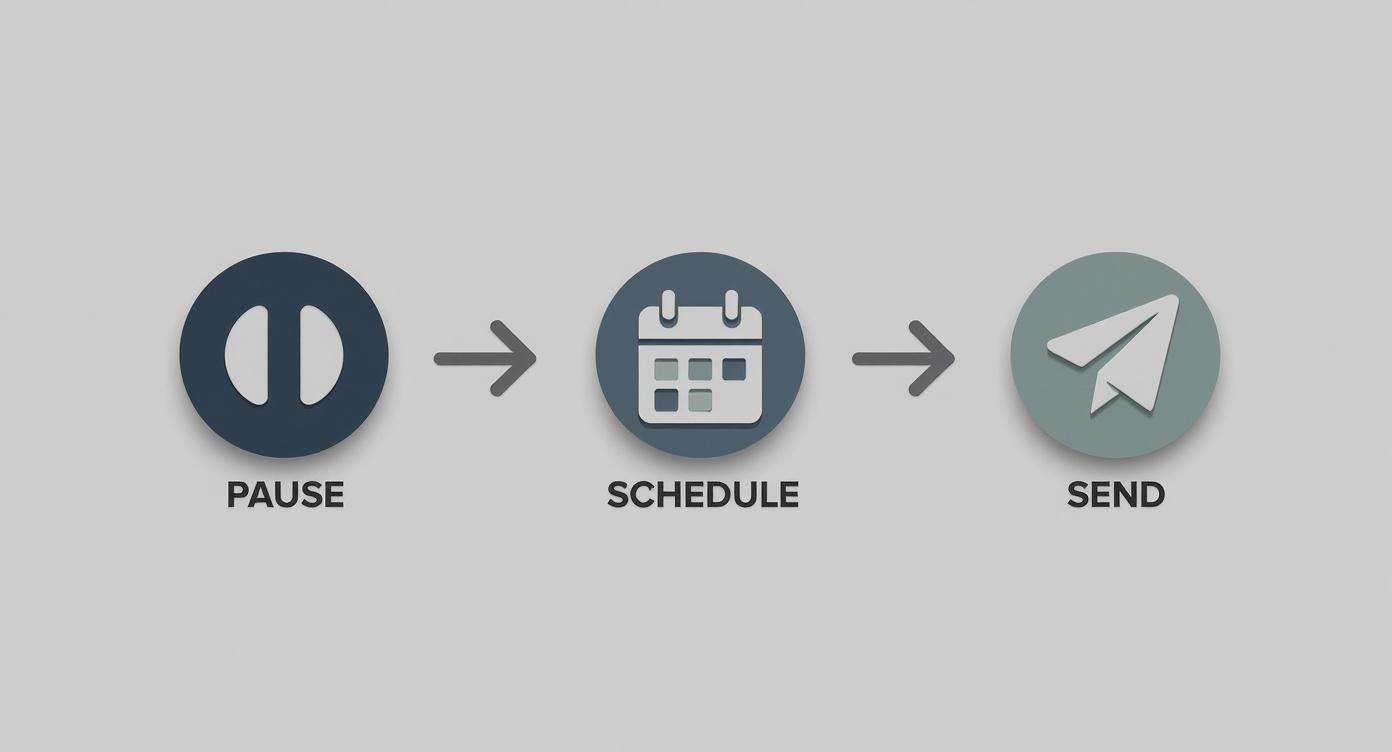
The real magic here is breaking that reactive cycle. By pausing, scheduling your time, and using tools to respond efficiently, you take back control of your day.
The Next Level: AI-Powered Summarization and Drafting
Templates are fantastic, but modern AI can do so much more. The biggest challenge with email isn't just the sheer number of messages; it's the density. One long email thread can represent hours of back-and-forth, with critical details buried somewhere in the middle.
This is where AI truly shines. Imagine opening a 50-message chain from opposing counsel and getting an accurate, bullet-pointed summary of the key arguments in seconds. That's exactly what tools like Whisperit's Navigator are for. It can parse an entire conversation and give you the cliff notes, letting you get up to speed on a complex matter instantly.
You’re essentially outsourcing the low-value cognitive load of reading so you can preserve your mental energy for the high-value work of thinking—the legal analysis and strategic counsel your clients actually pay for.
This power extends to drafting replies, too. Once you have that summary, an AI assistant like Whisperit's Inbox can help you write a response. You just need to provide the core points—the legal argument, the next steps, the questions you need answered—and the AI will generate a professional draft. You’re still the pilot, but you now have a seriously smart co-pilot to handle the composition.
Putting It All Together: A Real-World Scenario
Let's see how this works in practice. An associate, Maria, gets back from a hearing and sees a novel-length email thread from a client about a contract negotiation.
- Instant Gist: Instead of spending the next half hour scrolling and rereading, Maria uses Navigator to summarize the chain. In less than a minute, she knows the client has a counter-offer in hand and is worried about the new indemnity clause.
- AI-Assisted Reply: Now she's ready to respond. Maria uses Whisperit's Inbox, telling it to draft a reassuring email that explains the risks of the proposed clause and suggests a quick call to discuss strategy. The AI composes the draft, which Maria quickly edits and sends.
- One-Click Filing: After sending, she uses the export feature to push the entire communication—the original thread, the AI summary, and her final response—straight into the firm's case management system. The client file is now perfectly up-to-date, with zero manual copy-pasting.
What could have easily burned an hour of her billable time was handled in minutes. The key is to find smart ways to automate mundane emails and get that time back for more important work.
This kind of integrated workflow is at the heart of the modern, efficient law practice. To get a better sense of how all these pieces fit together, it’s worth exploring what’s possible with today’s legal workflow automation software. When you embrace these tools, you’re not just clearing out your inbox; you’re building a more responsive, profitable, and saner way to practice law.
Building Effective Delegation Workflows
As a lawyer, your highest value isn't found in sorting, filing, or handling routine back-and-forth. It’s in crafting legal strategy, advising clients, and solving complex problems. But far too many of us act as the primary gatekeeper for our own inboxes, creating a bottleneck that slows down not just our own work, but the entire firm's. If you truly want to get a handle on email overload, you have to move beyond personal productivity hacks and build a system for smart delegation.
Effective delegation isn’t about just dumping tasks on an assistant. It’s about creating a structured, repeatable process where your team can act as the first line of defense. The goal is to build a collaborative workflow that filters out the noise, takes care of the routine stuff, and escalates only what genuinely needs your eyes on it. This frees you up to focus on the high-stakes legal work that only you can do.
Think of it as setting up a triage unit before the patient—the email—ever gets to the head surgeon.
The Foundation: Shared Inboxes and Smart Forwarding
First things first: you have to break away from the siloed approach where everything funnels exclusively into your personal inbox. A shared inbox or a dedicated team email address (like smith-case@yourfirm.com) can serve as a central hub for specific matters. This creates instant transparency; your paralegal or associate can monitor incoming mail without needing access to your private correspondence.
When you pair a shared inbox with smart forwarding rules, you start to see the magic happen. You can configure your main inbox to automatically punt certain types of emails to the right person on your team.
Here are a few real-world examples:
- Routine Client Updates: Any email from an existing client with keywords like "update," "checking in," or "quick question" can go straight to your paralegal.
- Scheduling Requests: Set a rule to route anything with "schedule," "meeting," or "availability" in the subject line directly to your legal assistant.
- Discovery Documents: You can forward messages from opposing counsel with large attachments to a case-specific folder and simultaneously notify your litigation support team.
This kind of automated routing ensures the right person sees the right information first, which can dramatically cut down on the volume of messages you have to personally open and process.
Supercharge Delegation with Automated Notifications
While forwarding rules are a great start, they can sometimes just shift the clutter from your inbox to your team's. This is where more advanced tools come into play, turning a simple forward into an immediate, actionable alert.
Your inbox shouldn't be a storage unit; it should be an intelligent routing system. By building workflows that automatically alert the right people to the right information, you transform a passive archive into an active, collaborative workspace.
Tools like Whisperit's Notifications are designed for exactly this. Instead of just forwarding an email and hoping it gets seen, you can create a system where specific emails trigger targeted alerts that can’t be missed.
Imagine a critical e-filing confirmation arrives from the court clerk. A simple forwarding rule might just move it to a folder, where it could sit for hours. But an intelligent notification system can do so much more. It can instantly send a push notification to your paralegal's phone with the subject line and a note: "URGENT: Calendar this deadline immediately."
This creates a clear line between routine email traffic and high-priority, actionable tasks. Your team isn't just sifting through another inbox; they're receiving clear, direct instructions based on rules you've already established. This systematic approach is the key to scaling your impact without becoming the bottleneck for every piece of information that flows into your practice.
Protecting Client Data in Your Inbox
Your inbox is more than just a communication hub—it's a digital vault holding your clients' most sensitive information. This means that getting a handle on email overload isn't just about productivity; it's directly tied to your ethical duty to safeguard privileged data. A messy, chaotic inbox is a vulnerable one, creating the perfect environment for critical security threats to slip past your defenses.
Every single email you send or receive is a potential entry point for a cyberattack. That’s why solid security practices aren’t just a nice-to-have, they're a fundamental part of practicing law today. The foundation of a secure digital practice is built on simple, non-negotiable habits.

This starts with using strong, unique passwords for every account, reinforced by multi-factor authentication (MFA). It's also crucial to always enable encryption for any message containing confidential information. These steps might seem basic, but they create essential barriers against anyone trying to gain unauthorized access.
Recognizing and Responding to Threats
Let's be clear: law firms are prime targets for sophisticated phishing attacks. We're not talking about obvious spam anymore. These are clever emails disguised to look like they're from courts, opposing counsel, clients, or even a senior partner. A busy lawyer rushing to clear an overflowing inbox is far more likely to accidentally click a malicious link or open a weaponized attachment.
Fostering a culture of healthy skepticism is one of the most powerful defenses you have. Before you click any link or download a file, just pause. Does that sender’s address look exactly right? Is this an unusual request? If you have any doubt, pick up the phone and verify.
Even with the best precautions, you need a plan for when things go wrong. For a complete walkthrough of how to handle a security incident, it’s worth reviewing the best practices for a modern data breach response plan.
Creating a Firm-Wide Security Policy
Individual diligence is a great start, but true security requires a systematic approach. A formal, firm-wide email security policy ensures everyone from the managing partner to the newest paralegal is operating under the same high standards. For a closer look at the professional responsibilities at stake, our guide on https://www.whisperit.ai/blog/maintaining-client-confidentiality provides essential context.
A good policy isn't just a document that sits on a shelf; it's a clear, actionable guide for daily work. When building yours, be sure to include a few core components.
The table below outlines the essential elements you'll want to cover to create a comprehensive and effective policy for your team.
Essential Elements of a Law Firm Email Policy
| Policy Area | Key Considerations | Example Guideline |
|---|---|---|
| Acceptable Use | Clearly define what constitutes appropriate business vs. personal use of firm email accounts. | "Firm email shall not be used for personal social media, online shopping, or other non-business activities." |
| Phishing & Malware | Train staff to recognize and report suspicious emails. Prohibit clicking unknown links or opening unsolicited attachments. | "All suspicious emails must be immediately reported to the IT department without clicking any links or downloading files." |
| Data Encryption | Mandate the use of encryption for all emails containing Personally Identifiable Information (PII) or client confidential data. | "Any email containing a client's case details or personal data must be sent using the firm's approved encryption tool." |
| Password Security | Require strong, unique passwords and the use of multi-factor authentication (MFA) for all email access. | "Passwords must be a minimum of 12 characters and changed every 90 days. MFA is mandatory for all remote access." |
| Attachment Handling | Establish protocols for scanning attachments for viruses and set limits on file types or sizes. | "All incoming attachments are automatically scanned for malware. Executable files (.exe, .bat) are blocked by default." |
| Data Retention | Define clear timelines for how long emails and attachments are stored and the process for secure deletion. | "Emails related to closed matters will be archived for 7 years and then securely deleted in accordance with the client agreement." |
| Incident Response | Outline the immediate steps an employee must take if they suspect a security breach has occurred. | "If a data breach is suspected, immediately disconnect from the network and contact the designated Incident Response Lead." |
By formalizing these rules, you create a consistent, firm-wide defense.
Ultimately, secure email habits and efficient inbox management are two sides of the same coin. When you weave these practices together, you’re not just conquering email overload—you’re upholding your most fundamental duty to protect your clients.
Got Questions? We've Got Answers
Let's be honest, changing the email habits you've had for years can feel like turning a tanker. It's a big shift. But you're not the first legal pro to stare down an overflowing inbox and wonder where to even begin.
Tackling these common roadblocks head-on can make all the difference in moving from constant distraction to focused work.
"My Clients Expect an Immediate Response. How Do I Manage That?"
This is probably the number one concern I hear, and it comes down to managing expectations proactively, not reactively. You train people how to treat you, and that includes your email response time.
The trick is to set the ground rules from the very beginning. A simple, professional auto-responder can work wonders. Try something like, "Thank you for your message. I'm currently focused on client work and review and respond to emails twice daily, at 10 AM and 3 PM."
It's amazing how respectful clients are of your time when you communicate boundaries clearly. For truly urgent, "the-courthouse-is-on-fire" matters, you can always provide a different contact or an emergency number.
"I Have Thousands of Unread Emails. Where Do I Even Start?"
This one feels overwhelming, I know. My advice? Declare "email bankruptcy."
It sounds drastic, but it’s the single most effective way to get a fresh start. Just archive everything older than two or three weeks. That's it. If something was genuinely critical, trust me, the sender will follow up. This one move gives you the clean slate you need to actually implement a new, better system without the weight of the past dragging you down.
Remember, AI is a powerful assistant, not a substitute for your professional judgment. Always take a moment to review and refine anything it drafts to ensure it's accurate, strikes the right tone, and upholds your duty of confidentiality.
Ready to stop letting your inbox run your day? See for yourself how Whisperit can help you summarize complex threads, draft thoughtful replies, and bring order to your communications in a fraction of the time. Explore Whisperit's AI-powered workspace.