
A Document Review Lawyer's Ultimate Guide
Think of a document review lawyer as a legal detective, but instead of a crime scene, their investigation takes place inside a mountain of digital data. They're the ones who meticulously sift through thousands, sometimes millions, of emails, contracts, and internal memos to unearth the critical evidence that can make or break a case.
The Digital Archaeologist of Modern Law
It’s a lot like being an archaeologist. An archaeologist carefully brushes away layers of earth to find artifacts that piece together a story from the past. A document review lawyer does something very similar, but their dig site is a massive collection of digital files, what we in the legal world call electronically stored information (ESI). Their mission is to excavate this digital landscape to find the 'artifacts'—those key pieces of evidence—that build the factual story of a legal dispute.
This role goes way beyond simply reading. It's about spotting patterns, understanding the nuance and context behind a conversation, and making a critical judgment call on every single file that crosses their screen.
What Does a Document Review Lawyer Actually Do?
At its core, the job is to categorize documents according to very specific criteria laid out by the lead attorneys on a case. This groundwork is absolutely essential; it ensures the entire case strategy is built on a solid foundation of evidence.
Key tasks usually boil down to a few critical functions:
- Identifying Relevance: Is this document actually important to the legal matter? Does it help or hurt our case?
- Flagging Privilege: This is a big one. They have to isolate confidential communications between a client and their lawyer (attorney-client privilege) to make sure they aren't accidentally handed over to the other side.
- Tagging Key Issues: They mark or "tag" documents that relate to specific legal arguments, key dates on a timeline, or important people involved in the lawsuit.
It's hard to overstate how high the stakes are. A single, overlooked email or a mislabeled contract can have massive consequences, potentially tanking a negotiation or even changing the outcome of a trial. The precision of a document review lawyer is everything.
Their work is the first line of defense—and offense—in the discovery phase of any major legal action. They take a chaotic mess of raw data and organize it into a structured, coherent body of evidence. This frees up senior attorneys to do what they do best: build legal arguments and prepare for trial, knowing they have a complete and accurate picture of the facts. A rock-solid document review is truly the bedrock of any successful legal strategy.
Inside the Modern Document Review Process
Think of a big review project as a massive digital puzzle. It's the document review lawyer's job to take all that raw, jumbled data and turn it into a coherent story that can stand up in court.
Imagine a company's entire digital footprint—a chaotic mess of emails, Slack messages, shared drive files, and even voice notes. The review process is the structured path that takes this mountain of electronically stored information (ESI) and refines it, piece by piece, until only the crucial, evidence-ready documents remain.
Data Collection and Processing
Every review starts with gathering all the relevant ESI. This isn't just about pulling emails anymore. Over the last two decades, the scope has exploded to include everything from chat logs and cloud files to mobile recordings and social media data. We're now dealing with emojis, GIFs, and voice notes from platforms like Slack, Microsoft Teams, and WhatsApp.
This initial stage is all about getting everything into one place and preparing it for analysis. The real work begins once the data is collected and processed.
Here’s a look at how a typical document review project unfolds from start to finish.
Stages of the Document Review Lifecycle
| Stage | Objective | Key Activities |
|---|---|---|
| Sift Data | Cull irrelevant files and noise. | Apply date filters, run de-duplication scripts, and perform initial keyword searches to remove obvious non-responsive documents. |
| Find Evidence | Identify the most likely responsive docs. | Use Technology-Assisted Review (TAR), predictive coding, and confidence scoring to prioritize documents for human review. |
| Build Case | Finalize the evidence set for production. | Apply privilege tags, code for specific legal issues, and run rigorous quality control checks on the final document set. |
Each stage builds on the last, systematically narrowing down a massive universe of data into a small, targeted set of critical evidence.
First-Pass Review With TAR
Once the data is processed, we don't just start reading documents one by one. That would be incredibly inefficient. Instead, we use Technology-Assisted Review (TAR) to do the heavy lifting. TAR is a smart system that helps sort through the noise to find the most important documents first.
It works a bit like this:
- A senior lawyer "trains" the TAR model by reviewing a small, representative sample of documents and telling the system which ones are relevant.
- The system then analyzes the entire dataset and ranks every other document based on how similar it is to the "relevant" examples.
- The review team then focuses on the top-ranked documents, which drastically speeds things up.
AI-Powered Transcription
Here’s where things get really interesting for modern review teams. Many document review lawyers now rely on AI dictation and transcription tools, like Whisperit, to capture their thoughts and coding decisions on the fly.
Instead of manually typing out notes for a privilege log or issue tags, a reviewer can simply speak their thoughts aloud while examining a document. The system captures it all.
For instance, a reviewer can say "Tag as privileged—attorney-client communication" while reading a sensitive email, and the software instantly logs that tag with a timestamp. This hands-free approach not only cuts down on manual typing by around 30% but also significantly reduces the chance of human error. It’s about working smarter, not harder.
Quality Control Measures
Even the most advanced TAR model isn’t perfect. That's why human oversight is absolutely critical. A document review lawyer will constantly check the system's work to catch any mistakes early.
Quality control (QC) is baked into the process. Review managers will set up random sampling protocols to double-check the coding accuracy of both the technology and the human reviewers.
Some common QC practices include:
- Second-Pass Reviews: A senior attorney reviews a random sample of documents coded by the first-line team to spot inconsistencies.
- Blind Reviews: Two reviewers code the same document without seeing each other's work to ensure coding protocols are being applied consistently.
- Error Tracking: Managers track error rates over time to identify areas where the review team might need more training or clarification.
This relentless focus on quality ensures the final evidence set is defensible and accurate.
Substantive Review and Privilege
Finally, we get to the core legal analysis. In this phase, lawyers dig deep into each document flagged as important. They're not just checking for relevance anymore; they're coding for specific legal issues, identifying privileged information, and piecing together the narrative of the case.
“Effective privilege tagging is the safeguard against accidental disclosure. One mistake here can have massive consequences for the entire case.” — Senior Review Attorney
This is where true legal expertise shines. For a deeper dive into managing this entire workflow, check out our complete guide to the document review process.
The infographic below offers a great visual summary of how these key phases—sifting data, finding evidence, and building the case—all flow together.
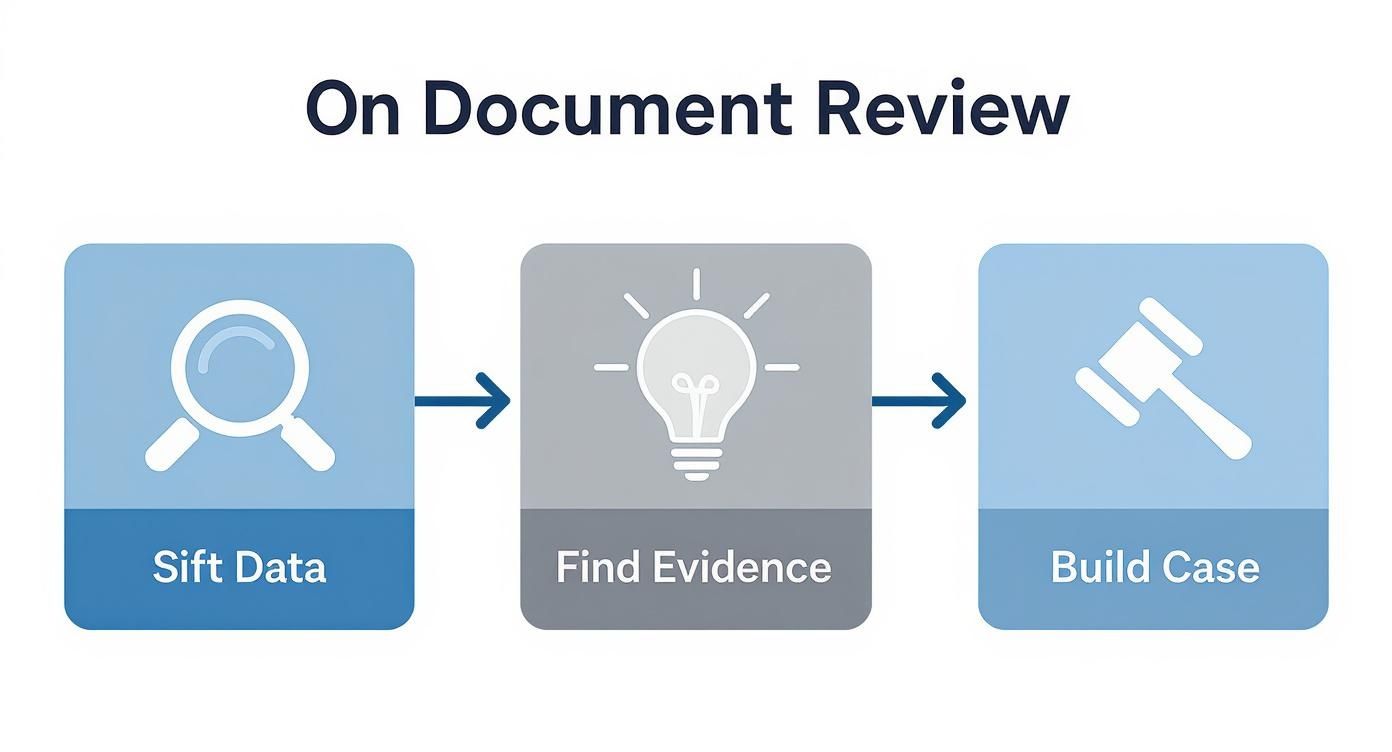
As you can see, each step logically feeds into the next. A well-organized culling process leads to more efficient evidence identification, which ultimately helps build a stronger, more compelling case. It's how a document review lawyer transforms digital chaos into a clear, factual story.
How AI Is Changing the Game for Legal Document Review
Artificial intelligence isn't some far-off concept in the legal world anymore. It's here, right now, acting as a genuine partner and fundamentally changing how document review gets done. Think of it like having a paralegal who can read and comprehend thousands of pages in minutes, flagging crucial information with a level of speed and consistency that's frankly impossible for a human. That’s what AI offers the modern document review lawyer.

This technology goes way beyond basic keyword searching, which often just dumps thousands of irrelevant files on your desk. AI uses complex algorithms to actually understand context, concepts, and even the sentiment behind the words on a page. This lets a lawyer stop being a manual paper-sorter and become what they were trained to be: a strategic analyst who applies their expertise where it really counts.
Automating the First Pass
One of the most immediate wins with AI is its knack for handling a highly accurate first-level review. You can train these systems to instantly spot documents that are relevant, non-responsive, or potentially covered by privilege. This first-pass sorting, a task that used to eat up hundreds of human hours, is now largely automated.
AI shines when it comes to consistency, which is a constant headache for large review teams. One reviewer might interpret a protocol a little differently than their colleague down the hall, but an AI applies the exact same logic to every single document, every single time. This drastically cuts down on human error and builds a much more defensible review process.
The recent emergence of Generative AI (GenAI) is pushing this even further. GenAI is becoming so good at automating these initial reviews that many firms are questioning their dependence on outsourced providers. As some industry analysis on the future of outsourced document review suggests, firms are realizing they can handle massive projects in-house with greater efficiency.
Uncovering Hidden Connections
Beyond just sorting files into buckets, AI platforms can spot hidden patterns and connections that a human reviewer could easily overlook. For instance, an AI might analyze email traffic between key players, pinpointing a sudden spike in communication right before a critical event or tracking a subtle shift in tone over a long message thread.
AI doesn't replace the document review lawyer; it empowers them. It acts as a powerful magnifying glass, helping legal professionals spot critical "smoking gun" documents that might otherwise remain buried in a mountain of data.
This ability is a game-changer in complex investigations where the story isn't laid out in plain sight. AI can connect the dots between different data sources, handing lawyers insights that can completely reshape their case strategy. If you want to dive deeper into this topic, our guide to legal AI software and its impact on law practice is a great resource. Ultimately, it allows the legal team to build a stronger case because they have a much deeper grasp of the facts.
Boosting Efficiency with Modern Review Tools
While high-level AI is certainly changing the eDiscovery game, a document review lawyer doesn't need a massive platform overhaul to see huge productivity gains. Sometimes, the most impactful changes come from practical tools that smooth out the daily grind.
Think about the time spent on creating essential work products like review notes and privilege logs. The real goal is to cut down on the monotonous, repetitive tasks so you can dedicate more brainpower to actual legal analysis.
Imagine a lawyer deep into a complex contract. Instead of constantly breaking concentration to type out detailed notes, what if they could just speak their analysis aloud as it comes to them? That’s where AI-powered dictation and transcription tools, built specifically for legal professionals, come into play.
From Spoken Word to Structured Work Product
Tools like Whisperit are designed to bridge the gap between a lawyer's thoughts and the written record. This isn't your grandfather's dictation software; it’s about creating a seamless, fluid workflow that captures your analysis instantly and accurately.
A document review lawyer can put this technology to work in a few key ways:
- Drafting Privilege Logs: Forget typing "Attorney-client communication discussing case strategy." Just say it, and the system transcribes and logs the entry for you.
- Creating Review Annotations: Those complex thoughts about a document's relevance or how it connects to another piece of evidence? Dictate them in real-time. You'll preserve nuances that often get lost when you’re typing in a hurry.
- Summarizing Key Findings: After slogging through a batch of documents, you can dictate a clear, concise summary for the rest of the case team. Important insights get shared quickly and correctly.
This screenshot gives you an idea of how clean the process is. A lawyer can manage their case files and dictate notes directly into a structured document, showing just how smoothly dictation can fit into the legal workflow.
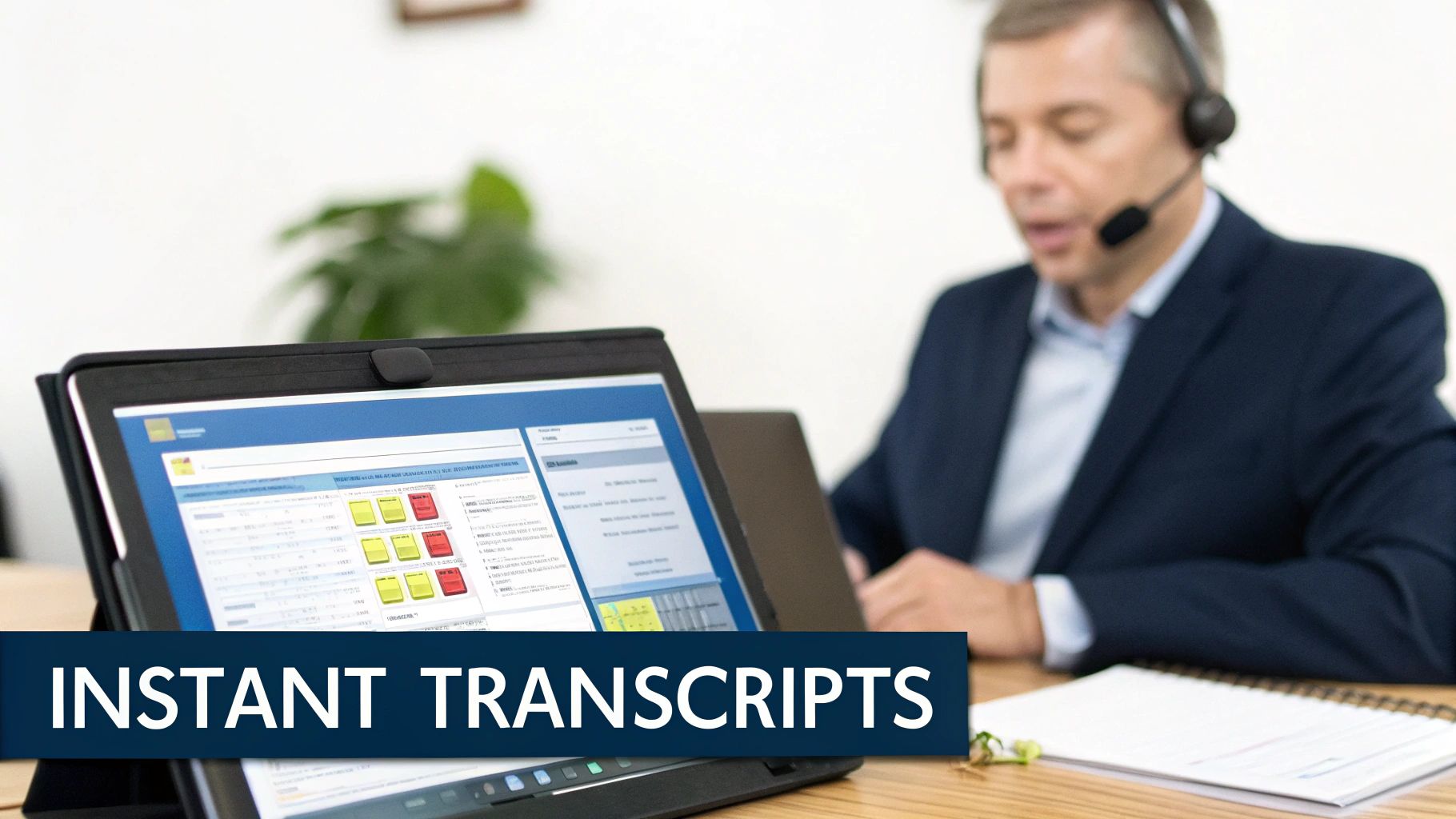
The big idea here is friction reduction. The keyboard is often the biggest bottleneck between your brain and the screen. By removing it, lawyers can stay focused on the document, leading to a much deeper and more efficient review.
The Tangible Benefits of a Voice-First Approach
Adopting these kinds of tools offers real advantages that go way beyond just raw speed. For starters, the accuracy of modern AI transcription is incredible, drastically cutting down on the typos and errors that inevitably creep in during long review sessions. Better accuracy means a higher-quality, more defensible work product.
By eliminating thousands of keystrokes per day, a document review lawyer not only saves time but also reduces the cognitive load associated with multitasking. This frees up mental energy, allowing for sharper focus and better analytical insights.
What's more, this efficiency multiplies over the course of a large-scale project. A few minutes saved per document adds up to hours, even days, over thousands of files. For a deeper look at how software helps with this process, our guide on contract review software offers some great context.
Similarly, understanding the principles of automated quality management can help you build more efficient and accurate systems. In the end, these modern tools simply allow a document review lawyer to work smarter, not harder, and produce better work in less time.
Navigating Common Document Review Challenges
Even the most buttoned-up document review project will hit a few bumps in the road. A great document review lawyer isn't just a sharp analyst; they're a seasoned problem-solver, skilled at sidestepping the landmines that inevitably pop up in any large-scale review.
The first and biggest hurdle is almost always the sheer volume of data. It’s no longer surprising for a single case to involve millions of documents. This creates a constant tension between the need for speed and the demand for accuracy. This data explosion is why the eDiscovery market is expected to jump from $16.89 billion** in 2024 to an incredible **$25.11 billion by 2029, as legal teams scramble to keep up with the digital tidal wave.
Of course, with all that sensitive data flying around, security is non-negotiable. For some practical tips on shoring up your firm's defenses, this small business cybersecurity checklist is a fantastic starting point.
Maintaining Consistency Across Teams
When you have a team of reviewers digging into the same dataset, keeping everyone on the same page is a massive challenge. What one lawyer considers "relevant" might be completely different from their colleague's interpretation. These small discrepancies can add up, leading to inconsistent coding that can seriously undermine the final work product.
The best defense is a good offense. This means creating crystal-clear review protocols from day one, complete with concrete examples of how to code different document types. Regular team huddles to hash out ambiguous files are also crucial, as is a robust quality control (QC) process where a senior attorney double-checks a sample of each reviewer's work. It’s all about keeping the team in sync.
The Threat of Reviewer Fatigue
Let's be honest: staring at a screen and reading documents for eight hours straight is draining. This is what we call reviewer fatigue, and it’s a real threat. As a reviewer's focus starts to drift, the risk of making a critical mistake—like overlooking a smoking gun or, even worse, producing a privileged document—skyrockets.
Reviewer fatigue isn't just about feeling tired; it's a direct threat to the integrity of the review. An exhausted reviewer is an inaccurate one, and a single error can have massive legal repercussions.
You have to be proactive to combat burnout. Simple but effective strategies include:
- Mandatory Breaks: Making sure reviewers step away from their screens at regular intervals to recharge.
- Varied Tasks: When possible, switching up the review tasks to break the monotony.
- Smarter Tools: Using AI-powered tools to automate the review of repetitive, low-level documents. This frees up the human experts to apply their brainpower to the complex, nuanced files that truly matter.
Another modern headache is dealing with tricky data formats, especially chat logs from apps like Slack or Microsoft Teams. A conversation isn't a neat, linear email; it's a messy collection of threaded replies, slang, and emojis. You need the right tools and a solid strategy to piece it all back together accurately.
And, of course, the ever-present task of finding and protecting privileged information is always top of mind. If you want to dive deeper into that specific topic, our guide on understanding attorney-client privilege rules is a great resource. By getting ahead of these common challenges, a skilled document review lawyer can keep the project moving forward—on time, on budget, and ready to stand up to scrutiny.
Your Top Document Review Questions, Answered
If you're dealing with document review, you've probably got questions. Maybe you're a client wondering what you're paying for, a new lawyer exploring career options, or a seasoned attorney putting a review team together. Let's clear up some of the most common questions people have.
Think of this as your go-to guide for understanding the real-world ins and outs of what a document review lawyer actually does.
What Skills Does a Document Review Lawyer Actually Need?
To be great at this job, you need a specific blend of legal know-how, tech comfort, and sheer mental grit. The absolute non-negotiable skill is an almost obsessive attention to detail. You can’t afford to miss that one crucial email or misread a clause in a contract.
But it’s more than just being meticulous. You also need sharp analytical skills. A good reviewer isn't just reading; they're piecing together a story, understanding what’s not being said, and connecting dots between documents that might seem unrelated at first.
These days, you also have to be comfortable with technology. Getting your head around eDiscovery platforms is essential, and being open to using AI-powered tools is quickly becoming a must-have. And honestly, you need stamina. The ability to stay focused and accurate through long, sometimes repetitive, projects is what separates the pros from the rest.
Is Document Review a Real Career?
It absolutely is. What some used to dismiss as a temporary gig has evolved into a legitimate and specialized career. It’s a field that lives right at the busy intersection of law and technology, and it’s more dynamic than you might think.
You can find everything from flexible contract work to permanent staff positions at major law firms, in-house legal departments, and specialized eDiscovery companies. It’s a surprisingly stable and growing corner of the legal world.
Don't think it's a dead end, either. Seasoned document review attorneys often move into significant leadership roles. It's common to see them become Review Managers, eDiscovery Project Managers, or even high-level eDiscovery Consultants. For the right person, it’s a very rewarding long-term path.
How Do You Handle Attorney-Client Privilege?
Protecting privilege is, without a doubt, one of the most critical parts of the job. It’s a core responsibility where you have to be 100% on the ball—a single mistake can be catastrophic for a case.
Reviewers are trained to spot any communication that might be covered by attorney-client privilege or the work-product doctrine. When they find one in the eDiscovery software, they tag it with a specific code.
This tagging essentially builds a digital wall around those privileged documents, preventing them from being accidentally handed over to the other side. To make sure nothing gets missed, there are always strict quality control checks. This usually involves a senior attorney doing a second-level review to double-check the privilege calls made by the first-pass team.
What’s the Difference Between Contract and Permanent Reviewers?
The main difference boils down to how they're employed and how they fit into a project, which really shapes what the job feels like day-to-day for the document review lawyer.
Here's a quick look at the two paths:
- Contract Reviewers are freelancers, brought in for specific projects. This route offers a ton of flexibility, a wide variety of cases, and exposure to different firms and areas of law. The trade-off is less job security and no benefits.
- Permanent Reviewers are full-time employees of a firm, company, or legal services provider. This means more stability, benefits, and being a core part of the case team from a strategic level.
Both are perfectly valid career paths that suit different goals and lifestyles. No matter which role you're in, using a solid documentation review checklist is a great way to keep your work consistent and accurate on every single project.
Ready to transform your legal drafting and review process? Whisperit is the voice-first AI workspace built for legal work, unifying dictation, drafting, and collaboration to help you move from intake to export faster. Reduce manual typing, ensure consistency, and bring a calmer, more focused workflow to your team. Discover how Whisperit can elevate your practice.