
Client Intake Software for Law Firms That Boosts Revenue
Think of client intake software as the digital front door for your law firm. It's a specialized system designed to automate and organize how you bring new clients on board. Instead of a frantic, paper-strewn process, it creates a smooth, digital pathway that captures inquiries, schedules consultations, and gathers crucial information without missing a beat.
The Digital Lobby Your Law Firm Needs
Picture your firm's reception area. Is it a calm, organized space, or is it buried under a mountain of paperwork with phones ringing off the hook? Client intake software essentially serves as that calm, organized digital lobby. It completely changes how your firm interacts with potential clients from the very first moment they reach out.
This isn't just a fancy contact form. It's a purpose-built system designed to handle the administrative grind of onboarding. The main goal is to tackle the all-too-common problems of manual intake—like lost leads and clerical errors—and turn initial inquiries into paying clients, efficiently.
Moving Beyond Manual Methods
For years, law firms got by with paper forms, endless games of phone tag to schedule appointments, and mind-numbing manual data entry. That old way of doing things isn't just slow; it's a recipe for expensive mistakes. One misplaced file or a single forgotten follow-up can mean losing out on a significant case. Client intake software for law firms digitizes this entire sequence.
By standardizing the first steps of the attorney-client relationship, this software ensures every potential client gets the same professional experience. It builds a consistent, repeatable system that allows your firm to grow without getting bogged down by administrative chaos.
To really see the difference, let's compare the old way with the new.
Manual Intake Process vs Automated Intake Software
| Aspect | Manual Process | Automated Software |
|---|---|---|
| Lead Capture | Relies on sticky notes, emails, and phone messages; easily lost or forgotten. | Centralizes leads from web forms, calls, and emails into one dashboard. |
| Data Entry | Staff manually types information into spreadsheets or systems; high risk of typos. | Client data is automatically captured and populated into the system, ensuring accuracy. |
| Scheduling | Involves back-and-forth emails and phone calls to find a suitable time. | Clients can self-schedule appointments based on your real-time availability. |
| Client Experience | Can feel slow, disjointed, and unprofessional, creating a poor first impression. | Delivers a modern, responsive, and seamless experience from the first click. |
| Follow-up | Depends on staff memory or manual reminders; inconsistent and unreliable. | Triggers automated reminders and follow-up emails, reducing no-shows and dropped leads. |
This side-by-side view makes it clear: automation doesn't just save time, it fundamentally improves the quality and reliability of your firm's intake process.
How Client Intake Software Works
At its core, this software is a central command center for all new client activity. It creates a structured journey for every lead, making sure no one falls through the cracks. When you break it down, you can really see the value it brings to your firm. To get the full picture, it helps to understand the complete client intake process and see how software plugs into each step.
Here’s a quick look at a typical automated workflow:
- Lead Capture: The system instantly pulls inquiries from your website forms, phone calls, and emails into one clean, organized dashboard. No more chasing down leads from different sources.
- Initial Screening: You can set up custom online questionnaires to gather key case details upfront. This helps you quickly weed out unqualified leads and identify the high-value ones.
- Automated Communication: The moment someone submits a form, the software can fire off a confirmation email, let them book a consultation, and send out appointment reminders to cut down on no-shows.
- Seamless Onboarding: From running conflict checks to sending out engagement letters for an e-signature, the software handles all the critical steps to officially bring a new client into the fold.
This structured system does more than just save countless non-billable hours. It shows potential clients that your firm is professional, modern, and on top of its game. By getting the intake process right, you free up your team to do what they do best: practice law.
What You Really Gain by Fixing Your Intake Process
Bringing in client intake software is about more than just adding a new tool—it's a strategic overhaul of how your firm operates. This isn't just about a tech upgrade; it’s a fundamental shift that has a direct, measurable impact on your daily workflow and, most importantly, your bottom line. By automating the very first steps of the client journey, you build a stronger foundation for growth in four critical areas.
The most immediate and obvious win is a huge leap in efficiency. Let's be honest, manual intake is a time-sucking black hole. It’s filled with non-billable hours spent on data entry, endless follow-up calls, and juggling paperwork. Automating that grunt work frees up your team to focus on what they were actually hired to do: practice law. If you're interested in the bigger picture of operational improvements, there's great general advice on how to streamline business processes.
Reclaim Billable Hours and Boost Efficiency
Think about this for a second: what if you never had to manually type a new client's name, email, and phone number into three different systems again? With client intake software for law firms, a potential client fills out one online form, and that information instantly populates their contact record, opens a new matter, and can even generate a draft engagement letter. That simple change alone can claw back hours every single week.
It also takes the mental load off your team. No more sticky notes or calendar alerts to chase down a lead for a signature or missing information. The system handles reminders and follow-ups automatically and consistently, so no one falls through the cracks. This frees your paralegals and attorneys to apply their skills to billable work instead of administrative chores. To see how this plays out on a larger scale, you can explore the game-changing workflow automation benefits for business success.
Convert More Leads and Increase Revenue
A slow, clunky, or confusing intake process is the fastest way to lose a good lead. When someone in need of legal help has to wait days for a callback or gets lost in your inbox, they’re not going to wait around. They'll find another firm that's ready for them. A modern intake system closes those gaps and directly boosts your revenue.
By giving potential clients an immediate response, an easy way to book a consultation online, and a clear idea of what to do next, you capture their attention when they're most motivated. That responsiveness makes a world of difference and dramatically increases your chances of turning an inquiry into a paying client.
An optimized intake process doesn't just manage leads; it actively nurtures them. By making it incredibly easy for prospects to take the next step, you systematically improve your firm's conversion rate and overall profitability.
The numbers back this up. For instance, firms that connect their intake system directly to their practice management software see incredible results. Clio reported that firms using its Clio Grow and Clio Manage combination saw a 51% increase in leads and a 52% increase in revenue. It's a clear demonstration of how automation can capture and convert business you might otherwise be losing.
Deliver a Modern Client Experience
First impressions matter. In today’s world, clients expect a smooth, digital experience from any professional service. A clunky, paper-heavy onboarding process can make your firm seem outdated and disorganized right from the start. A seamless, automated journey, on the other hand, communicates competence and professionalism before you’ve even had the first consultation.
This elevated experience breaks down into a few key benefits for the client:
- 24/7 Accessibility: They can reach out and book a meeting whenever it's convenient for them, not just between 9 and 5.
- Instant Confirmation: Automated replies let them know their message was received, giving them immediate peace of mind.
- Professional Onboarding: Secure e-signature links for engagement letters and other documents make the process fast, modern, and hassle-free.
Getting this right from day one builds trust and sets the tone for a strong, positive relationship for the entire life of the case.
Minimize Risk with a Standardized System
Finally, a structured intake process is one of your best risk management tools. Manual systems are breeding grounds for human error, from a simple typo in a critical piece of data to completely missing a potential conflict of interest. By using standardized forms with required fields, you ensure that you get all the crucial information you need, every single time.
More importantly, client intake software can automate one of your most critical ethical duties: the conflict check. The system can instantly screen new names and entities against your entire database of past and present clients, flagging potential conflicts before they snowball into a serious problem. This built-in safeguard is a crucial layer of protection for your firm's reputation and compliance that manual processes just can't match.
Must-Have Features in Modern Client Intake Software

When you start shopping for client intake software, the options can feel endless. To cut through the marketing jargon, you need to zero in on the core features that actually move the needle for your firm. These are the tools that don't just save time—they actively help you turn curious prospects into paying clients.
Think of it like building your firm's digital front door. The right set of features transforms your intake from a chaotic mess of emails and spreadsheets into a smooth, professional experience. Let's break down the absolute must-haves every law firm should demand.
Smart Forms and Lead Capture
The heart of any great intake system is its ability to gather information without the friction. Manual data entry is slow, tedious, and a breeding ground for typos. Modern software flips the script with intelligent forms that do the heavy lifting.
You absolutely need customizable intake forms you can tweak for each practice area. The questions you ask a potential personal injury client are worlds apart from what you need for a real estate closing, and your software has to keep up. The best systems use conditional logic, which means the form intelligently adapts based on a person's answers.
This is a game-changer for two big reasons:
- It respects the client's time: They aren't bogged down by irrelevant questions, which means they're far more likely to finish the form.
- You get better intel: Your team receives the precise information needed to qualify the lead right from the get-go.
These forms should plug directly into your firm's website, funneling every new inquiry into one clean, organized dashboard.
Powerful Workflow Automation
This is where client intake software really earns its keep. It’s not just about collecting data; it's about what happens next. Automation is the engine that handles the repetitive, predictable tasks, freeing up your team to focus on work that requires a human touch.
Here are a few key automation features to look for:
- Automated Email Sequences: The moment someone submits a form, they should get an instant confirmation, followed by a series of pre-written emails to keep them engaged.
- Task Assignments: The system should automatically create and assign tasks to your staff, like "Review new PI lead" or "Draft engagement letter," so nothing ever slips through the cracks.
- Appointment Scheduling: Let potential clients book a consultation directly from your site or an email. It should sync in real-time with your attorneys' calendars to kill the risk of double-booking.
By automating these touchpoints, your firm guarantees that every single lead gets a prompt, professional response—even at 2 AM on a Sunday. That consistency builds immediate trust and dramatically boosts your chances of getting hired.
Document Management and E-Signatures
The intake process involves a mountain of paperwork, from questionnaires and conflict checks to the all-important engagement letter. A solid intake platform brings this entire workflow under one roof, getting rid of the print-scan-email cycle for good. This is a key part of a bigger efficiency puzzle, and you can learn more about its firm-wide impact by exploring document automation for law firms.
Look for the ability to create document templates that automatically pull in client data to generate fee agreements or representation letters. This eliminates mind-numbing data entry and cuts down on embarrassing errors. Integrated e-signature features are also non-negotiable. They let clients securely sign documents on their phone or computer, shrinking the turnaround time from days to mere minutes. It not only gets clients in the door faster but also ensures you have a complete, signed file before any real work begins.
Seamless System Integrations
Last but not least, your client intake software can't be a silo. To get the most out of it, it has to talk to the other key pieces of software your firm relies on every day. This creates a single, unified system where information flows from one platform to another without anyone having to copy and paste.
Crucial integrations to look for include:
- Practice Management Software: You need a smooth handoff of all client and matter details from the intake stage directly into your main system, whether it’s Clio, PracticePanther, or another platform.
- Billing and Accounting Software: Connect your intake system to your billing tools to get invoices started correctly from day one.
- Email and Calendar Tools: Deep integration with tools like Outlook and Google Workspace is essential for scheduling appointments and tracking communications.
Without these connections, your team is stuck doing manual data entry—the very problem you're trying to solve. A well-integrated solution ensures that from the first form submission to the final case resolution, your firm's data is consistent, accurate, and always right where you need it.
How to Choose the Right Software for Your Firm
With so many client intake software options out there, picking the right one can feel like a chore. But getting this decision right is crucial. The best platform won’t feel like another piece of tech you have to wrestle with; it will feel like a natural extension of your team.
This isn't about finding the software with the longest feature list. It’s about finding the one with the right features—the ones that directly solve your firm’s biggest headaches, whether that's frustratingly slow response times, scattered client data, or leads slipping through the cracks.
Start with an Internal Audit
Before you even book your first demo, take a step back and look inward. You need a crystal-clear picture of your firm’s current processes, pain points, and goals. This internal audit will be your North Star, guiding you to the right solution.
Start by mapping out your entire client intake journey, from the moment a potential client first reaches out to the second they sign the engagement letter. Pinpoint every step, every handoff, and every person involved. This simple exercise is often an eye-opener, revealing the hidden bottlenecks that are costing you time and, worse, potential clients.
Think about these key factors:
- Your Team's Size and Structure: The needs of a solo practitioner are worlds away from those of a 20-person firm. Your software has to work for the team you have today and be able to grow with you.
- Your Practice Areas: The questions you need to ask for a personal injury claim are completely different from a real estate closing. Your software must let you create custom forms to gather the specific details you need for every matter type.
- Your Existing Tech Stack: Your new intake system can't live on an island. Make a list of the tools you rely on every day, like your calendar, email client, and especially your core case management system.
For a deeper look at how all these systems should work together, it's worth reading a guide on legal practice management software. It provides great context for how intake fits into your firm's bigger technology picture.
Key Evaluation Criteria
Once you know exactly what you need, you can start vetting vendors with a clear set of criteria. This structured approach helps you cut through the marketing noise and compare platforms on what actually matters for your day-to-day work.
Focus your evaluation on these five make-or-break areas:
- Ease of Use: If the software is clunky or confusing, your team simply won't use it. Even worse, potential clients will get frustrated and give up. Look for a clean, intuitive design that feels effortless for both your staff and the people you're trying to help.
- Security and Compliance: As a lawyer, you are the gatekeeper of incredibly sensitive client information. The software must have bank-level security, including data encryption and secure access controls, to protect that data and ensure you’re meeting your ethical obligations.
- Customer Support: When something goes wrong—and it will—you need to know you can get help fast. Find out what the vendor's support looks like. Do they offer real-time chat and phone support, or are you stuck with a dusty FAQ page? Responsive, knowledgeable support is a dealbreaker.
- Transparent Pricing: Nobody likes surprise fees. Look for a clear, predictable pricing model. Ask about hidden costs for things like implementation, ongoing support, or getting your data out if you decide to leave. Make sure the cost aligns with your budget and won't penalize you for growing.
- Scalability: The software you choose today has to be able to keep up with your firm's success tomorrow. Can it handle a much higher volume of leads? Can you easily add new team members without everything slowing to a crawl?
This kind of careful evaluation is more important than ever. Clients are increasingly drawn to firms offering predictable, fixed-fee services, and modern intake platforms make this possible by automating billing triggers and client communication. In fact, 65% of firms agree that intake software directly helps with client conversion, and a whopping 79% report better use of their time. You can find more on the legal trends shaping mid-sized law firms on lpmmag.co.uk.
To help you stay organized during your search, use this checklist to compare your options side-by-side.
Key Evaluation Criteria Checklist
| Criterion | What to Look For | Why It Matters |
|---|---|---|
| Ease of Use | Intuitive interface, minimal training needed, modern design, positive user reviews. | High adoption by your team means a better ROI. A poor user experience can deter potential clients. |
| Integrations | Seamless connection with your existing calendar, email, and practice management software. | Avoids manual data entry, reduces errors, and creates a single source of truth for client information. |
| Customization | Ability to create custom intake forms, fields, and automated workflows. | Ensures the software adapts to your firm's specific practice areas and internal processes, not the other way around. |
| Security | Data encryption (in transit and at rest), role-based access controls, compliance certifications (e.g., SOC 2). | Protects sensitive client data, maintains confidentiality, and helps you meet ethical and regulatory obligations. |
| Automation | Automatic follow-up emails, task creation, document generation, and lead assignment. | Saves hundreds of hours of administrative work, prevents leads from going cold, and ensures consistency. |
| Reporting | Dashboards that track lead sources, conversion rates, and time-to-convert. | Provides the data you need to make informed business decisions and understand what marketing efforts are working. |
| Support & Pricing | Access to live support (phone/chat), clear pricing tiers, no hidden implementation or data fees. | Ensures you get help when you need it and can budget effectively without unexpected costs. |
Treating your software search with this level of diligence will pay off in the long run, leading you to a tool that not only solves problems but actively helps your firm grow.
Making the Switch: How to Implement Your New Software
Buying the software is just the first step. Getting your team to actually use it and see the benefits—that's where the real work begins. A successful rollout can transform a new tool from a fancy expense into a core asset for your firm. This isn't about just flipping a switch; it’s about carefully guiding your team from their old habits to a new, much better way of working.
The whole process can be broken down into a few key phases. It all starts with a solid plan where you map out your new client intake process and decide what a "win" looks like. This isn't about just doing the same old things in a new system. It's your chance to fix what's broken and make things better. Ask yourself: how can this client intake software for law firms eliminate our biggest headaches?
Planning Your Implementation Roadmap
Jumping into a new system without a clear plan is a recipe for disaster. You'll end up with a confusing launch that leaves your team frustrated and skeptical of the very tool meant to help them. The first move is to name a project lead—someone who will own the process, champion the software, and keep everything moving forward.
From there, focus on these essentials:
- Map Out Your New Workflows: Get specific. Document every single step a potential client takes, from their first call to the moment they sign the engagement letter. Who does what? When?
- Set a Realistic Timeline: This stuff takes time. Set achievable deadlines for migrating your data, setting up the system, and training everyone. Rushing leads to burnout and mistakes.
- Define Your Success Metrics: How will you know if this is working? Choose a few key performance indicators (KPIs) to track, like a shorter time to retain a new client or a higher lead conversion rate.
This infographic gives a great visual of the thinking process that should precede any implementation.
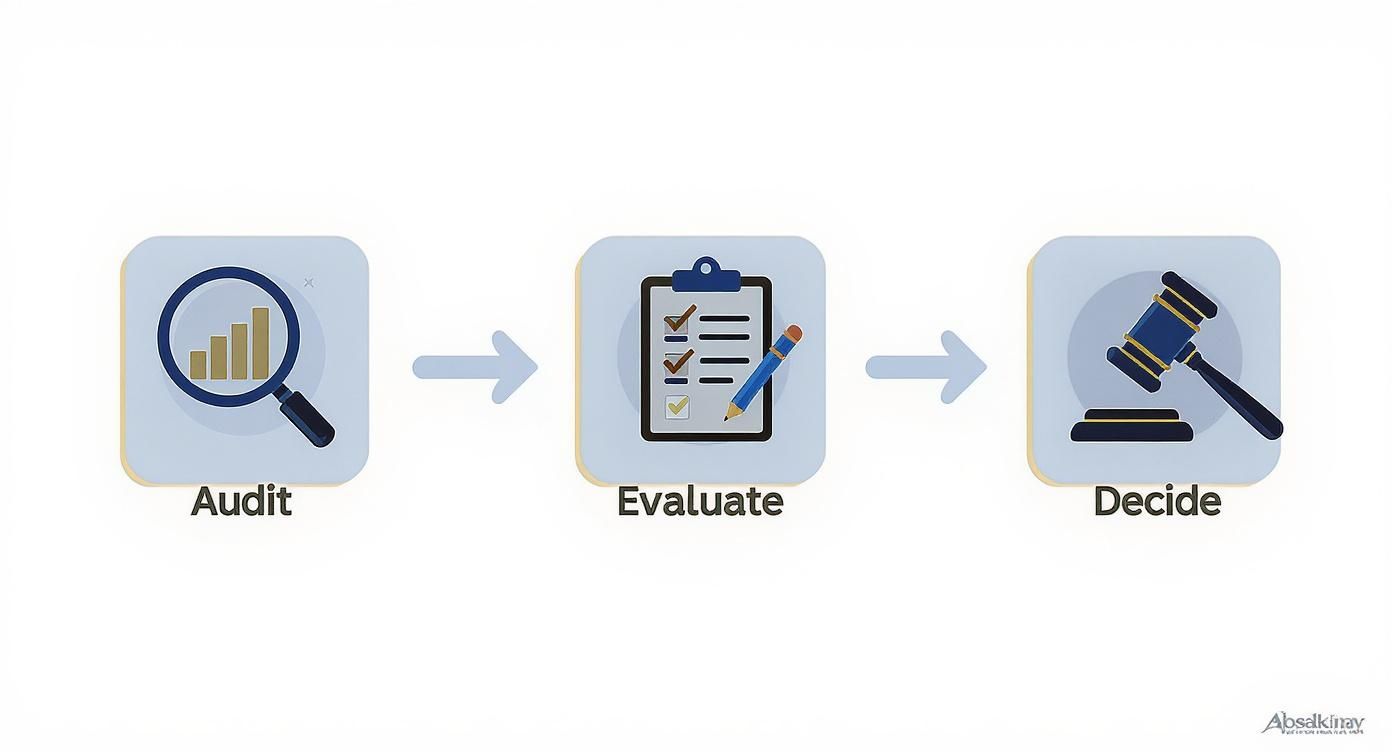
Following this flow—from auditing your needs to evaluating vendors and making a choice—lays the groundwork for a much smoother transition.
Getting the System Ready: Data and Setup
Once your plan is locked in, it’s time to get technical. Moving your data is often the trickiest part. Think of it as a spring cleaning for your contacts. This is the perfect opportunity to clean up messy lists, archive old cases, and make sure only clean, accurate information gets moved into your shiny new system. Lean on your software provider here; they should have a clear process and support team to help you.
At the same time, you'll be configuring the software to fit your firm like a glove. This means customizing intake forms for your different practice areas, building document templates for fee agreements, and setting up automated email follow-ups. When you're done, the system should feel like it was designed just for you.
The goal of implementation is not just to install software but to weave it into the fabric of your firm's daily operations. A thoughtful rollout ensures the technology serves your team, not the other way around.
Training Your Team and Getting Buy-In
Now for the most important part: your people. A tool is only as good as the team using it. To get everyone on board, you need to sell the "why." Don't just tell them they have to use it; show them how it's going to make their jobs easier, kill off tedious admin tasks, and help the whole firm grow.
Run hands-on training sessions that are actually engaging and tailored to specific roles—your paralegals need to know different things than your partners. For a deep dive on navigating this part of the process, check out this helpful change management plan example. Once you go live, offer plenty of support, celebrate the small victories, and watch as the new software becomes an essential part of your firm's success.
What's Next for Legal Client Intake Technology?
The client intake software your firm is using today? It's just scratching the surface. The next generation of these tools is already on the horizon, promising to inject a whole new level of intelligence into your firm’s operations. We're moving beyond basic automation and into a world of predictive, proactive client management.
At the center of it all is Artificial Intelligence (AI). Picture AI-powered chatbots on your website that are far more than glorified message-takers. These aren't just for scheduling calls; they'll qualify leads in real-time, answer surprisingly complex questions, and even begin to gauge a case's potential value based on the first interaction. And they do it all 24/7, letting your team focus their energy on the leads that matter most.
The Rise of Integrated Platforms
The days of juggling separate, disconnected systems are numbered. The future is all about hyper-integrated platforms where everything just works together. Tomorrow’s client intake software for law firms will let information flow effortlessly from the very first phone call straight through to the final invoice, killing off manual data entry for good.
This kind of deep integration creates a single, unified home for every piece of client information—intake forms, emails, documents, billing notes, you name it. When you have one reliable source of truth, accuracy goes up, collaboration becomes second nature, and you get a complete picture of every client relationship.
The next generation of legal tech isn't about piling on more tools. It's about creating a single, intelligent workspace where your data drives smarter, faster decisions at every stage of the client journey.
Data-Driven Business Development
Finally, expect advanced data analytics to become a standard feature, not a pricy add-on. The systems of the near future will dig into your intake data and pull out powerful insights you can actually use to grow your firm.
Soon, you'll be able to:
- Pinpoint your most profitable lead sources with stunning accuracy.
- Forecast your caseload so you can staff up or down intelligently.
- Spot trends in client needs to steer your firm’s long-term strategy.
By putting this data to work, your firm can stop reacting and start making proactive, evidence-based decisions. It’s how you’ll stay ahead of the curve in an increasingly competitive market.
Got Questions About Intake Software? We’ve Got Answers.
Jumping into new legal tech can feel like a big step. And when it’s something as critical as your firm's intake process—the very first impression you make on a potential client—you want to be sure you're making the right move. Let's cut through the noise and tackle the real-world questions law firms ask when they're considering client intake software.
We’ll skip the dense technical jargon and get straight to the practical insights you need to make a smart, confident decision for your practice.
What’s This Going to Cost? A Look at Typical Pricing
The investment for client intake software can vary, but most platforms use one of a few predictable pricing models. Knowing how they work helps you figure out what you'll actually spend.
You’ll generally find a few common ways these tools are priced, each with pros and cons depending on your firm's size and needs:
- Per-User, Per-Month Subscription: This is the most popular model by far. You pay a set monthly fee for each person on your team who needs access. It’s a great way to scale—if you hire someone, you add a seat. If someone leaves, you remove one. Simple.
- Flat Monthly Fee: Some providers simplify things with a single flat rate for the whole firm. For larger practices, this can be a real money-saver, giving you a predictable budget that doesn't creep up every time you bring on a new paralegal or attorney.
- Tiered Plans: Think of this as a "good, better, best" approach. Vendors offer different plans (like Basic, Pro, or Enterprise) with more features and power at each level. This lets you start with what you need right now, with a clear path to upgrade later as your firm grows.
The final price tag is usually shaped by things like how much automation you get, how many other tools it connects with, and the level of customer support you can expect.
Will This Software Play Nicely with My Other Systems?
This is one of the most important questions you can ask, and frankly, the answer should be a resounding "yes." A client intake system that can’t talk to your other software is just another information silo, creating more headaches than it solves. The whole point is to get data flowing smoothly from one place to another.
Look for a platform that has strong integrations with the software your firm already runs on. When a new client is signed, their information should automatically show up where it needs to be, killing the soul-crushing task of manual data entry.
A well-integrated system is like a digital bridge. It lets client information travel effortlessly from a contact form on your website straight into your practice management software. That connection is where the magic really happens.
Make sure it natively integrates with legal practice management heavyweights like Clio, PracticePanther, and MyCase. On top of that, connections to your calendar (Google Calendar, Outlook) and document storage (Dropbox, Google Drive) are absolute must-haves for any modern firm.
How Painful Is the Setup Process?
The idea of rolling out new software can bring on a cold sweat, but a good provider will guide you through it. For a small, nimble firm, you might be up and running in a few weeks. For a larger practice with complex workflows and a lot of data to move over, it could take a couple of months.
A typical implementation process usually looks something like this:
- Planning and Kickoff: You’ll sit down with the vendor to map out your firm's unique intake process and define what success looks like.
- System Configuration: This is the fun part. You get to customize your intake forms, build automation rules, and create the document templates that fit your practice like a glove.
- Data Migration: The vendor’s team should help you securely pull all your existing client and contact lists into the new system.
- Team Training: Your staff gets hands-on training to make sure everyone knows how to use the new platform in their daily work.
- Go-Live and Support: Once you flip the switch, the provider should stick around to answer questions and make sure your team is comfortable and confident.
A smooth rollout really comes down to choosing a partner who offers fantastic support and a clear, organized process from start to finish.
Ready to see how an AI-powered workspace can transform your entire workflow, from intake to final export? Whisperit unifies dictation, drafting, and collaboration to help legal teams work faster and smarter. Discover how Whisperit can bring a calmer, more efficient workflow to your firm.