
case management system for lawyers: The Essential Guide
Imagine trying to run your law firm without a central nervous system. You'd have paper files in one cabinet, client emails scattered across different inboxes, court deadlines jotted down on sticky notes, and billing info stuck in a spreadsheet. It's chaotic, inefficient, and a recipe for disaster. A case management system for lawyers is that central nervous system—a specialized software platform designed to be the single hub for everything your practice does.
It pulls every critical piece of information—client details, case documents, deadlines, time tracking, and billing—into one organized, accessible place.
Why Law Firms Need a Central Command Center

Think of an old-school law practice like a sprawling library where the books, notes, and calendars are all stored on different shelves, sometimes in entirely separate rooms. To find one specific detail, you have to search manually, which wastes time and opens the door to costly mistakes. A legal case management system essentially digitizes that entire library, making every document, deadline, and client email instantly searchable and available to your team.
This isn't just about getting another piece of software. It’s a fundamental change that shifts your firm's daily workflow from reactive and disorganized to proactive and efficient.
Moving Beyond Spreadsheets and Paper Files
The move to dedicated legal software is a huge leap forward in how law firms operate. Not too long ago, most practices ran on physical files and maybe a few basic spreadsheets. Today, that's completely changed. Over 80% of mid-sized and large firms have adopted specialized legal software for a reason.
Firms making this switch are handling more cases with fewer errors. We've seen some firms reduce missed deadlines by as much as 75% and slash administrative costs by 30%. It’s clear that modern tools far outperform traditional methods.
The Core Purpose of a Legal CMS
At its heart, this software is built to solve the biggest administrative headaches lawyers face every day. It creates a structured environment to manage the complex web of information tangled up in each case, making sure nothing slips through the cracks.
A case management system provides a single source of truth for your entire firm. It connects your documents, calendar, client communications, and billing into a cohesive workflow, minimizing risk and maximizing productivity.
By bringing all these functions together, you can automate the repetitive, low-value tasks and free up your team to focus on what truly matters: practicing law. The right law firm technology doesn't just hold your data; it makes that data work for you.
Here’s what that centralization actually looks like in practice:
- Improved Organization: All case-related information is stored in one logical, accessible place. No more frantic searches through email chains or stacks of manila folders.
- Reduced Malpractice Risk: Automated deadline tracking and conflict-of-interest checks act as a critical safety net against common, and often devastating, errors.
- Enhanced Client Service: With instant access to a complete case history, anyone on your team can give a client a quick, accurate update without having to track down the lead attorney.
The Core Features Your Law Firm Can't Live Without

When you start shopping for a case management system, the sheer number of features can feel overwhelming. It's easy to get bogged down in technical jargon. The real secret is to cut through the noise and focus on the fundamental tools that truly run an efficient modern practice.
These aren't just fancy add-ons. They're the absolute must-haves—the engines that power your firm's productivity, client service, and risk management. Let's walk through the non-negotiables.
1. Centralized Document Management
Think of this as your firm's intelligent, digital filing cabinet—one that actually works. A great system does more than just store files in the cloud. It intelligently organizes every single document, from motions and discovery to intake forms and evidence, and ties them directly to the correct case file.
Suddenly, the frantic search through shared drives, email chains, and desktop folders is over. A central hub gives you:
- Version Control: No more wondering if you have the latest draft. Everyone works from the same, most current document, which is critical for avoiding embarrassing and costly errors.
- Access From Anywhere: Pull up a crucial file from the courthouse, your home office, or a client meeting. Secure access is at your fingertips.
- Powerful Search: Find that one specific clause in a mountain of discovery documents in seconds, not hours.
If you're looking to truly modernize how your firm handles files, our guide to document management for law firms has more advanced strategies.
2. Integrated Calendaring and Deadline Tracking
Let's be blunt: missed deadlines are a leading cause of malpractice claims. Your case management software should be your first line of defense. This means having a calendar that's deeply integrated into your actual casework.
The system should automatically calculate court deadlines based on jurisdictional rules and send you and your team proactive reminders for statutes of limitations, filing dates, and client meetings. It’s the difference between hoping nothing gets missed and having an automated safety net ensuring nothing falls through the cracks.
This isn't just about scheduling meetings. It's a malpractice prevention tool that links every task, appointment, and court deadline to a specific matter, giving your entire team a single, unified view of what needs to be done and when.
3. Task Management and Collaboration
Legal work is a team effort, and your software needs to support that. A solid system lets partners assign tasks to associates and paralegals, set due dates, and check on progress—all within the context of the case file.
This creates clear lines of accountability. No more "I thought you were handling that" moments. These tools are often part of broader law firm project management software suites that keep everyone in sync and ensure work moves smoothly from one person to the next.
4. Client Communication and Contact Management
Your case management platform should be the single source of truth for every client relationship. It needs to capture and organize all your communications—emails, phone call logs, notes from meetings—and attach them directly to the client's case.
This creates a complete, chronological history of every interaction. Any lawyer or paralegal on the team can get up to speed in minutes, without having to chase down the primary attorney for the latest update. It’s about being informed and providing consistently great service.
5. Time Tracking and Billing
Finally, let's talk about getting paid. Every minute you work on a case is a potential billable hour, and your software should make it dead simple to capture that time. A good system lets you track time from your computer or phone and then automatically generates accurate, professional invoices from that data.
This isn't just an administrative time-saver. By connecting your work directly to your billing, you close the loop, speed up your cash flow, and make the entire invoicing process practically painless.
Essential vs. Advanced Software Features
As you evaluate different platforms, it's helpful to distinguish between the core, must-have features and the more advanced ones that, while valuable, might be more of a "nice-to-have" depending on your firm's size and needs. This table breaks it down.
| Feature Category | Essential (Must-Have) | Advanced (Nice-to-Have) |
|---|---|---|
| Document Management | Centralized storage, version history, basic search, mobile access. | AI-powered document review, automated document assembly, e-signature integration. |
| Calendaring & Deadlines | Central firm calendar, automated deadline reminders, basic rules-based calendaring. | Advanced jurisdictional rule sets, integration with court docketing systems, custom rule creation. |
| Task Management | Assign tasks to team members, set due dates, view task lists by case. | Automated workflows (task templates), dependency tracking, Gantt charts for complex litigation. |
| Client & Contact Management | Central contact database, communication logging, basic client portal. | Automated intake forms, conflict of interest checking, advanced client portal with secure messaging and document sharing. |
| Billing & Invoicing | Time tracking, expense tracking, basic invoice generation, trust accounting. | Integration with accounting software (QuickBooks, Xero), LEDES billing, online payment processing. |
Ultimately, start with the essentials. These are the features that will deliver the most immediate impact. Once those are in place, you can explore the advanced options that align with your firm's growth and specific areas of practice.
The Real-World Benefits for Your Practice

It's one thing to list out a bunch of software features, but it's another to see what a case management system for lawyers actually does for your firm. The real magic isn't just about getting organized; it's about fundamentally changing how you work for the better. We're talking about boosting your productivity, making clients happier, and ultimately, making your practice more profitable.
This isn't just a niche trend. The market for this kind of software has swelled to around $5 billion and continues to climb. This growth is being powered by firms—making up over 60% of the market—that are tired of scattered information and are finally centralizing their operations. You can dig deeper into the growth of legal tech from Archive Market Research.
Boost Your Firm’s Productivity
Think about all the time your team sinks into non-billable work. Hunting for a specific document, re-entering client information into another system, building an invoice from scratch—it all adds up. A good case management system takes these repetitive, administrative chores off your plate.
Suddenly, those hours are yours again. Instead of being buried in paperwork, your attorneys can pour their energy into what truly matters: building case strategy, advising clients, and doing the high-value legal work that actually drives revenue.
Picture this: a paralegal used to spend half a day manually sifting through and organizing discovery documents for a new case. With a system in place, those same documents are automatically tagged, sorted, and linked to the correct client file. A four-hour headache becomes a five-minute task.
Enhance Client Satisfaction and Trust
In a crowded market, fantastic client service is what sets a firm apart. A centralized system gives everyone on your team the same 360-degree view of every case—every email, every document, every important date is right there.
So, when a client calls with a question, anyone who picks up the phone can give them a smart, accurate answer instantly. You're not putting them on hold to track down a file or ask a colleague. That kind of responsiveness builds incredible trust and leads to the kind of happy clients who leave great reviews and send referrals your way.
For personal injury firms, a solid system is a game-changer. It helps manage the entire case lifecycle, from the initial client call to the final check, making complex processes like those in a complete guide to car accident settlements much more manageable.
Increase Profitability and Manage Risk
At the end of the day, efficiency and happy clients lead directly to a healthier bottom line. When you can track billable hours more accurately and send out invoices with a few clicks, you improve cash flow and stop revenue from slipping through the cracks.
But a case management system for lawyers is also one of your best lines of defense against risk. Think of it as a digital safety net for your practice.
- Automated Deadline Reminders: The system acts as your watchdog, preventing missed statutes of limitation or court filing deadlines—a primary driver of malpractice claims.
- Conflict-of-Interest Checks: It automatically scans your entire database to flag potential conflicts the moment a new client or matter is entered, stopping problems before they start.
By replacing manual chaos with a clear, streamlined process, this software doesn't just make you more money. It protects the reputation and long-term health of your entire firm.
How to Choose the Right Legal Software
Picking a case management system for lawyers is one of those big decisions that will echo through your firm for years. It's not just about buying another tool; it’s a real investment in your practice's day-to-day efficiency, client data security, and long-term growth. If you approach it with a clear plan, you can cut through the noise and find a platform that feels like it was built just for your team.
The first, most crucial step is to look inward. What does your firm actually need? The features a busy personal injury practice depends on are worlds away from what a corporate law firm requires. Think honestly about your firm's size, your main practice areas, and, of course, your budget. This self-assessment acts as a powerful filter, immediately eliminating options that aren't a good fit.
This is a crowded market for a reason: firms are finally seeing massive productivity gains. The U.S. case management software market alone hit $2.37 billion** and is expected to surge to **$7.05 billion by 2034. That growth isn't just a number; it represents a fundamental shift in the legal industry toward digital workflows and smart automation. To learn more about this trend, you can explore the data on the move toward paperless legal environments at Gminsights.com.
Key Factors for Your Evaluation
Once you have a clear picture of your non-negotiables, you can start digging into specific solutions. It's time to look past the slick marketing and focus on what it will be like to use this software every single day.
Here are the critical factors to weigh:
- Cloud-Based vs. On-Premise: Cloud platforms offer amazing flexibility. You get remote access and lower upfront costs because the vendor handles all the servers and security updates. On-premise systems, on the other hand, give you direct, hands-on control over your data but come with a hefty IT investment for hardware and ongoing maintenance.
- User-Friendliness: The most powerful software in the world is completely useless if your team finds it confusing. Look for a clean, intuitive interface that people can pick up without weeks of training. A clunky system just breeds frustration and kills adoption before it can even start.
- Integration Capabilities: Your new system has to play nicely with the tools you already use and trust. Does it connect smoothly with your email, like Outlook or Gmail? What about your accounting software, such as QuickBooks? Can it link to your existing document storage?
The goal is to create a single, unified hub for your practice, not another isolated island of data. A well-integrated case management system becomes the heart of your firm's tech, connecting everything else and putting an end to tedious double data entry.
Asking the Right Questions During a Demo
A product demo is your chance to put the software through its paces. Don't just sit back and watch the presentation. Show up with a list of specific, tough questions that get to the heart of your firm’s unique challenges.
This is your opportunity to dig deep. Try asking things like:
- Can you walk me through a typical case, from the initial client intake all the way to closing the file? This will expose the real-world workflow and any potential friction points.
- How do you handle customer support? Get specifics on response times, what channels they offer (phone, email, live chat), and whether that support is included in your subscription or costs extra.
- What security measures are in place to protect our confidential client data? Ask directly about encryption, data backup protocols, and their compliance with legal industry standards.
- What does the implementation and data migration process actually look like? A messy, complicated transition can derail the whole project. You need to know how they'll help you get up and running smoothly.
Making the right call means doing your homework and understanding how a platform will truly fit into your daily operations. For a deeper dive into this process, check out our comprehensive guide on choosing the right legal practice management software. By focusing on these core areas, you can confidently select a system that genuinely empowers your firm to do its best work.
Implementing Your New System for a Smooth Transition
Picking the right case management system for lawyers is a huge accomplishment, but the real work—and the real payoff—starts with a smart implementation. A successful rollout is what turns a promising piece of software into an engine for your firm's growth. If you rush this part, you'll likely end up with messy data, frustrated staff, and a system that never lives up to its potential.
The secret is a thoughtful, phased approach. Instead of flipping a switch and hoping for the best, you introduce the system in manageable stages. This strategy gives everyone time to adjust, learn the ropes, and see the benefits for themselves, turning skepticism into genuine enthusiasm.
Planning Your Phased Rollout
Think of your implementation plan as a roadmap, guiding your firm from its old, scattered processes to a new, unified hub. A smooth transition hinges on careful planning, especially when it comes to getting your team on board. This is a core principle of change management—making sure everyone understands the "why" behind the new tool. If you need a starting point, a good change management plan example can help you structure your strategy.
Your plan should map out these critical steps:
- Data Cleanup and Migration: Before you move a single document, it's time for a digital spring cleaning. Archive old, irrelevant cases, standardize how you name files and folders, and get rid of duplicate contacts. Starting with clean, organized data is absolutely crucial for making the new system trustworthy from day one.
- Pilot Group Testing: Don't go all-in at once. Choose a small group of tech-friendly attorneys and paralegals to be your test crew. Have them run a few active cases through the system. Their real-world feedback is gold; it will help you spot kinks and refine your training program before the firm-wide launch.
- Firm-Wide Training: One-size-fits-all training doesn't work. Schedule sessions that are specific to different roles in your firm. A paralegal's daily grind looks very different from a managing partner's, so the training needs to reflect that reality. Focus on how the software solves their specific problems, not just on a generic list of features.
Fostering Adoption and Ensuring Long-Term Success
Even the most powerful software is worthless if no one uses it correctly. Getting your team to buy in isn't about top-down mandates; it’s about proving the system’s value in their day-to-day work. Keep highlighting how it solves common frustrations, whether that's finding a key document in seconds or automating the drudgery of time tracking.
Your goal is to make the new system the path of least resistance. When your team sees that using the software is genuinely easier and faster than the old way of doing things, adoption will happen naturally.
Finally, remember that implementation isn't a "set it and forget it" task. It’s an ongoing process. Schedule regular check-ins, offer refresher training, and provide continuous support. Technology changes, and so will your firm's needs. By treating this as the start of a long-term partnership with your new software, you’ll maximize your investment and unlock the full competitive advantage of your case management system for lawyers.
Frequently Asked Questions
Jumping into the world of legal tech naturally brings up some important questions. It’s completely normal to wonder about the security of your client’s sensitive files, what the real cost will be, and how long it will actually take to get your team up to speed. It’s smart to get all the facts straight. This section is here to clear up the most common questions lawyers ask when they start looking at a case management system for lawyers.
This simple visual breaks down the key steps for bringing a new system into your firm.
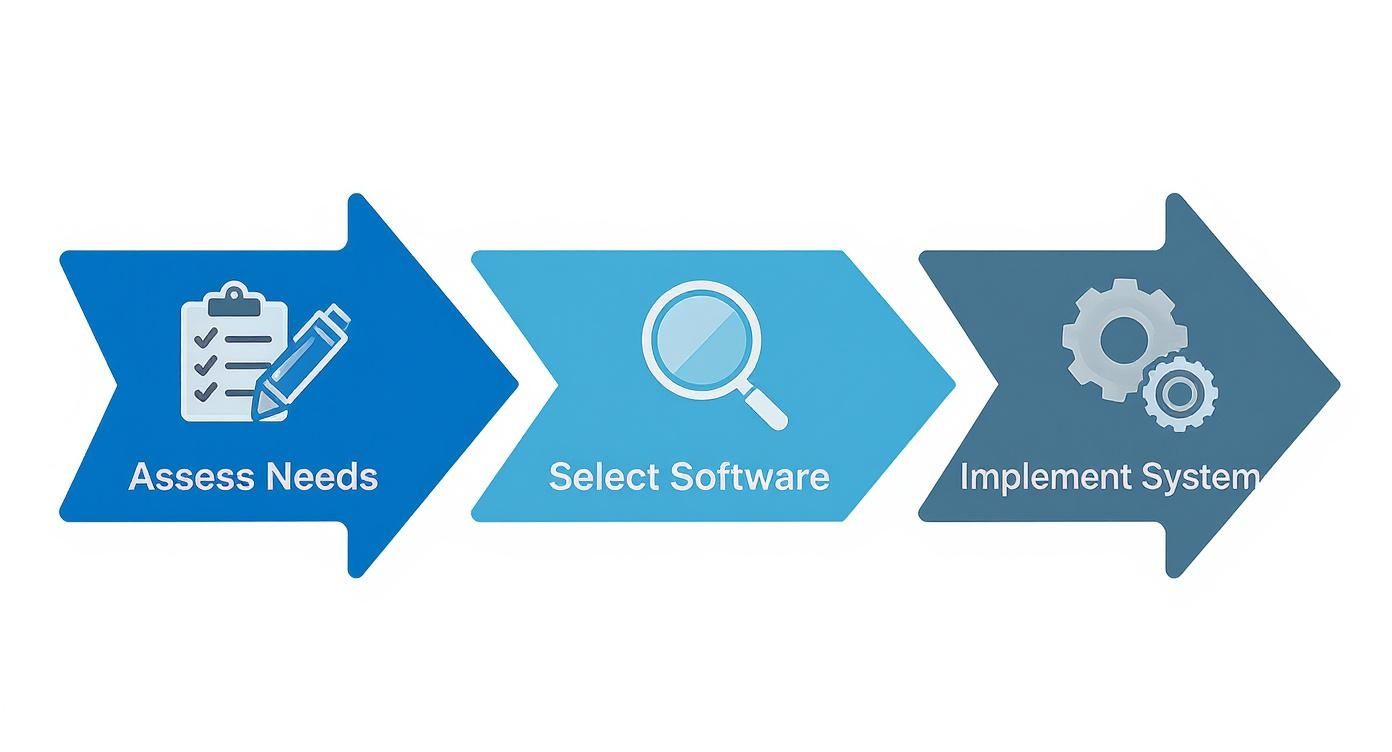
As you can see, the process flows logically—starting with a real assessment of what your firm needs, moving to picking the right software, and finishing with a thoughtful rollout for your entire team.
Is My Client Data Secure in the Cloud?
This is almost always the first question, and for a very good reason. Any reputable cloud-based legal software provider knows that client confidentiality is the bedrock of the legal profession. They pour massive resources into security measures that would be out of reach for most individual law firms.
When you're vetting a platform, make sure it has these non-negotiable security features:
- Data Encryption: This is critical. It means your data is scrambled and unreadable, both when it's sitting on a server and when it's moving across the internet.
- Role-Based Access Controls: You decide who sees what. This lets you set specific permissions so team members can only access the cases and information they're cleared for.
- Regular Backups: Your firm’s data is automatically copied and stored in secure, often geographically diverse, locations. This is your safety net against any kind of data loss.
Top-tier systems are built from the ground up to meet the tough security standards of the legal industry. For a deeper look into this, you can read more about the best practices for maintaining client confidentiality in a modern practice.
What Is the Real Cost of a Case Management System?
The price tag can vary quite a bit, but most modern platforms run on a subscription basis. You’ll typically see pricing set per user, per month. This model is great because it gives you access to powerful tools without needing a huge upfront investment in hardware and traditional software licenses.
But when you're looking at the numbers, don't just focus on the sticker price. Think about the total value. A system that costs $50 per user each month but frees up each lawyer for several more billable hours is an incredible return on your investment. That extra billable time will dwarf the subscription fee.
Think about the hidden costs of not having a system. All those wasted administrative hours, the stomach-churning risk of a missed deadline, the sheer inefficiency of digging through disorganized files—the right software pays for itself by boosting productivity and minimizing risk.
How Long Does It Take to Learn the Software?
The learning curve really depends on two things: the software's design and your team's tech-savviness. The best platforms are designed to be intuitive, making the switch as painless as possible. Most firms find that their teams get the hang of the core features within just a few weeks.
To make sure the transition is a success, partner with a provider that offers solid training and support. Look for things like live training webinars, a library of video tutorials, and a customer support team that actually picks up the phone. A good provider doesn't just sell you a product; they invest in your firm's success with it.
At Whisperit, we've created a voice-first AI workspace that becomes your firm's central command center, connecting everything from dictation and document drafting to team collaboration. Our platform was designed with an intuitive interface from the ground up, so you can minimize the learning curve and get productive right away. See how Whisperit can bring a calmer, more efficient workflow to your legal team by visiting https://whisperit.ai.