
Case Management Software for Law Firms a Guide to Real Efficiency
Think of legal case management software as the central nervous system for a modern law firm. It’s a dedicated digital platform that wrangles every moving part of a case—from the first client call and document management to tracking critical deadlines and handling billing.
Instead of drowning in spreadsheets, overflowing email inboxes, and piles of paper, everything lives in one organized, accessible place. It becomes the single source of truth for the entire firm, a shift that's essential for boosting productivity and keeping clients happy.
Why Case Management Software Is No Longer Optional
For too many law firms, the daily grind involves battling mountains of paperwork, trying to track deadlines in a color-coded spreadsheet, and juggling an endless stream of client calls. This kind of manual, disconnected process isn't just inefficient; it's a direct threat to a firm's profitability and reputation.
Without a central system, chaos is the default setting. This inevitably leads to missed deadlines, frustrating communication breakdowns with clients, and, of course, lost billable hours.
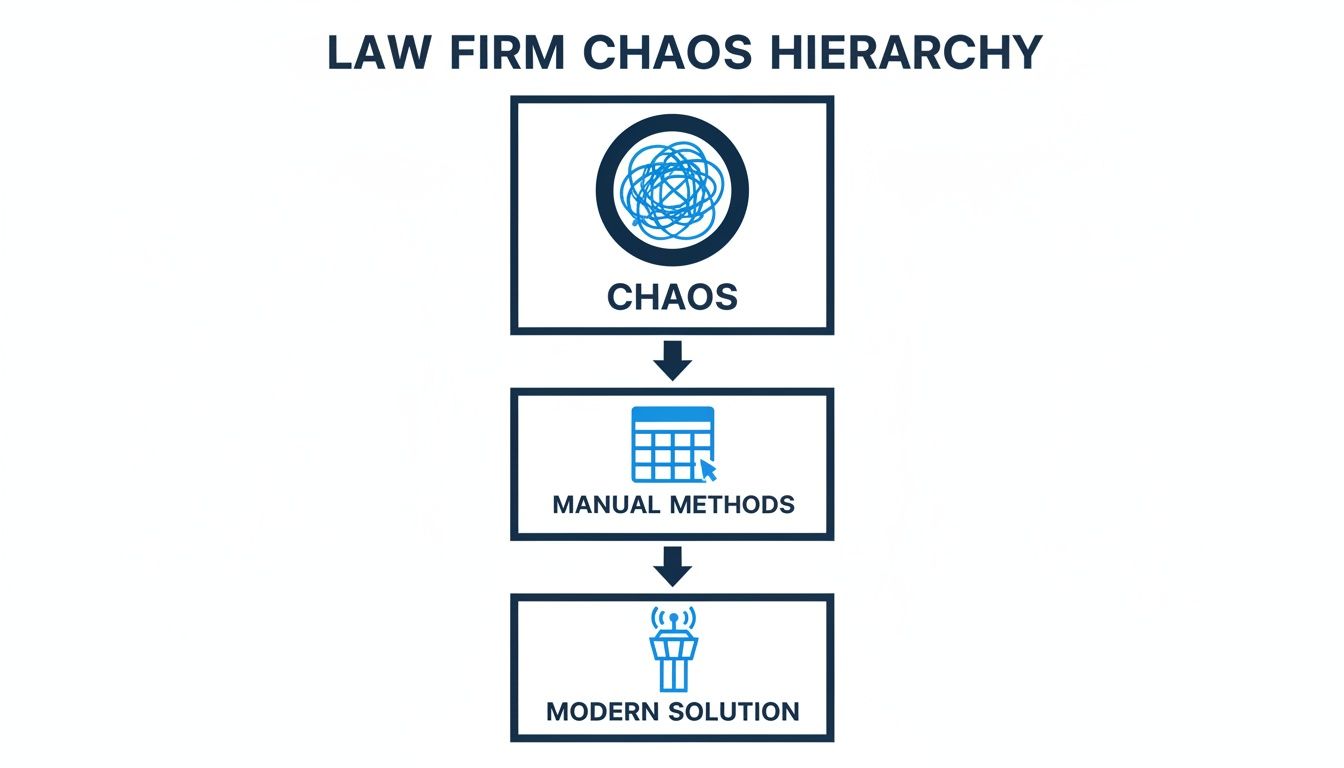
Imagine a busy law practice trying to operate this way. It’s like an air traffic control tower where every controller is using their own separate, incompatible system. One person tracks arrivals on a whiteboard, another uses sticky notes for departures, and a third just relies on memory for flight paths. A catastrophic mistake isn't a question of if, but when. That’s the high-stakes environment manual processes create in a law firm.
From Organized Chaos to Controlled Workflow
This is where legal case management software comes in. It acts as the unified command center, that single, reliable air traffic control system that guides every case, communication, and deadline safely to its destination. The result is a calmer, more controlled, and dramatically more profitable workflow. This isn't just some passing trend; it's a fundamental shift happening across the entire legal industry.
The Legal Case Management Software market is exploding, on track to hit USD 13.4 billion by 2033 with a powerful growth rate of 11.8%. This boom shows just how urgently legal professionals are adopting digital tools to get their workflows under control.
The True Cost of Inefficiency
The hidden costs of disorganization are staggering. Every minute a lawyer or paralegal spends hunting for a document, trying to clarify a task, or re-entering the same information into different systems is a minute they can't bill to a client.
Even more critically, the risk of malpractice skyrockets when crucial dates and deadlines are managed with a flimsy spreadsheet or a desk calendar. Adopting a modern solution is as much about protecting the firm from risk as it is about unlocking its growth potential. You can read more about the evolution of law firm technology in our related article.
Case management is just one piece of the puzzle. Today's lawyers rely on a whole suite of digital tools to stay competitive. Understanding the 12 essential platforms for legal practice is key to building a truly modern and efficient operation. The right software doesn't just organize your work today—it builds the foundation for a stronger, more scalable firm tomorrow.
Exploring the Core Features of Your Legal Command Center
Feature lists are boring. They don't tell you what a piece of software will actually do for your firm day in and day out. So let's skip the buzzwords and get real about how these tools solve the problems that keep attorneys up at night.
Think of it less as a program and more as a central hub designed to untangle your firm's biggest operational knots. Every core feature is a direct answer to a specific, often costly, headache.
For instance, "Document Management" isn't just about cloud storage. It’s about ending those frantic, non-billable searches for a key exhibit buried in a year-old email thread. It means every file for every case is exactly where it should be, ready in seconds. Likewise, "Deadline Tracking" is more than a glorified calendar; it’s an automated safety net, guarding your firm against a missed statute of limitations—a catastrophic and entirely preventable error.
This journey from operational chaos to a streamlined, modern practice is a common one. Technology brings order and predictability to the inherently complex nature of legal work.
Mastering Documents and Deadlines
At its heart, a law practice runs on two things: documents and deadlines. The right software fundamentally changes how your team interacts with both. Forget confusing shared drives and folders named "Final_Motion_v3_final_final."
Instead, every document is automatically linked to its specific case, client, and matter, creating a definitive single source of truth. When a partner needs the latest version of a brief, they find it in the case file—no more asking three different people and hoping you got the right one.
In fact, 77% of legal professionals already use technology for document review, which tells you how critical this has become. Look for a few key functions here:
- Version Control: This automatically tracks every change, ensuring no one is ever working on an outdated draft.
- Centralized Storage: Every pleading, email, and piece of evidence lives inside the digital case file, accessible from anywhere.
- Full-Text Search: Imagine finding a specific phrase across thousands of documents instantly. It's a game-changer.
Diving deeper into modern legal document management principles is a great next step for any firm serious about getting its information house in order.
Effortless Time Tracking and Billing
One of the biggest leaks in a law firm's revenue bucket is sloppy time tracking. Manual logs, spreadsheets, and sticky notes are notoriously unreliable. Trying to reconstruct your day from memory at 5 PM is a recipe for lost billable hours.
By automating routine tasks like time tracking, modern legal software can free up an estimated 240 hours per year for each legal professional. That’s time you can pour back into high-value client work or business development.
Case management software solves this by weaving time tracking directly into your daily workflow. Start working on a document, reply to a client message, or log a phone call, and a timer can run in the background. It captures every billable minute without you having to think about it. When it's time to send invoices, the system generates accurate, detailed bills in just a few clicks, which gets you paid faster.
To give you a clearer picture, here's how today's standard tools stack up against the more advanced platforms that are setting the pace for the future.
Standard vs Next-Generation Software Features
| Feature Category | Standard Capability (What to Expect) | Advanced Capability (The Next Level) |
|---|---|---|
| Document Management | Centralized cloud storage, basic version history, folder-based organization. | Full-text OCR search, automatic document profiling, metadata extraction, AI-powered summarization. |
| Time & Billing | Manual or semi-automated time entry, customizable invoice templates, basic reporting. | Automated activity-based time capture, intelligent billing rule enforcement, advanced profitability analytics per matter. |
| Communication | Secure internal messaging, basic client portal for document sharing. | Integrated VoIP calling, video conferencing, AI-driven transcription of all communications. |
| Task Management | To-do lists, manual deadline entry, basic calendar sync. | Automated workflow templates, dependency-based task assignments, predictive deadline warnings. |
| Integrations | Connects with common tools like Office 365 and accounting software (QuickBooks). | Deep API access, connects with e-discovery platforms, legal research tools, and AI workspaces like Whisperit. |
While standard features provide a solid foundation, the advanced capabilities are where firms start to see major leaps in productivity and client service.
Secure Client Communication
Finally, these platforms completely overhaul how you talk to your clients. Email is disorganized and insecure. A dedicated client portal provides a secure, centralized space for every interaction.
Clients can log in to check for case updates, review and sign documents, and send messages in a secure environment. This transparency not only makes for happier clients but also creates a permanent, unchangeable record of all communications. It’s better service and better risk management, all in one.
The True ROI of Integrated Case Management
Thinking about new software can feel like a major expense—another line item to question and debate. But the right case management software for law firms isn't a cost center. It's a serious investment that pays for itself over and over again. This return on investment (ROI) isn't just about saving a few dollars here and there; it shows up in three critical areas that are the engine for a firm's growth and stability.
We can actually measure this impact by looking at financial gains, operational improvements, and client satisfaction. When you see how these pieces fit together, it becomes obvious that a modern platform is a strategic asset, not just another subscription to manage.
The Financial Return on Your Investment
The most immediate ROI you'll see is by plugging the tiny revenue leaks that add up to big losses. We all know manual time tracking is a mess. It's notoriously inaccurate, which means billable hours get missed and income is lost forever. When time capture is automated and built right into your daily workflow, every single billable minute gets recorded without anyone having to think about it.
On top of that, streamlined invoicing and billing cycles mean you get paid faster. Instead of your team wasting hours manually creating, sending, and chasing invoices, the system takes care of it. This makes a huge difference to your cash flow and cuts down on the non-billable time spent on financial chores.
A centralized system can uncover thousands in lost revenue annually just by optimizing time tracking and billing processes, turning a perceived cost into a significant profit driver.
The Operational Return on Your Investment
The next layer of return comes from sheer operational efficiency. A single, centralized platform lets your firm handle a much larger caseload without needing to hire more people. When documents, deadlines, and communications all live in one organized place, the daily friction just melts away.
Your paralegals and attorneys will spend far less time hunting for information and more time actually moving cases forward. This productivity boost is where a firm really starts to scale. You can confidently take on more clients and more complex matters without burning out your team, which directly grows your revenue capacity. Our guide to optimizing resource allocation gets into the nitty-gritty of how technology helps you distribute workloads smarter.
Think about these key operational wins:
- Reduced Administrative Overhead: Automation handles the repetitive, mundane tasks, freeing up your team for high-value legal work.
- Improved Task Management: Smart workflows keep cases progressing smoothly and prevent frustrating bottlenecks.
- Fewer Errors: With centralized data and automated deadline reminders, the risk of a costly mistake drops significantly.
The Client-Centric Return on Your Investment
Finally, we get to what might be the most valuable ROI of all: the impact on your clients. Better organization naturally leads to faster response times, clearer communication, and a much better client experience from start to finish. When clients feel like they're in the loop and genuinely cared for, their satisfaction skyrockets.
This isn't just a "nice-to-have" bonus. Happy clients become your most powerful marketing tool. They leave glowing reviews that attract new prospects. Even more importantly, they give you referrals—the lifeblood of any successful practice. The data clearly shows the link between smooth operations and winning new business.
Firms that embrace modern software are seeing incredible gains. In fact, data from major markets shows that 85% of firms are already using these tools for digital record-keeping, which slashes administrative busywork. One platform, MyCase, reported that its users captured 58,395 leads through their integrated intake forms in 2023 alone, and turned 10,286 of them into new clients. Referrals brought in another 47,440 leads, proving how software-driven efficiency nurtures the client relationships that fuel real growth. You can dig into more industry-wide trends by exploring the court management software market.
How Modern Software Strengthens Your Firm's Security and Compliance
In any law practice, client data isn't just information—it's the bedrock of your firm's integrity. Protecting it is non-negotiable. Modern case management software is built from the ground up with this duty in mind, turning security from an afterthought into an active, everyday part of your workflow.
Think of data encryption as a digital-age safe for your files. This technology scrambles sensitive information into an unreadable code, making it completely useless to anyone who doesn't hold the specific key. This protection is twofold: it applies when your data is sitting on a server (encryption at rest) and also while it's being sent to a client or opposing counsel (encryption in transit). It’s the modern equivalent of sending a locked briefcase with a trusted courier.

Controlling Access and Ensuring Accountability
Locking the data is one thing; controlling who has the keys is another. This is where features like role-based access controls are absolutely critical. They allow you to give each team member specific permissions, ensuring a paralegal can see the case files they're assigned to but can't wander into the firm’s sensitive financial records. It’s a simple, powerful way to enforce a strict need-to-know policy.
On top of that, a good system maintains a detailed audit trail. This is your digital logbook, recording every single action taken within the platform—who opened a document, when they viewed it, and what, if any, changes were made. This unchangeable record is invaluable for internal accountability and becomes your best friend during a compliance audit or security investigation. We explore this further in our guide on data security for law firms.
Navigating Data Residency and Global Compliance
For firms handling international cases, the physical location where your data is stored isn't just a technical detail—it's a massive legal issue. This concept, known as data residency, is a central pillar of regulations like Europe’s GDPR. If you store an EU client's data on a server located outside the EU, you could face staggering penalties.
Choosing a software provider that offers hosting in specific jurisdictions isn't a "nice-to-have" feature; it's a fundamental compliance requirement. It allows you to meet your legal obligations without giving up the power of modern cloud software.
This is a key reason why so many firms are moving to adaptable cloud solutions. While some still rely on on-premise systems, the scalability and compliance agility of the cloud are undeniable, especially for practices with complex, cross-border work. Platforms like Whisperit, which provide dedicated Swiss/EU hosting, are built specifically to solve these challenges, giving global professionals the confidence to operate without compromise.
A Complete Approach to Information Security
Ultimately, the right platform helps you build a strong defense around your most critical information. But true security doesn't stop at the software. The physical lifecycle of your IT hardware also demands careful attention. When it's time to retire old equipment, using certified secure hard drive destruction methods is essential for protecting client data and maintaining compliance.
This complete view of security—covering everything from digital access controls to physical hardware disposal—is what truly protects your firm, preserves client trust, and shores up your reputation.
A Practical Checklist for Choosing the Right Platform
Picking the right case management software is a big decision, but it doesn't need to be a stressful one. If you have a clear plan, you can easily cut through the marketing fluff and find a platform that genuinely fits how your firm works day-to-day. This checklist is designed to give you a solid framework for evaluating your options like you've been doing it for years.
The whole point is to look past the shiny feature lists and find a system that solves your actual problems. It's easy to get wowed by a slick demo, but the real test is how the software holds up in the trenches of your daily practice.

Define Your Firm's Core Needs
Before you even glance at a vendor's website, you need to look inward. What are the biggest operational headaches your team struggles with every single day? A firm drowning in litigation discovery has completely different needs than one that focuses on transactional work like real estate closings.
Start by mapping out how you work now and pinpointing where things get stuck.
- Practice Area Focus: Are you managing complex litigation that demands powerful discovery tools, or is your work more about generating and managing documents for transactional matters?
- Team Size and Roles: Think about everyone who will touch the software—partners, associates, paralegals, and admin staff. Who are the power users going to be?
- Biggest Pain Points: Is sloppy time tracking costing you billable hours? Is keeping track of document versions a nightmare? Is your client communication all over the place?
Getting clear on these answers first creates a personalized scorecard for every platform you look at. It helps you stay focused on solving real problems, not just buying new tech for the sake of it.
Evaluate Scalability and Future Growth
The software you pick today has to be able to keep up with your firm tomorrow. A system that’s perfect for a three-person team could easily buckle under the weight of a ten-person practice with a caseload that's exploding.
Think hard about the software's ability to grow alongside you. Can it handle more users, more cases, and mountains of documents without slowing to a crawl? Is the pricing flexible enough to make sense as you expand? Picking a scalable solution now saves you from the massive headache and expense of ripping it all out and starting over in a few years.
An intuitive user interface is non-negotiable. If the software is clunky or confusing, your team simply won't use it, rendering even the most powerful features completely worthless. Prioritize a clean, user-friendly design during your evaluation.
Test Integrations and User Experience
No software works in a silo. Your new case management software for law firms has to play nicely with the tools your team already lives in, like Microsoft Outlook for email or QuickBooks for accounting.
This is where a trial period is absolutely crucial. Don’t just click around—put it through its paces.
- Connect Core Tools: Sync your email and calendar. See how smoothly it captures communications and logs appointments.
- Run a Test Case: Set up a fake case file and have your team walk through their typical daily tasks inside the new system.
- Gather Team Feedback: Listen carefully to what your team says. Is it easy to figure out? Can they find what they need without a 200-page manual?
A successful rollout is all about user adoption. By getting your team involved in the testing process and making sure the platform makes their lives easier, not harder, you’re paving the way for a smooth transition and real, long-term value.
The Future Is an AI-Powered Legal Workspace
The case management software we’ve covered is brilliant at organizing your work. It acts as a central command center, taming the chaos of documents, deadlines, and communications. But the next wave of legal tech isn’t satisfied with just organizing your work—it’s built to actively participate in it.
We’re now stepping into the era of the AI-powered legal workspace. This is a fundamental move away from passive data storage toward an intelligent, active partnership. The goal is no longer just to keep you organized; it’s to put you ahead of the curve by shrinking the time between an idea and a finished piece of work.
Moving Beyond Organization to Participation
Imagine you've just wrapped up a client call. Instead of sitting down to type up your notes, you simply speak a summary of the conversation. An AI instantly transcribes your words, understands the context, and drafts a formal client update letter using your firm's template. It then pinpoints any deadlines you mentioned and suggests adding them straight to the case calendar.
This isn’t a sci-fi fantasy; it’s what modern platforms can do right now. These systems are evolving from digital filing cabinets into active collaborators in your daily grind. This is crucial when you consider that roughly 67% of a lawyer’s day is spent on non-billable administrative tasks. AI workspaces are engineered to win that time back.
AI isn’t just about working faster—it's about working smarter and with greater purpose. By automating the repetitive, it gives legal professionals more time to do the work that truly matters.
Core AI Capabilities in the Modern Workspace
The real magic of these new platforms comes from weaving key AI technologies directly into your workflow. These aren't clunky add-ons but deeply embedded features that grasp the context of your legal work.
Here’s what that looks like in practice:
- Intelligent Document Generation: The system doesn’t just hold your templates; it helps you fill them out. It can pull client data, case facts, and relevant clauses to generate first drafts of motions, letters, or contracts in a matter of seconds.
- Real-Time Transcription: Every meeting, call, and dictated note can be instantly transcribed and made searchable. This creates a flawless record and turns spoken words into actionable data you can use immediately.
- AI Navigators and Agents: This is one of the biggest leaps forward. You can use plain English to command your workspace. Instead of clicking through a maze of folders, you can simply say, “Show me the latest correspondence in the Smith case,” and the system delivers.
This new wave of technology isn't here to replace lawyers. It’s here to augment their expertise, freeing them from the low-value tasks so they can focus on strategy, client relationships, and the kind of nuanced legal analysis that only a human can provide. For a closer look at this shift, you can learn more about how generative AI is transforming law firms in our detailed guide.
This pivot toward a more integrated, intelligent, and fluid way of practicing law is redefining what a case management software for law firms can be. It's no longer just a system of record; it's a partner in productivity.
Answering Your Top Questions
Switching to a new system is a big decision, and it’s natural to have questions. Let's tackle some of the most common ones we hear from legal professionals who are considering making a move to a modern case management software for law firms.
How Long Does It Take to Get Up and Running?
This is the classic "it depends" answer, but I can give you a realistic picture. The timeline really hinges on your firm's size and how much data you're bringing over. The good news is that today's cloud-based tools are built for a quick setup—think weeks, not the months-long sagas associated with old-school, on-premise software.
The process usually breaks down into three main parts:
- Data Migration: This involves carefully moving all your existing client files and case histories into the new home.
- System Configuration: Here, you'll tailor the software to match your firm’s unique workflows and practice areas.
- Team Training: Getting everyone, from partners to paralegals, comfortable and proficient with the new system is key to adoption.
A smart approach many firms take is a phased rollout. Start with a small pilot team to iron out any wrinkles before introducing it to everyone. Any vendor worth their salt will offer hands-on onboarding support to guide you through this entire transition.
Is My Data Really Secure in the Cloud?
Yes, and in many cases, it's even more secure. Top-tier cloud software providers pour millions into security infrastructure—far more than a typical law firm could ever justify. Their entire reputation is built on safeguarding your confidential client data.
When you're vetting a platform, you need to look for a multi-pronged security strategy.
A huge tell is the vendor's stance on data sovereignty and compliance. For firms needing to comply with GDPR, for example, having the option for dedicated Swiss or EU hosting is non-negotiable. It guarantees sensitive client information physically stays within a compliant territory.
Look for non-negotiables like end-to-end encryption, regular independent security audits, and detailed access controls. This isn't just generic IT security; it's a fortress built specifically to protect legal data from breaches and prying eyes.
Will This Software Play Nicely with My Other Tools?
It absolutely should. In fact, a lack of integration is a major red flag. Modern legal platforms are designed to be the central hub of your firm's operations, not another isolated island of data. The goal is to eliminate duplicate data entry and the frustration of jumping between disconnected apps.
Look for ready-made connections to the tools you use daily:
- Email and calendars, like Microsoft Outlook.
- Accounting software, such as QuickBooks.
- The document storage services your team already knows and loves.
The most flexible systems also offer an open API (Application Programming Interface). This is a tech-speak for a door that allows for custom connections, letting you build a tech stack where every tool talks to each other seamlessly.
Ready to see how a voice-first AI workspace can transform your legal practice? Explore Whisperit and discover a calmer, more efficient way to manage your cases from intake to export. Learn more at whisperit.ai.