
Finding the Best Legal Dictation Software for Your Firm
For any attorney, finding the right legal dictation software comes down to a few critical factors: pinpoint accuracy with legal terminology, ironclad security, and a seamless fit into your existing workflow. While there are plenty of options out there, modern AI-powered platforms like Whisperit are built from the ground up to meet these needs, going far beyond basic voice-to-text to become a complete AI workspace.
Why Modern Law Firms Need Specialized Dictation Software
In the legal field, every single word matters. A misplaced comma can change the entire meaning of a contract; a mistranscribed term can completely undermine a legal argument. This is exactly why generic, built-in voice-to-text tools just don't cut it for a modern law firm. They simply weren't trained on the specialized vocabulary needed to capture complex legal language accurately.
Specialized legal dictation software is different. It's engineered to understand the specific nuances of legal practice. It recognizes Latin phrases, case citations, and niche terminology—from "certiorari" to "res ipsa loquitur"—without missing a beat. This built-in legal lexicon is what gives it superior accuracy, saving attorneys and paralegals countless hours they'd otherwise spend correcting frustrating transcription errors.

Beyond Accuracy: The Strategic Advantage
The benefits go well beyond just getting the words right. Choosing the right software is a strategic move that directly boosts your firm's efficiency and improves client service. Instead of getting bogged down in manual typing or fixing flawed transcripts, legal professionals can produce high-quality documents in a fraction of the time.
Think about what this really means for your practice:
- Faster Document Creation: Dictate complex motions, detailed client emails, or internal memos in minutes, not hours.
- Lighter Administrative Load: Free up your support staff from tedious transcription, allowing them to focus on higher-value, billable work.
- Work from Anywhere: Capture your thoughts and draft documents on the go—whether you're in the office, at home, or between court appearances.
- Better Compliance and Records: Instantly create a clear, searchable text record of client meetings, depositions, and important calls.
The market certainly reflects this shift. The global legal transcription market hit a value of USD 25.38 billion in 2024, with software solutions commanding about 64.3% of that share. This growth is being fueled by the demand for smart, AI-driven tools that deliver real gains in efficiency and accuracy. You can read more about these legal tech trends to see how the industry is evolving.
From Simple Transcription to a True AI Workspace
The best legal dictation software today is so much more than a microphone icon on your screen. It’s evolved into a complete AI workspace that supports the entire lifecycle of legal drafting and document management. These platforms are becoming central to modernizing a practice, which you can learn more about by exploring other essential pieces of law firm technology. It's a fundamental change in how legal work gets done, transforming a simple time-saver into an indispensable asset for any competitive law firm.
What to Look for When Choosing Legal Dictation Software
Finding the right legal dictation software goes way beyond just checking off feature boxes. While plenty of tools can turn your voice into text, the real test is how they handle the unique demands of legal work. We’re talking about everything from complex jargon to the ironclad security your clients expect.
The goal here isn't just to find a tool, but to find one that slots so perfectly into your daily routine that you'll wonder how you ever managed without it. This means digging deeper than a simple feature list and really thinking about how each capability will affect your firm's productivity, the accuracy of your documents, and the security of your client's data. Get this right, and the software becomes an essential part of your practice, not just another monthly expense.
Accuracy and Legal Vocabulary
Let’s start with the absolute deal-breaker: transcription accuracy. If a system constantly trips over legal terms, case names, or even your clients' names, it’s creating more work, not less. The best software in this space has been trained on enormous volumes of legal documents, so it knows the difference between "interrogatories" and "subpoena duces tecum" right out of the box.
But a great built-in dictionary isn't the whole story. The law changes, and every practice has its own unique vocabulary of names, case files, and go-to phrases. That's why the ability to create a custom dictionary is so critical. You need to be able to add your own specific terms, names, and acronyms, essentially teaching the software your unique language. A truly smart platform learns from your voice and adapts over time, getting more accurate the more you use it. When you're looking at different options, it’s worth understanding how audio is transcribed to text to appreciate the technology that drives this accuracy.
Key Insight: Don't just settle for a big legal dictionary. The winning combination is a deep, pre-loaded legal lexicon plus an easy way to add your own custom words. This ensures the software adapts to your specific practice area and actually improves over time, meaning fewer manual corrections for you.
Integrations and Workflow Compatibility
Legal dictation software can't live on an island. To be truly effective, it has to play nicely with the other tools you use every single day. Look for native integrations with the software that runs your practice, including:
- Case Management Systems: Does it connect directly with platforms like Clio, MyCase, or PracticePanther? Being able to dictate notes and documents straight into a client file is a massive time-saver.
- Word Processors: Seamless integration with Microsoft Word and Google Docs is non-negotiable for drafting, editing, and finalizing documents.
- Email Clients: The power to dictate a quick reply directly in Outlook or Gmail can dramatically speed up communication with clients and colleagues.
Beyond direct connections, think about your firm’s established workflow. Can the software use templates for standard documents like client intake letters, motions, or discovery requests? Can you set up formatting rules for headers, footers, and citations that are applied automatically? The right tool should eliminate steps in your process, not create new ones.
This screenshot shows that modern dictation tools have moved far beyond basic transcription. Features like document templates and style profiles prove that the best software is built to help manage the entire drafting process, driving consistency and saving valuable time.
Security and Compliance
As a law firm, protecting sensitive client information is everything. Security can't be an afterthought. When you're assessing any software, especially a cloud-based one, you have to scrutinize its security protocols. Look for essentials like end-to-end encryption, which ensures your data is protected whether it's being sent over the internet or stored on a server.
Compliance with regulations like GDPR is also a major factor, especially if you work with clients in the EU. You need to know where your data is being stored. Some providers offer hosting in specific jurisdictions, like Switzerland or the EU, which can add a crucial layer of data sovereignty and help with regulatory alignment. For example, a tool like Dragon Legal might boast up to 99% speech recognition accuracy, but it's just as important to dig into its security and hosting options. It’s this balanced evaluation that’s critical for any firm. You can learn more about the broader applications of this technology in our guide to voice to text AI.
Comparing The Top Legal Dictation Software Solutions
Choosing the right legal dictation software isn't about crowning a single winner. It's about finding the perfect fit for how your firm actually works. A solo practitioner handling family law cases has completely different needs than a large corporate litigation team, and your software choice should reflect that reality. This comparison digs past the marketing fluff to look at how these leading tools perform in the real world.
We'll break down each platform based on the things that truly matter: accuracy with dense legal jargon, how well they play with your existing software, their security protocols, and where they slot into your day-to-day workflow. The goal is to give you a clear-eyed view so you can decide which tool will genuinely cut down on administrative drag and speed up document creation for your practice.
Before we dive in, it’s helpful to ground the comparison in three core pillars that should guide any evaluation.
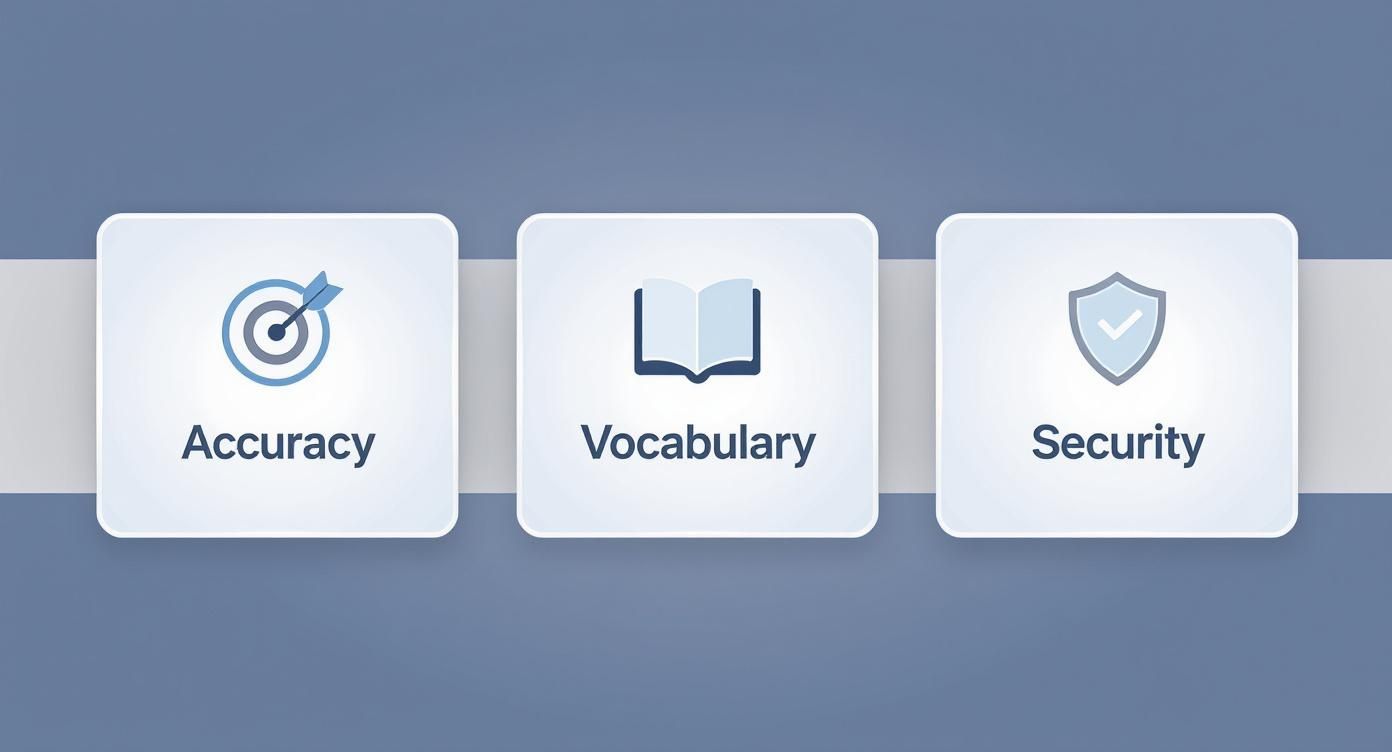
Ultimately, the best solutions deliver on all three fronts. They don't just act as a tool; they become a reliable, secure asset for your firm.
Feature Comparison of Leading Legal Dictation Software
To get a quick, at-a-glance sense of how these platforms stack up, this table highlights their key features and strengths. It provides a side-by-side look at the critical criteria we've discussed.
| Feature | Whisperit | Dragon Legal | Philips SpeechLive | BigHand |
|---|---|---|---|---|
| Best For | AI-driven drafting & workflow automation | Standalone, high-accuracy dictation | Flexible dictation & transcription routing | Enterprise-level workflow & analytics |
| Accuracy | 99%+ with AI learning | Industry-leading, high out-of-the-box | High (speech-to-text), 100% (human) | High, with professional services option |
| Legal Vocabulary | Learns & adapts to user-specific terms | Pre-loaded 400,000+ legal terms | General, with custom dictionary options | Customizable, enterprise-level vocabulary |
| Integrations | Native with case management & email | Primarily with Microsoft Office suite | Connects with various case management systems | Deep integration with firm-wide systems |
| Security/Hosting | Swiss/EU hosting, GDPR-compliant | Microsoft Azure cloud hosting | Secure cloud, location varies | Secure cloud/on-premise options |
| Workflow | All-in-one dictation, drafting, notes | Dictation-focused, limited workflow tools | Attorney-to-assistant routing & tracking | Advanced task delegation & BI reporting |
This table shows that each solution is built with a different philosophy in mind. Your choice depends entirely on whether you need a dedicated dictation engine, a flexible routing tool, or a fully integrated productivity hub.
Dragon Legal Anywhere vs. Whisperit
This is the classic matchup: the long-reigning industry standard versus the modern, AI-native challenger. Dragon Legal has been the go-to for years, and for good reason. Its massive, pre-loaded legal vocabulary of over 400,000 terms delivers incredible accuracy on complex legal citations and terminology right out of the box.
Whisperit takes a different path. Instead of just a giant, static dictionary, it uses a dynamic AI model that learns your specific speech patterns, phrasing, and custom vocabulary at a remarkable pace. This makes it incredibly powerful for niche practice areas where the terminology isn't found in a standard legal lexicon.
Situational Recommendation:
- For a firm deeply invested in the Microsoft ecosystem that needs a powerful, standalone dictation tool with a long track record, Dragon Legal is a safe, solid bet.
- For a forward-looking firm wanting an all-in-one workspace, Whisperit provides a much more integrated experience. It's built for teams who want to unify dictation, drafting, and case notes, streamlining the entire workflow, not just the transcription part.
Philips SpeechLive vs. BigHand
Both Philips SpeechLive and BigHand shine in environments where dictation is just one step in a structured process involving attorneys, paralegals, and assistants. Their strength is in managing that workflow—routing dictations, assigning tasks, and tracking a document’s status from start to finish.
Philips SpeechLive is a flexible, cloud-based solution you can access from anywhere, with a great mobile app for dictating on the move. It smartly offers both AI-powered speech recognition and human transcription services, letting you choose based on urgency and complexity.
BigHand leans more toward an enterprise-level suite. It bundles dictation with workflow automation and even provides business intelligence analytics. It’s designed for larger firms that need to optimize how they allocate resources and get a high-level view of their document production pipeline.
The Key Differentiator: The real difference is scope. Philips SpeechLive is a fantastic, highly flexible tool for managing dictation and transcription workflows. BigHand, on the other hand, aims to be a comprehensive productivity and operational intelligence platform for large-scale legal operations.
Real-World Use Case Scenarios
Let's see how these tools handle two common legal tasks.
- Dictating a Complex M&A Agreement: This job demands absolute precision with financial terms, specific clauses, and party names. Dragon Legal would be a powerhouse here because of its deep, built-in vocabulary. Whisperit would also be a strong performer, especially if the user has trained it on custom terms related to the deal, and its built-in templates could structure the document from the very beginning.
- Capturing Client Intake Notes on the Go: A solo practitioner finishes a client call and needs to dictate notes quickly while out of the office. The Philips SpeechLive mobile app would be perfect. The attorney can record the notes and send the audio file directly to their paralegal to be transcribed and entered into the case management system. Many of these tools exist within a broader ecosystem of platforms, which you can explore in our guide to the best dictation programs on the market today.
Security And Hosting: A Comparative Look
For law firms, data security is not optional. While every reputable provider offers strong encryption, the physical location of your data can be a critical factor, especially for firms with clients subject to GDPR or other data sovereignty laws.
- Whisperit has a distinct edge here by offering Swiss and EU hosting options. This gives firms a guarantee that their client data remains within specific, trusted legal jurisdictions—a core part of its privacy-by-design philosophy.
- Dragon Legal Anywhere (the cloud version) runs on Microsoft Azure. While highly secure, your data may be stored in different global regions depending on your location. It's essential to confirm the data residency options for your specific plan.
- BigHand and Philips SpeechLive also offer secure cloud hosting, but again, firms must verify directly with the provider to ensure their data storage locations meet compliance mandates.
This comparison makes one thing clear: the "best" choice is completely contextual. The powerhouse tool built for a massive firm might be overkill for a solo practitioner. Likewise, a modern AI workspace could be the key to unlocking new efficiency for a tech-savvy mid-sized practice. Take a hard look at your firm's unique workflow, security needs, and integration points to make the right call.
How Legal Dictation Software Performs in Practice
A feature list can tell you what a tool can do, but it doesn't show you how it holds up in the real world. The true test of legal dictation software comes when deadlines are looming, clients are waiting, and there’s absolutely no room for error.
This is where we move past the specs and look at how the technology actually solves the everyday headaches of legal work. Does it just add another step to your process, or does it genuinely cut down on administrative drag and help you build your case faster? Let's walk through a few common scenarios.
The Solo Practitioner Drafting on the Go
Think about the solo attorney who feels like they live in their car, bouncing between the courthouse, client meetings, and the office. All that "windshield time" is a productivity killer, yet it's often when the most critical thoughts about a case come to mind.
The challenge is capturing those detailed thoughts for a client letter or a motion right after a meeting, while the details are still sharp.
- The Problem: The attorney needs to draft a complex follow-up letter but is stuck in traffic. If they wait until they’re back at a keyboard, they risk forgetting the exact phrasing or nuance from the conversation.
- The Software Solution: They just open a mobile dictation app and start talking. The software, which understands legal jargon, accurately transcribes everything—including specific case citations and procedural terms—with over 99% accuracy.
- The Measurable Outcome: An hour of dead time is suddenly productive. By the time they get to their desk, a full draft is waiting for a quick polish. This simple shift can cut the total time spent on that document by an estimated 75% and gets a detailed response to the client that much faster.
The Litigation Team Collaborating on Deposition Summaries
Now, picture a high-stakes litigation team buried under hours of deposition testimony. The old way—manually transcribing and then summarizing all that audio—is a massive time sink that can seriously delay case strategy.
The goal is to get accurate, searchable summaries into the hands of the entire team so they can start analyzing them immediately.
Real-World Impact: For litigation teams, the ability to quickly process and collaborate on deposition audio is a game-changer. It turns a multi-day administrative slog into a focused, strategic exercise, letting the team find the smoking gun testimony and build their case faster.
This is where a shared, AI-powered workspace really shines.
- The Problem: The sheer volume of audio is overwhelming. Manual transcription is slow, expensive, and often inaccurate. The team needs one place to not only get the text but also to comment, highlight, and assign tasks tied to specific moments in the testimony.
- The Software Solution: The team uploads all the audio files into a collaborative hub like Whisperit. The platform automatically transcribes everything and even identifies who is speaking. From there, paralegals and associates can jump into the same document to add comments in real-time, flag key admissions, and build out a cohesive summary together.
- The Measurable Outcome: A task that would have taken a team of three a full week is knocked out in an afternoon. The result is a fully searchable, annotated record of every deposition, allowing senior attorneys to instantly find what they need to prepare for trial.
The In-House Counsel Creating Compliance Reports
Finally, let's look at an in-house counsel at a financial firm. They've just finished an internal investigation and need to document their findings in a formal compliance report, and they need to do it fast.
- The Problem: The attorney has to quickly get their confidential notes from interviews into a structured report that follows strict company templates, all while ensuring total data security.
- The Software Solution: Using a secure, GDPR-compliant platform with Swiss hosting, the attorney dictates their confidential notes. With a single click, they apply a "Compliance Report" template that automatically formats the entire document with the correct headings, section numbering, and legal disclaimers.
- The Measurable Outcome: A polished, perfectly formatted report is ready in under an hour. The entire workflow, from messy thoughts to a final, secure document, is handled in one place, guaranteeing both speed and compliance.
Getting Dictation Software Up and Running in Your Law Firm
Let’s be honest: buying a new piece of technology is the easy part. The real work starts when you try to get your team to actually use it. A successful rollout is less about installing software and more about thoughtfully changing old habits. If you don't have a clear plan, that shiny new tool will just gather digital dust.
The best approach is to start small. Don't try to flip a switch and have the entire firm change overnight. Instead, handpick a small pilot group—a few tech-friendly attorneys and paralegals who are open to new ideas. Let them put the software through its paces. This way, you can iron out any kinks in your workflow and create a team of internal experts who can help champion the software when it's time for a wider launch.
Making it Your Own: Customization and Setup
Out-of-the-box settings simply aren't going to work for the nuanced demands of a law practice. The secret to getting high accuracy and real efficiency is spending time upfront to tailor the software to your firm's specific needs. This initial setup is what makes or breaks user adoption.
Here’s what your configuration checklist should cover:
- Build a Custom Dictionary: This is non-negotiable. You need to compile and upload lists of recurring client names, case-specific jargon, expert witnesses, and local court terminology. Doing this from day one will slash your transcription errors.
- Create Document Templates: Get your standard document formats—motions, client letters, retainer agreements—loaded into the system. This not only speeds things up but also ensures every document leaving your firm looks consistent.
- Integrate with Your Core Systems: The dictation tool must talk to your case management and document management systems. A seamless connection means a dictated note gets filed directly into the right client matter without anyone having to manually move it.
The legal world is leaning heavily into this kind of tech. The legal transcription market, which was valued at USD 3.5 billion in 2023, is expected to balloon to USD 6.0 billion by 2032. This growth highlights just how critical it is to pick and implement tools that can be deeply customized. You can read more about this market expansion at dataintelo.com.
Implementation Tip: Don't try to customize the software in a vacuum. Pull in your paralegals and legal assistants. They're the ones who live and breathe the firm's document standards and terminology. Their input will make the final setup infinitely more practical and effective.
Training Your Team and Winning Over the Skeptics
Change is hard, and you will absolutely encounter resistance. The most common fear is that learning a new system will be a time-suck that disrupts billable work. The best way to handle this is to meet it head-on with smart, targeted training.
A one-size-fits-all tutorial won't cut it. You need to hold separate sessions for different roles:
- For Attorneys: Keep it focused on high-value activities. Show them how to dictate on the go from their phones, use templates to draft briefs quickly, and fire off emails without typing.
- For Paralegals & Assistants: This is where you can dig into the power-user features. Train them on how to clean up transcripts, manage dictation workflows, and ensure every document meets the firm's style guide.
Back this up with ongoing support, like cheat sheets, short video tutorials, and a few designated "go-to" people for questions. It’s also incredibly important to talk about security. Walk your team through the end-to-end encryption and secure hosting features. Reassuring everyone about client confidentiality is key. For a deeper dive, our guide on data security for law firms is a great resource.
When you show people a clear, manageable path to becoming proficient—and secure—you can turn that initial skepticism into enthusiastic adoption.
Frequently Asked Questions About Legal Dictation Software
Adopting new technology always brings up questions, and that’s especially true when client confidentiality and the accuracy of legal documents are on the line. Here are some straightforward answers to the questions we hear most often from legal professionals.
Getting these points clear from the start ensures you pick a tool that actually makes your practice more efficient while upholding your firm's strict security and compliance standards.
How Secure Is Cloud-Based Legal Dictation Software?
This is a big one. Top-tier solutions are built from the ground up with serious security in mind. The best providers use end-to-end encryption, which scrambles your audio data the moment you speak and keeps it that way until it hits a secure server. Many also give you the option to host your data in specific regions, like Switzerland or the EU, to meet data sovereignty laws like GDPR.
The bottom line: before you sign anything, demand to see a provider's security certifications and data handling policies. Make sure they line up with your firm’s needs.
Can Dictation Software Understand Strong Accents?
Modern AI has come a long way. The systems used today are trained on huge, diverse datasets, which makes them surprisingly good at understanding a wide variety of accents and dialects. Early speech recognition was notoriously clumsy, but today’s tech is a different beast entirely. You can read more about the evolution of general speech-to-text software to get a feel for the technology behind it.
The real game-changer is a system that learns. The best software gets smarter over time by adapting to your specific voice, common phrases, and pronunciation. It gets more accurate the more you use it.
What about recordings with multiple speakers? Some advanced tools offer speaker identification, but if you're dealing with a critical multi-speaker recording like a deposition, accuracy can still be a mixed bag. For those situations, a service that includes human verification might be the smarter choice.
What Is the Typical Learning Curve?
You'll probably be surprised at how quickly you can get up and running. Thanks to well-designed, intuitive interfaces, most lawyers and paralegals are comfortable with the core features after just a few hours of focused use.
The real trick to getting the most out of it is consistent practice and spending a little time upfront to customize your vocabulary and set up shortcuts. That initial investment pays for itself almost immediately by slashing document creation time and minimizing the need for manual edits.
Ready to transform your firm's productivity with a tool designed for legal professionals? Whisperit is the voice-first AI workspace that unifies dictation, drafting, and collaboration. Discover how Whisperit can streamline your workflow today.