
Your Essential Access Control Policy Template
An access control policy template is essentially a pre-built blueprint that defines who can get into your company’s digital filing cabinets, what they’re allowed to do once they’re in there, and under what circumstances. Think of it as the document that turns your security goals into real, enforceable rules. Without it, you’re basically just hoping for the best.
Why Your Security Strategy Needs an Access Control Policy
Let's be real—creating an access control policy can feel like just one more piece of corporate red tape. But in practice, it’s the absolute foundation of your security program and your first real defense against threats, both inside and out. It's what separates a secure, well-managed business from a potential data disaster waiting to happen.

Picture a disgruntled employee walking out the door on their last day with your entire client database. Or a well-intentioned team member accidentally exposing sensitive financial reports to the whole company with a single wrong click. These aren’t just hypotheticals; they’re the kind of incidents that happen every day when access isn't tightly controlled. A good policy stops these scenarios in their tracks.
The market itself tells the story. The global access control market jumped from $13.69 billion to $14.96 billion in a single year. That’s not a coincidence. This growth is happening because businesses are finally recognizing that clear, enforceable policies are non-negotiable for handling modern cybersecurity threats and meeting compliance demands.
The Guiding Principles of a Strong Policy
At its heart, an effective policy isn't about locking everyone out. It’s about giving the right people the right access at the right time. This is accomplished through a few core principles that elevate a simple document into a powerful security mechanism.
To truly get a handle on this, let's break down the concepts that underpin any solid access control strategy. These are the "why" behind the rules.
Core Principles of Access Control
| Principle | Description | Real-World Example |
|---|---|---|
| Principle of Least Privilege (PoLP) | The golden rule. Grant users the absolute minimum permissions required to do their job. Nothing more. | A marketing assistant has "read-only" access to the customer database but cannot export or delete records. |
| Role-Based Access Control (RBAC) | Instead of assigning access person by person, you group permissions by job title or function. It's far more efficient. | All "Accountants" automatically get access to the finance software, while all "Sales Reps" get access to the CRM. |
| Separation of Duties (SoD) | No single person should have end-to-end control of a critical process. This creates built-in checks and balances. | The employee who submits expense reports cannot also be the one who approves them for payment. |
These principles are the building blocks of modern security models. For example, they are central to Zero Trust, a framework built on the idea that no user or device should ever be trusted by default. You can see how this works in practice by reading more about what Zero Trust security is.
Beyond Security to Business Enablement
There's a common myth that tight access controls kill productivity. In my experience, the opposite is true.
When employees have clearly defined access, they can get their work done faster without getting lost in systems or data that are irrelevant to their role. It also makes onboarding a new hire or offboarding a departing employee much cleaner, slashing the risk posed by "ghost" accounts that hang around long after someone has left.
A well-crafted access control policy does more than just prevent breaches. It builds trust with clients, demonstrates due diligence to regulators, and creates a more secure, efficient operational environment for everyone in the organization.
Ultimately, this policy is your proof of a mature security posture. It protects your intellectual property, keeps customer data safe, and helps you sidestep the hefty fines and reputational damage that come with compliance failures. For a deeper dive into overarching security strategies, there are some great IT security resources available that can offer more guidance.
Alright, let's move from theory to practice. I've put together a comprehensive, field-tested access control policy template that you can copy, paste, and start adapting for your organization right now. Think of it as a solid foundation—it's designed to give you a massive head start on building a policy that's both clear and effective.
This framework is broken down into logical sections that cover the entire lifecycle of access management. You'll find bracketed placeholders like [Company Name] and italicized notes throughout to guide your customization.
1.0 Policy Purpose and Scope
1.1 Purpose: The goal of this Access Control Policy is to establish clear rules for granting, managing, and revoking access to all of [Company Name]'s information systems, data, and physical facilities. At its core, this policy is here to protect our assets by strictly enforcing the Principle of Least Privilege.
1.2 Scope: This policy is for everyone—all employees, contractors, vendors, and other third parties ("Users") who need access to any of [Company Name]'s information systems, networks, or data. It doesn’t matter where they are or what device they’re using. This covers systems like [e.g., CRM, Finance Software, HR Platform, Internal Network].
2.0 Who Owns What? Roles and Responsibilities
2.1 System Owners: These are the people responsible for classifying the data within their systems and giving the final "yes" or "no" on access requests, making sure they align with this policy.
2.2 IT Department: Our technical gatekeepers. They handle the hands-on implementation of access controls, manage user accounts, and keep an eye out for compliance issues.
2.3 Managers/Department Heads: On the front lines, they are responsible for regularly reviewing their team's access rights and putting in requests for changes as people move roles or leave the company.
2.4 All Users: Everyone has a part to play. This means protecting your login credentials, immediately reporting anything that looks suspicious, and following the rules outlined in this policy.
3.0 The Lifecycle of User Access
This part of the policy maps out a user's access from their first day to their last. Getting these procedures right is absolutely critical. It's how you prevent "privilege creep"—where permissions slowly pile up over time—and lock down the offboarding process. From experience, a single forgotten account can quickly become a major security hole.
3.1 Getting Started (Provisioning):
- New hire access requests must come from their direct manager through
[e.g., the IT ticketing system, a specific form]. - A new user gets a default set of permissions based on their pre-defined role, like
"Accountant"or"Software Developer". - Anything extra—access beyond their standard role—needs a solid business reason and approval from the System Owner.
3.2 Changing Roles (Modification):
- When someone moves to a new role inside
[Company Name], their manager must submit an access modification request. - Critically, the IT team will revoke all old permissions before granting new ones. This stops unnecessary access from being carried over.
3.3 Moving On (Deprovisioning):
- HR must give the IT Department a heads-up immediately when an employee resigns or is terminated.
- All user access to
[Company Name]systems will be shut down within [e.g., 24 hours, end of the business day] of their last day. No exceptions.
4.0 Passwords and Authentication Rules
Strong authentication is your first and best line of defense. These rules are designed to make it much, much harder for someone to guess or brute-force their way into an account.
A policy is only as strong as its weakest password. Setting and enforcing clear authentication standards is one of the most effective security moves you can make.
Here are the minimum standards we enforce:
- Password Complexity: Every password must be at least
[e.g., 12 characters]long and contain a mix of uppercase letters, lowercase letters, numbers, and symbols. - Multi-Factor Authentication (MFA): MFA is mandatory for everyone accessing critical systems. This includes
[e.g., email, VPN, financial platforms]and is required for all remote access. - Password History: We'll prevent users from recycling old passwords by remembering the last
[e.g., 5]ones they've used. - Account Lockout: An account will be temporarily locked after
[e.g., 5]failed login attempts. The lockout will last for[e.g., 15 minutes].
5.0 Access Reviews and Audits
People's jobs change, and so should their access rights. We don't "set it and forget it." Regular reviews are essential to make sure permissions still make sense and stick to the Principle of Least Privilege. This is a non-negotiable part of good security hygiene.
- Quarterly Reviews: Every quarter, managers must sit down and review the access rights of their direct reports, confirming that every permission is still necessary.
- Privileged Account Audits: Twice a year, the IT Department will perform a deep audit of all accounts with admin-level or other elevated privileges to ensure they're still justified.
- Logging: All access to sensitive data and critical systems is logged. These logs are kept for at least
[e.g., 90 days]and are reviewed regularly for any unusual activity.
6.0 Enforcement and Making Exceptions
A policy without teeth is just a suggestion. Having clear consequences ensures everyone takes these rules seriously.
- Violations: Any violation of this policy could lead to disciplinary action, which might include termination of employment, as outlined in
[Company Name]'s official procedures. We'll report any suspected illegal activities to the proper authorities. - Exceptions: If an exception to this policy is absolutely necessary, it must be documented and approved in writing by both the head of IT and the relevant System Owner. All exceptions are temporary and will be reviewed on a
[e.g., quarterly]basis.
While this template covers access control specifically, it helps to see how it fits into your larger security strategy. You can get more context by looking at a complete information security policy template. It's also incredibly useful to see how other companies do it; checking out real-world information security policy examples can give you great ideas for structuring your own security governance.
Making the Template Your Own
A generic access control policy is a great place to start, but its true value comes from making it fit your business like a glove. Think of it less as a finished document and more as a foundational framework. A policy that just sits on a server is useless; one that reflects your company's unique structure, data, and daily operations becomes a powerful security tool.
The real work is in moving past the placeholders and building a policy your team can actually understand and your systems can enforce. This starts with defining what data you have and how sensitive it is, then using that knowledge to grant access based on what people actually do—a model we call Role-Based Access Control (RBAC).
Start by Classifying Your Data
Before you can control who sees what, you have to know what you're protecting. This process, known as data classification, is all about categorizing your information based on its sensitivity. It’s the cornerstone of applying the Principle of Least Privilege in a way that actually works.
It's just common sense, really. You wouldn't leave sensitive client contracts on the breakroom table. In the digital world, that means separating your most critical information from the day-to-day stuff.
For most businesses, a simple three-tier system is plenty to get started:
- Public: Information that's meant to be shared. This is your marketing copy, press releases, and anything on your public website. No harm if it gets out.
- Internal: This is data for employee eyes only, but it's not world-ending if the wrong department sees it. Think internal announcements, project timelines, or general team documents.
- Confidential/Restricted: This is the high-stakes data. If this information gets out, it could cause serious financial or reputational damage. We're talking customer financial details, employee PII (Personally Identifiable Information), trade secrets, and unannounced product designs.
Once you have your categories, walk through your key data assets and tag them. Is your customer database Confidential? Absolutely. Is the company holiday calendar Internal? Probably. This simple exercise makes every access decision that follows much, much easier.
Connecting Job Roles to Real-World Permissions
With your data neatly classified, you can now build your RBAC matrix. This is where the rubber meets the road—you connect job titles to the specific systems and data they need to do their work. It's infinitely more efficient and secure than granting permissions to people one by one.
Let’s look at a couple of real-world examples to see how this plays out.
Scenario 1: A Junior Marketing Coordinator This person needs access to do their job, but you want to put tight guardrails in place.
- Systems They Need: CRM, social media scheduler, company blog.
- What They Can Do: In the CRM, they get "read-only" access to view contact lists but can't export or delete anything. On the blog, they can write and edit drafts, but a manager has to approve and publish the final post.
- Why It Works: This is the Principle of Least Privilege in action. They have exactly what they need—no more, no less. This prevents them from making a high-impact mistake or accidentally exposing sensitive customer lists.
Scenario 2: A Lead Software Engineer This role, by nature, requires much deeper, more privileged access.
- Systems They Need: Production databases, cloud infrastructure console (AWS, Azure, etc.), code repositories.
- What They Can Do: They'll likely have admin-level rights in the cloud environment and full "write" access to their assigned codebases. But even here, you build in checks. Maybe they can deploy code to a staging server, but a separate Ops team member has to push it to production.
- Why It Works: Their role demands powerful access, but the policy creates a separation of duties. No single person has the keys to the entire kingdom, which prevents catastrophic errors or malicious actions.
To make this crystal clear, here’s a simple table showing how you might map this out.
Sample Role-Based Access Matrix
| Job Role | System/Application | Permission Level (Read, Write, Admin) | Justification |
|---|---|---|---|
| Sales Representative | CRM | Read/Write | Needs to update and manage their own customer accounts. |
| HR Manager | HRIS (Human Resources Info System) | Admin | Needs full control to manage employee records, payroll, and benefits. |
| Junior Accountant | Accounting Software | Read/Write (limited) | Can create invoices and log payments but cannot approve large expenditures. |
| IT Support Specialist | Help Desk & MDM | Admin | Requires admin rights to troubleshoot issues and manage user devices. |
This kind of table becomes your single source of truth for access. When a new sales rep starts, you just assign them the "Sales Representative" role, and they automatically get the right set of permissions. It's clean, consistent, and auditable.
By clearly defining roles and mapping them to your classified data, you create a system that is both secure and repeatable. Onboarding a new hire goes from a manual, error-prone checklist to a simple role assignment.
This isn't just a theoretical best practice; it's a proven strategy. The adoption of structured access control is on the rise globally, especially in the Asia Pacific region. A recent report found that over 70% of large enterprises in India now use a templated or role-based approach, which has contributed to a 25% drop in security breaches for those who implemented it correctly. You can dig into more of these numbers in this report on global access control trends on Spherical Insights.
Getting your RBAC matrix right is also a critical step toward more modern security models. A well-defined policy is a prerequisite for a Zero Trust architecture, which is built on the philosophy of "never trust, always verify." To see how it all connects, take a look at our guide on zero trust data protection.
Ultimately, tailoring this template is about transforming abstract rules into a practical, operational tool that hardens your security while helping your team work smarter.
Putting Your New Access Policy into Action
An access control policy template gathering dust in a shared drive isn’t security—it’s just a document. The real work begins when you start weaving its principles into your company's day-to-day operations. This is where even the best-laid plans can fall apart, not because the rules are flawed, but because they never become part of the company’s culture and technical workflows.
Success depends entirely on a smart, deliberate rollout. A policy without teeth is just a suggestion, which is why the first move is always to get executive sponsorship. When you present the final policy to leadership, don't frame it as a dry technical document. Frame it as a critical business initiative that reduces risk, boosts efficiency, and ensures compliance. Once your leadership team is on board and vocal about it, everyone else will understand that access control is a non-negotiable priority.
This infographic breaks down the journey from a generic template to a living, breathing policy.
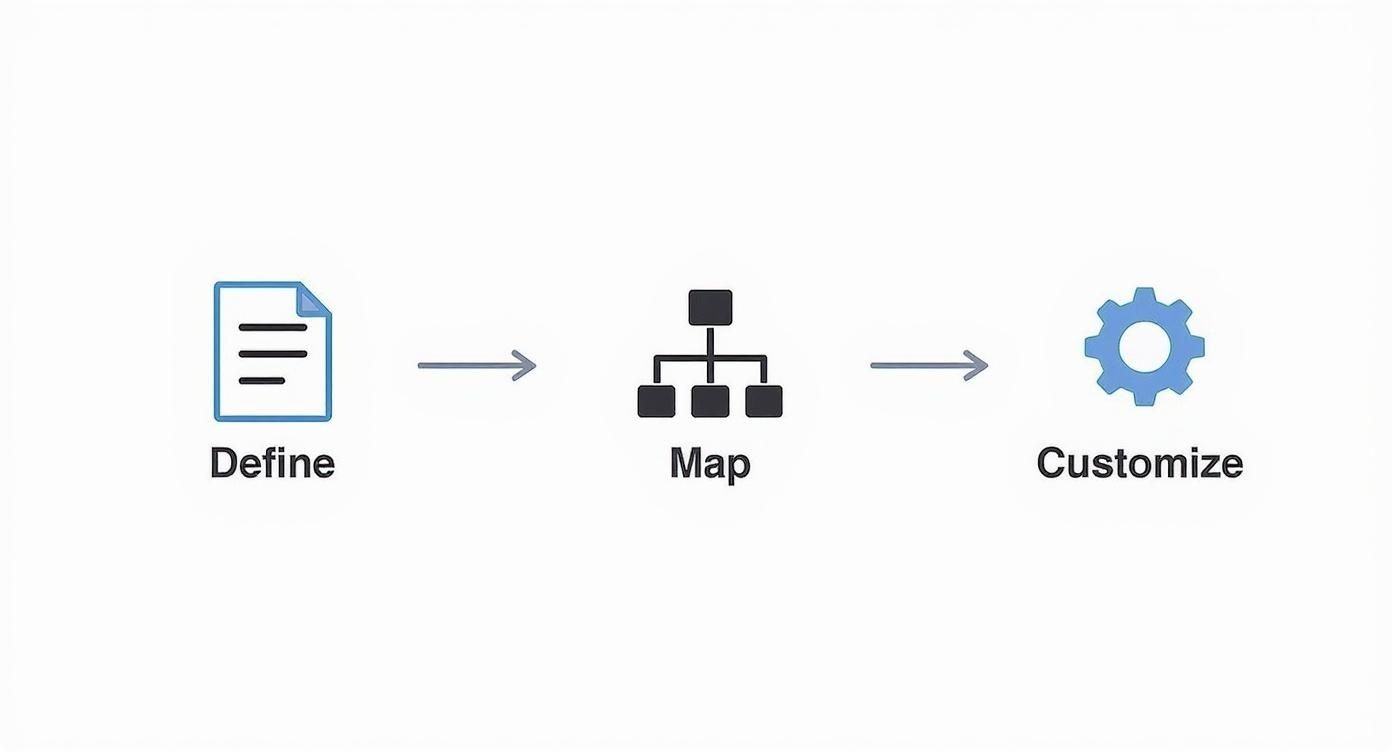
It’s a simple but effective flow: start by defining your assets, map them to your organizational roles, and then fine-tune the rules to fit your specific needs. Following a structured approach like this helps sidestep the common mistakes that trip people up during implementation.
Communicating Changes and Training Your Team
With leadership’s backing secured, your next focus is communication. Simply emailing the policy and hoping for the best is a recipe for failure. Instead, you need to schedule mandatory training sessions that are tailored to different groups within the company.
- For All Employees: The goal here is to explain the "why." Help them understand how the policy protects the company and their own work. Cover the essentials like good password habits and how to report anything that looks suspicious.
- For Managers: They need to know their specific responsibilities, like approving access requests and performing quarterly access reviews. Give them the checklists and tools they need to do these tasks without it becoming a major headache.
- For Technical Teams: This is where you get into the weeds. These sessions should cover the nitty-gritty of configuring roles in your systems, whether that’s Active Directory, Okta, or specialized cloud platforms.
Remember, training isn't a one-and-done event. You have to reinforce these principles during new hire onboarding and with regular security awareness campaigns.
Integrating into Key Business Workflows
To make your policy truly stick, you have to embed it right into your core HR and IT processes. Onboarding and offboarding are the two most critical points where access control is either done right or falls apart completely. Automation is your best friend here; manual checklists are just too easy to mess up. In fact, a startling 34% of data breaches involve internal actors, a risk that skyrockets when offboarding is handled poorly.
Here’s how to integrate the policy seamlessly:
- Onboarding: Your HR system should automatically kick off a workflow that grants a new employee access only to the systems their pre-defined role requires. Nothing more. If they need additional access, it has to go through the formal exception process you’ve laid out.
- Offboarding: This has to be fast and thorough. The second an employee's departure is official, a workflow should trigger to disable every single one of their accounts. You need a rock-solid process between HR and IT to make sure no active account is left behind.
A seamless offboarding process is non-negotiable. Lingering access from former employees is one of the most common—and easily preventable—security vulnerabilities an organization can have.
Technical Enforcement and Continuous Monitoring
Finally, you have to back up your policy with technology. Your systems must be configured to enforce the rules you’ve written. If your policy says the finance team can only access the accounting software, then your network and application controls need to make that a reality.
Monitoring is the last piece of the puzzle. Use logging tools to keep an eye on who is accessing sensitive systems. Set up alerts for unusual activity, like someone trying to get into a critical database outside of normal business hours. This kind of proactive monitoring helps you spot potential breaches early and is essential for proving compliance during an audit.
This is especially crucial for accounts with elevated permissions. For a deeper dive on that topic, our guide on privileged access management best practices offers a detailed roadmap for locking down your most critical assets. By combining clear communication, integrated workflows, and strong technical controls, you can turn your access control policy into a powerful security asset.
Navigating Complex Compliance Requirements
For businesses in sensitive fields like healthcare, finance, or law, compliance isn't just a box to tick—it’s the price of entry. An access control policy is far more than an internal document; it’s a critical piece of evidence that proves you’re serious about protecting data according to strict industry and legal standards.
Think of your policy as the bridge between abstract regulations and your daily security practices. It’s what translates the high-level principles of frameworks like GDPR, HIPAA, and PCI DSS into specific, concrete rules your team can actually follow. Without this documented proof, an audit can quickly become a nightmare.
Connecting Your Policy to Major Regulations
Your access control policy is your compliance playbook. When an auditor asks how you're protecting customer data, you don't just talk about it—you point to the exact clauses in your policy that address their questions.
Let's look at how specific parts of the policy template directly map to key compliance mandates:
- GDPR (General Data Protection Regulation): This regulation lives and breathes accountability and data minimization. The template's sections on Role-Based Access Control (RBAC) and the Principle of Least Privilege are your direct evidence. They show you're not just letting anyone access personal data; you’re restricting it to a strict, need-to-know basis.
- HIPAA (Health Insurance Portability and Accountability Act): HIPAA is all about protecting electronic patient health information (ePHI). The template’s strict rules on Authentication (like requiring MFA) and routine Access Reviews are precisely what auditors look for. This proves only authorized personnel can see sensitive patient records, a cornerstone technical safeguard under the law.
- PCI DSS (Payment Card Industry Data Security Standard): If you touch cardholder data, PCI DSS is non-negotiable. One of its central requirements is to "restrict access to cardholder data by business need-to-know." Your policy’s detailed user access management procedures—from provisioning and modification to immediate deprovisioning—are your proof that you’re meeting this standard.
Your access control policy is your first line of defense in an audit. It’s the documented proof that you have established, implemented, and maintained the necessary controls to protect regulated data, helping you avoid crippling fines and build deeper trust.
Using Your Policy as Audit Evidence
When an audit kicks off, your policy becomes Exhibit A. Auditors will meticulously compare your real-world practices against your documented rules. This is especially true for frameworks like SOC 2, where demonstrating strong, repeatable controls is everything. Our detailed guide on SOC 2 Type 2 requirements digs deeper into how these policies form the bedrock of a successful report.
In Europe, the link between policy and compliance is even more direct. The GDPR has effectively made a formal access control policy template a must-have for data protection. A recent study found that 80% of European organizations in high-stakes sectors now use these templates to stay on the right side of regulations. This isn't just for show; in Germany, this structured approach contributed to a 35% reduction in data breaches. You can find more on these access control market trends on Future Market Insights.
Ultimately, a well-defined and consistently enforced policy transforms compliance from a stressful, reactive scramble into a predictable, manageable process. It’s your roadmap for protecting data and your evidence for proving you've done it right.
Got Questions About Your Access Control Policy?
Even with a solid template in hand, putting an access control policy into practice always brings up questions. It's not a "set it and forget it" document; it’s a living part of your security posture that has to evolve. Let's dig into some of the most common questions that pop up when the rubber meets the road.
How Often Should We Review This Thing?
One of the first things people ask is about review frequency. My rule of thumb is this: review it at least annually, and always after any significant business change.
What counts as a "significant change"? Think about things like launching a major new product line, expanding into a new market, or onboarding a big piece of software like an ERP or CRM. If your business operations change, your access needs will change right along with them. An outdated policy is a dangerous one.
What are the Biggest Mistakes People Make?
I see the same missteps time and again. Two, in particular, can completely undermine your efforts.
The first is using vague, wishy-washy language. A policy that just says "users should have appropriate access" is essentially worthless. You need to be specific. A good policy states, "The 'Accounts Payable' role is granted read/write access to the Invoicing module but read-only access to the General Ledger." See the difference? Crystal clear.
The second huge mistake is building the policy in an IT silo. You absolutely must involve department heads and team leads. IT can't possibly know the nitty-gritty of what every team needs to do their job. Without their input, you'll either grant way too much access (a security nightmare) or not enough (a productivity killer).
What About Exceptions and Temporary Access?
This one is critical because the real world is messy. A developer might need temporary admin rights on a production server to push a critical hotfix. A contractor might need access to a single project folder for the next 90 days. These one-offs are inevitable.
The key is to make every exception temporary, documented, and approved. Never grant permanent access for a temporary need.
Here’s a simple, effective process for handling these requests:
- The Formal Ask: The user must submit a ticket or form explaining exactly what they need, why they need it, and for how long. No "I need access" requests allowed.
- The Right Approvals: The request needs a sign-off from both their direct manager and the person who "owns" that particular system or data.
- The Ticking Clock: Most importantly, the access must be granted with an automatic expiration date. When the clock runs out, the access is revoked automatically. No manual clean-up needed.
This approach gives you the flexibility to handle real-world business needs without punching permanent, forgotten holes in your security defenses.